• The move to the new server is done. There are some software and database maintenance updates in process. This has us passing the hat around to help out. We appreciate any donations. Seriously, even a dollar helps. The payment page may be found here - https://www.audiokarma.org/support.html

Hookup for surround sound processor to existing integrated amp

I will try a couple of things based on what I have read here, but that won't be until sometime tomorrow as work comes first. I will post pictures of the unit if I still have no luck. The unit may be "white van-ish" as I don't know a lot about it. I can see where the brand "Audiofile" would bring this to mind. The unit is very heavy, solidly built, and does not seem BPC or cheaply built.I bought it from a seemingly reputable seller who used it in his own system for a time. I have sent him a question or two, but have not heard back yet. There is certainly a chance that the unit just doesn't work properly, but I don't expect this to be the case. I doubt that the unit was damaged in shipping. The way it was packed for shipping was excellent and the package could have withstood a pretty major pounding without incident.
I have a line in to the surround unit (line in jacks) from a tape out of the main unit with no return line to tape in. I have also tried this with a line back to tape in. The speakers are connected to the surround unit via spring clip speaker terminals on the rear of the unit. The front has four different LED type readouts (min/max) for each of the different outputs. I can see these lighting and changing in unison with the music/signal. The buttons on the front are monitor( I assume tape monitor ), matrix, surround, hall, test, and phantom. There are two adjustable knobs on the front, sub output and line in level control. The front also has three volume control +/- buttons ( rear, front, master ). This seems like it should be easy. I must be missing something basic. Thanks.
 
IMO, while there may be more to it in some type of setting/button configuration, I believe the integrated amp tape mon out has to go to the processor line in, and processor line out front has to come back to the integrated tape in.

That type of connection is consistent/similar with both external processors I've used (Yamaha DSR-100PRO and Sony SDP-E800).

EDIT: As you can see by the attached photos of my Yamaha DSR-100 PRO, the connections and controls are somewhat similar.

The DSR-100 PRO doesn't have any built-in amplification so it's intended more for separate or multichannel amp/receiver setups. But, it still has the main in/out jacks etc and the master volume with controls for surround and center levels.
 
Last edited:
The DSR-100 PRO that you have pictured( thanks for that by the way)seems to have a few more input options than the Audiofile unit. The Audiofile has its own built in amplifier which makes me think that if I run a signal in, I should be able to get sound out through the speaker terminals.
 
Yes, I think you should. If the lights on the unit are bouncing in time to the input signal then it seems a signal must be getting in. Why would the sound not come out of the speaker terminals....hmmmm???

Is the tape monitor on the processor turned off (which I think it needs to be)?

Anyway, the fronts would still have to be routed back through the integrated amp, IMO.


FWIW, The DSR-100 itself really has only one input, the Main In on the left side. The other group of inputs towards the center-right is if you combine this Pro Logic decoder with a sound field generator like Yamaha's DSP-1.
 
Last edited:
Here's another thought! If you are not getting any sound from the speakers connected to the surround unit itself, it could be from a blown speaker fuse or two, inside the unit.

Take the cover off and see if there are fuses inside! It only seems to reason that if you are seeing the meters or LED's move or blink, but not getting anything out of the speakers, that a fuse is blown!
 
Until the unit is working, we probably won't know for sure.

But, surround info shouldn't come out of the line out front. That is the front speaker processor output back into the integrated amp...IMO.

The OP seemed to indicate in an earlier post that there is a separate pair of RCA jacks for surround out.
 
Last edited:
Once you have the connections correct, here are some thoughts on the volume sources to consider and maybe adjust if you haven't already.

I don't know which knobs or buttons you have played with so don't be insulted if this seems like a checklist of what you have already done.
The speakers are connected to the surround unit via spring clip speaker terminals on the rear of the unit. The front has four different LED type readouts (min/max) for each of the different outputs.

I can see these lighting and changing in unison with the music/signal.

The buttons on the front are monitor( I assume tape monitor ),
Good sign you can see some effect. And that you were able to hear some sound in one of your configurations. Maybe with whoaru99s suggestions that may help.

The tape monitor of course can affect source output.

matrix, surround, hall, test, and phantom.
Are you having front speakers? Unless you have a defeat mode (no processing). It looks like the rear speakers would only carry the ambient surround sound. Which could vary in loudness, echo, and reverb depending on surround mode selected.
There are two adjustable knobs on the front, sub output and line in level control.
This can affect how much volume is passed.
The front also has three volume control +/- buttons ( rear, front, master ).
This of course allows independent control so the rear and front speakers are blended well. I assume the master would adjust the rear and front simultaneously once those two are separately adjusted.

I have +- rear level button on mine. I may have to increase enough to hear rear level to hear any sound and blend with the front speakers. Then I can use the "master" volume knob to adjust both simultaneously.
This seems like it should be easy. I must be missing something basic. Thanks.
Different processors have different in and outs. Pretty confusing actually.
 
The buttons on the front are monitor( I assume tape monitor ), matrix, surround, hall, test, and phantom. There are two adjustable knobs on the front, sub output and line in level control. The front also has three volume control +/- buttons ( rear, front, master ). This seems like it should be easy. I must be missing something basic. Thanks.

If you push the "test" button, do you get sound from the speakers connected to the processor? It would probably be a static/hiss-like sound.
 
Until the unit is working, we probably won't know for sure.
The OP seemed to indicate in an earlier post that there is a separate pair of RCA jacks for surround out.

Ahhhh! Makes sense now. I somehow skipped over the part where he says it has LINE OUT FRONT. Mine just has LINE OUT! :thmbsp:
 
If you push the "test" button, do you get sound from the speakers connected to the processor? It would probably be a static/hiss-like sound.

I did not notice any type of sound coming from the speakers in the test mode.
I do know that the internal amp works as I can get loud, volume unadjustable
music in one of the configurations. I am thinking that I can run my conventional stereo system as usual and just turn on the surround unit to send the ambient signal to the rear speakers when desired. Operation of the existing stereo system should be unaffected. Am I expecting something that this type of unit cannot do?:scratch2:
 
I did not notice any type of sound coming from the speakers in the test mode.
I do know that the internal amp works as I can get loud, volume unadjustable
music in one of the configurations. I am thinking that I can run my conventional stereo system as usual and just turn on the surround unit to send the ambient signal to the rear speakers when desired. Operation of the existing stereo system should be unaffected. Am I expecting something that this type of unit cannot do?:scratch2:

I think your expectations are correct - and I'm following this thread, because I'm doing the exact same thing - only with a Technics SH-AV44 Surround Processor from about 1986. Mine has an internal amp for the rear channels only, and a master volume to control your entire system, but that isn't how I had it set up when I bought it.

I just have to play around with it, and try to understand the owner's manual, to see if I can get it to work as I want - I know there are a few different ways to connect it. I'm just not sure I want this unit to control the master volume.

Interestingly, this unit only has the very earliest Dolby Surround, not Pro Logic - yet it has a center channel out that somehow decodes the center channel material when I hook up an external amp to it. I don't see how that is possible - 'center channel' wasn't even invented yet - right? That came along in the early 90's with Pro-Logic? Or am I wrong?

Adding surround to vintage 2-channel systems shouldn't be this confusing - makes me feel kinda dumb. And my head hurts - lol

Please keep us posted as to your progress.

Rob
 
I think with a Dolby Surround processor you could run the stereo setup completely separate from the processor...meaning no return feed from the processor to the amp for the front channels. With that type (meaning Dolby Surround) of unit I think the front L/R channels aren't affected by the processor other than perhaps volume/level control.

However, if the processor is Dolby Pro Logic (or newer) I think the front L/R have to go through the processor and be returned to the receiver/amp to achieve the proper surround sound effect. Sure, you probably could run with the fronts not though the processor, but then the surround effect wouldn't be as it is supposed to be.

A center channel could be produced in a Dolby Surround system though some sort of matrixing or perhaps Hafler-type circuit to create a quasi center channel effect.

Dolby Pro Logic was first available to the home user in 1986 or 1987.
 
Last edited:
I did not notice any type of sound coming from the speakers in the test mode.

That sounds like a problem to me, but since we don't know much about the unit I guess I can't say for sure.

I do know that the internal amp works as I can get loud, volume unadjustable
music in one of the configurations.

That's good...I suppose. It at least indicates some parts of the unit are working.

I am thinking that I can run my conventional stereo system as usual and just turn on the surround unit to send the ambient signal to the rear speakers when desired. Operation of the existing stereo system should be unaffected.

I think that depends on the processor and the decoding scheme. Afaik, if it's just Dolby Surround, maybe. If it's Dolby Pro Logic or newer, I think the fronts have to route through the processor to achieve the proper surround effect.

Am I expecting something that this type of unit cannot do?:scratch2:

Damn hard to say since there seems to be no solid information on the unit, at least I haven't been able to find any.
 
Last edited:
Interestingly, this unit only has the very earliest Dolby Surround, not Pro Logic - yet it has a center channel out that somehow decodes the center channel material when I hook up an external amp to it. I don't see how that is possible - 'center channel' wasn't even invented yet - right? That came along in the early 90's with Pro-Logic? Or am I wrong?

Adding surround to vintage 2-channel systems shouldn't be this confusing - makes me feel kinda dumb. And my head hurts - lol

Please keep us posted as to your progress.

Rob

Keep in mind Dolby processing was available in movie theaters before the consumer version of Dolby Surround was introduced in audio/video components for the home

Early Dolby in movie soundtracks I believe had 4 channels: Left, Center, Right, Rear surround. So the center channel was already available, it was just a matter of how the audio components were designed to be able to decode or "steer" the information. I had read that a lot of the information was there on the soundtracks, it was just a matter of how to get it to the home user.

If you think about it, even in stereo, you can get vocals centered, so getting a degree of center information is possible with just 2 front speakers. The trick with early Dolby Surround was getting the center dialogue loud and clear and stable. This was addressed with improved Dolby Pro Logic steering logic, and now the various Digital X.1 systems provide more discrete channels.

As far as your Technics with a center channel. Some manufacturers can come up with different implementations to try and solve weaknessess or provide a better surround sound. My ancient Onkyo TX-SV909Pro has 7 speaker channels plus a subwoofer out and it is only Dolby Pro-Logic. But it is not a Digital 7.1 discrete system that you see today. The Onkyo TX-SV909Pro added two front enhance speaker channels to provide a little more depth for the front sound. Got to appreciate the vision that went into the design.

My Yamaha AVC-50 has Dolby Surround, Hall, Simulated Surround, etc. but does not have a separate center channel output, but it does allow for front and rear output. I used the tv speakers as the center channel sound source in this type of set up. The only way to get a subwoofer is to sacrifice the front output and use them to connect to a subwoofer using a y patch cord.

A brief capsule history:
http://www.dolby.com/about/who_we_are/history_4.html
 
Last edited:
This is all very informative - thanks. I've always enjoyed surround sound, and some manufacturers do it better. My old Technics processor does have the regular main IN and OUTs, plus that center channel out, and a variety of inputs for VCR's and any other video source you may have & a tape monitor loop, plus "manual, movie, and music" modes besides the Dolby Surround. Delay, calibration, and level controls. A pretty well thought out piece for an intro into surround sound back then, IMHO.

Now my TOTL Kenwood receiver from late 1988 had basic Dolby Surround incorporated into it, but it was a very poor attempt. It sounded horrible in Dolby mode - very distorted, I think because the surround signal also went through the 7 band built in EQ. So if you really boosted the bass, the Dolby rear channels sounded bad. Is it because early Dolby surround low frequencies only went down to about 150hz? Anyway, the Kenwood failed miserably in Dolby mode, so I used stadium mode I think for the whole time I owned it.

At least the older Technics got it right. I'm anxious to hook it up after all these years and see what it can do. I like to listen to all stereo sources with some type of surround sound when possible to make me feel like I'm right there in the audience, so to speak.

Rob
 
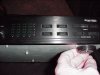
Here are a few pictures of the front and back of the surround unit. I tried a couple of different arrangements today but still no answer. Maybe seeing a few pictures will spawn a new idea. Thanks.
 

Attachments

  • MVC-699S.jpg
    MVC-699S.jpg
    93.7 KB · Views: 17
  • MVC-705S.jpg
    MVC-705S.jpg
    109.5 KB · Views: 14
  • MVC-708S.jpg
    MVC-708S.jpg
    68.8 KB · Views: 13
  • MVC-711S.jpg
    MVC-711S.jpg
    75.1 KB · Views: 13
Hey Goul, I got your PM and call me tonight if you can, I have surgery tomorrow and may be MIA in hospital for the next 2 weeks but I am up late tonight if your free. Cheers
 
O.K...I don't exactly know why, but after I disconnected the surround unit to take the pictures and reconnected it...it now works! I connected the unit in the same way as before. Line out from the Pioneer integrated (SA-1050) to line in on the surround unit. Speakers connected to the outputs on the rear of the surround unit. I have no idea what changed, but :banana: we have sound. Thanks very much to all who replied and sent their help.
 
If everything was the same, then maybe it was loose or dirty connections. Sometimes it just takes some inadvertant nudging and playing. Accidents count! I have an amp where I have to jiggle the RCA jacks to get sound sometimes on my right channel. Probably needs resoldering or more cleaning but too lazy.

Anyway very happy to hear it works the way it should or at least the way you expect!

Very cool! :thmbsp:
 
Back
Top Bottom