• The move to the new server is done. There are some software and database maintenance updates in process. This has us passing the hat around to help out. We appreciate any donations. Seriously, even a dollar helps. The payment page may be found here - https://www.audiokarma.org/support.html

How can the same down load sound so different?

The digital clocks must be treated as analog. Ok!

More ignorance being revealed.

The digital clocks in the DAC interface, yes. I explained why earlier. Just for you, I'll expand on why.

Digital circuits use a clock signal to control when things happen. In a DAC, the clock controls the sampling of the input data, and thus, the timing of the DAC analogue output changes.

The clock edges have a finite rise time. The clock input of the circuit has a transition voltage, at which it responds to the clock edge, sampling the input.

With a perfectly clean rising edge of the clock signal, and no noise on the clock input circuit, the clock transition point will occur at the same, regular point in the clock waveform. Result: no jitter.

Now, if the clock signal has noise on the rising edge slope, or there is noise on the clock input buffer power supply or ground rail, that noise will cause the transition point to occur earlier or later than it should. Result: jitter.

So, if you want to minimise jitter, you need a clean clock signal, and a clean power supply for the clock input buffer of the DAC.

What your DigiOne is doing is clock recovery, providing a clock with low jitter to your DAC. But you knew that's what is was for, didn't you...?
 
Last edited:
What your DigiOne is doing is clock recovery, providing a clock with low jitter to your DAC. But you knew that's what is was for, didn't you...?
That's what Allo claims:

"As well, DigiOne has a double relocking of the S/PDIF stream (one of them taking care of metastability and the second one taking care of realigning the data)."

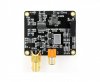
That's the aluminum rectangle below the Digi One label on the board.

While on the other system, the Audio Research DAC8 takes a slightly different design approach for its clocks: one for 44.1/88.2/176.4 and another for 48/96/192 operation.
 
As well, DigiOne has a double relocking of the S/PDIF stream (one of them taking care of metastability and the second one taking care of realigning the data)

Do you need an explanation of metastability?

Their description isn't accurate, either. You need at least two flip-flops to do metastable recovery; the first, sampling flip-flop at the inter-clock boundary is subject to metastability. It's the second (and subsequent) flip-flop that does the metastable resynchronization.
 
Last edited:
That's the aluminum rectangle below the Digi One label on the board.

Actually, I suspect that 'aluminium rectangle' is the reference oscillator for the clock recovery chip. It's unlikely to be aluminium.

I also suspect that the black rectangle on the far right side of the PCB is a packaged SMPS. I'd need to see the label to be sure, but it looks very like one; maybe you could take a photo of that device, looks like the label is on the 'inside'.

[edit] you can see from the photos on the Allo website that it is a Mornsun IB0505LS-1W DC-DC converter (aka an SMPS). Just like the one on my £16 PiFi DAC+. I thought it looked familiar...

https://www.allo.com/sparky/digione.html

https://www.mornsun-power.com/uploads/pdf/IB_LS-1W.pdf

Who would have thought they would be using an SMPS, eh...?
 
Last edited:
It's unlikely to be aluminium.
Ok, the silver one!

I'd need to see the label to be sure, but it looks very like one; maybe you could take a photo of that device, looks like the label is on the 'inside'.
Do you ever follow the many links I provide? The one from Allo's site (to which I linked in post #162) is larger still.

digione.jpg

While the RPi platform has established an incredible value, no one would ever mistake it for a state-of-the-art solution. Works great in the garage!
 
Last edited:
This thread is very interesting, for what I understand of it.

my experience.

I have a amd based htpc fx 9350 running debian stable linux. 32 Gig RAM. On that machine I have the M audio 192 card.
Here's its specs
  • Up to 24-bit/192kHz audio
  • 2x2 balanced 1/4" TRS analog I/O
  • S/PDIF digital I/O with 2-channel PCM and surround
  • Direct hardware input monitoring via separate balanced 1/4" TRS monitor inputs
  • 16-channel MIDI I/O
  • SCMS copy protection control
  • Software routing of inputs and outputs
  • Digital I/O can be routed to/from external effects
  • ASIO, WDM, GSIF 2 and Core Audio driver support
  • 64-bit driver support for Windows
  • PCI 2.2 compatibility
Specifications
  • Sample rates (kHz): 44.1, 48, 88.2, 96, 176.4, 192
  • Signal-to-noise ratio (input): -113dB @ 48kHz (A-weighted)
  • Signal-to-noise ratio (output): -108dB @ 48kHz (A-weighted)
  • Minimum system requirements (PC): Pentium 3, 700MHz or higher, 256MB RAM (192 and 96kHz operation), Pentium 3, 500MHz or higher, 128MB RAM (48kHz operation), DirectX 9.0b or higher, Windows XP (SP1) or Windows 2000 (SP4), available PCI slot
  • Minimum system requirements (Mac): Macintosh G4 733MHz or higher, 512MB RAM, Mac OS X Jaguar (10.2.8 or later) or Panther (10.3.4)

I've been using it for years, sending a dual balanced TRS signal to my main system (Bryston Pre, multiple Carver Pro amps-MP 350 and PM 1.5, infinity rs2b speakers and magnepan 2.5r speakers) and to my bedroom system (unbalanced) apt holmann pre, and again multiple Carver amps TFM 25 and PM 350, into infinity Rennasaince 90 speakers directly coupled to the pm350 and a whole slew of other speakers (M&K,KLH,Canton, Altec Lansing, dayton audio rock speakers, etc etc) via a 12 way russound speaker switcher with autoformers.

recently I'd noticed a wow and flutter in the signal, at first I thought it was just the resolving power of the maggies and the new (to me rs2b) were letting me hear noise in the signal that I'd not heard before, but a quick listen to the same system and the same speakers with a different source ruled that out. Powered down the system then I swapped in my M audio 2496, and couldn't get signal out of it at all. (still not sure if it's just a switch in software I didn't turn or what, but whatever I don't think I've ever gotten that 2496 to work) then I took my Audio Engine usb DAC and switched in software the signal to it... same noise.
Swapped in my hifime usb DAC, same noise. (btw that hifime is a really cool, inexpensive dac).

Thought it was a software issue, so I rotated through five or six different media players (linux really rules for things like this btw) and still that maddening sound!
So. I grab my laptop, used its usb out to the audioengine DAC, no noise.

Damn. so now It's either components in my htpc are dying, or there's noise getting into it in the digital domain, since I'm sending the signal out the usb ports.

Move my speakers out of the way, get ready to pull the entire htpc from its lair in the rear right corner of the room, and what do I find? I find the UPC cord is pulled halfway out due to a slight move I'd made when putting the RS2b in their new home. Huh. that's odd. fully Plug in the power cord, re-power up the htpc and woilla! noise is gone.

So, noise was entering the digital signal via the halfway unplugged power cord for my htpc.
I use top shelf power supplies, ram, mobos on my computers, as well as using a monster branded power conditioner on all components that are connected to my main stereo. Been bitten too many times by cheap computer power supplies, or cheap ram to mess with it anymore.(I build all my own pc's from scratch)

This one surprised me. Noise CAN get into a digital signal via rf interference (I'm assuming that's what it was, all I know is it is now gone, gone, gone.)

p.s. @E-Stat , what version of linux to you use, and what (if any) digital switches do you have to flip to make your 2496 function? I swear it worked once under alsa, but that must have been ten years ago. Like everyone else, I use pulsaudio now instead of alsa.....We won't go into the history of linux and sound, that's a deep deep rabbit hole.
 
p.s. @E-Stat what version of linux to you use,
The desktop server that houses LMS runs Win7. My reference to Linux is for the network attached players: microRendu uses what Sonore calls "Sonicorbiter" and the RPI runs piCorePlayer. Follow the embedded links for more info (scroll down a bit for the pCP description). Both are thin (~12 mb), stripped down versions of Linux optimized solely for audio playback on those devices. Because the RPi is innately a general purpose computer, pCP uses a config file that allows you to disable all manner of unnecessary stuff. I posted my LMS and pCP configurations a while back. Click here if you're interested.

and what (if any) digital switches do you have to flip to make your 2496 function?
Don't recall setting any. Since I am running in shared mode where any Win program can contribute output, it is restricted to 44/16 operation anyway. I'm not picky about the in-house system playing through 8" full range Parts Express speakers in the ceiling. :)

maudio.jpg
 
Last edited:
... same noise.
Swapped in my hifime usb DAC, same noise. (btw that hifime is a really cool, inexpensive dac).

Thought it was a software issue, so I rotated through five or six different media players (linux really rules for things like this btw) and still that maddening sound!
So. I grab my laptop, used its usb out to the audioengine DAC, no noise.

Damn. so now It's either components in my htpc are dying, or there's noise getting into it in the digital domain, since I'm sending the signal out the usb ports.

Move my speakers out of the way, get ready to pull the entire htpc from its lair in the rear right corner of the room, and what do I find? I find the UPC cord is pulled halfway out due to a slight move I'd made when putting the RS2b in their new home. Huh. that's odd. fully Plug in the power cord, re-power up the htpc and woilla! noise is gone.

So, noise was entering the digital signal via the halfway unplugged power cord for my htpc.
... Noise CAN get into a digital signal via rf interference
Normal RF interference can't do that; it would have to be enough noise to suppress normal USB operation. I.e., a defect rather than interference. Such a power supply defect -- whilst hard to say without actually testing things as it happens, my first guess would be significant 60hz line hum down the USB lead due to lack of ground -- can effect a close-coupled (e.g., via USB) analog device like a DAC, or even essentially bypass it to travel via the analog audio cables (particularly if improperly grounded) straight to the amp.

Power supply problems can also cause a network interface to oscillate between full speed and barely operational, with the result that audio protocols will constantly switch between normal operation and low-bandwidth graceful degradation, creating an audible "pumping" as the audio resolution rapidly switches from high to low and back. That could be described as wow and flutter.
 
The evil microsoft.
Ah well. I've been microsoft free since ~2001 so the delta control panel isn't available to me.

usb to a DAC is the future anyway, that way I can send the original signal out.

@DaveVoorhis , network is hardwired with gigabit and Cat6, and the source is either MKV's of blu-ray disks self ripped, and unconverted or .wav pcm files, self ripped using cdparanoia being served from my server (also hardwired) no up/down sampling at all. Not music streaming from the internet. I can't stand most internet audio, the compression algorithyms are very audible to my ears. Router is a linksys, it was totl when I installed it four years ago, although it's getting a bit long in the tooth now.

I'm telling you, it was noise from the halfway unplugged upc, heard across the maudio soundcard with a balanced connection, sound blaster audigy (I forgot that I did try that one also), or the two different usb DACs mentioned in my previous post. When I routed audio to my vizio big screens rca outputs, all that noise was still there. i.e. on the htpc I routed audio through the hdmi cable connected to my big screen. It didn't sound as good,however, the d/a converters on my tv are nowhere near the quality of my m audio or my audioengine.

It's because of noise (like the 60hz ground loop hum many of us have had to endure) is why I went to a fully balanced signal from source to amp, and power conditioner, yet, there still was this wow/flutter sound you could hear through the Emits or the Maggie ribbon. it was very noticible with female voices, almost sounded like listening through a leslie, or a cry-baby pedal.

if it was the NIC changing resolution, then it would also be obvious to the eye, and I'm talking a 70" 4k display, so I think I'd have seen that. audio bandwidth is miniscule compared to video bandwidth any more.
 
Last edited:
yet, there still was this wow/flutter sound you could hear through the Emits or the Maggie ribbon. it was very noticible with female voices, almost sounded like listening through a leslie, or a cry-baby pedal.

if it was the NIC changing resolution, then it would also be obvious to the eye, and I'm talking a 70" 4k display, so I think I'd have seen that. audio bandwidth is miniscule compared to video bandwidth any more.
The NIC doesn't change resolution. Individual protocols deal with errors or bandwidth limitations on a protocol-by-protocol basis, so audio might be affected and video not, or vice versa.

What can happen is that the bandwidth goes down and the error rate goes up, the audio protocol (not the NIC) switches to lower resolution to accommodate the lowered bandwidth, the error rate goes down and bandwidth goes up, the audio protocol switches to higher resolution to accommodate the raised bandwidth, the bandwidth goes down and the error rate goes up, the audio protocol switches to lower resolution ... And so on.

Repeat ad infinitum.

The result what I'd describe as pumping or breathing, but wow/flutter or a Leslie speaker might sound like it too.

A halfway unplugged UPC might well cause all manner of power problems, including significant interference of various sorts. That interference isn't going to change digital data -- it can't; it just doesn't work that way, unless something uses a digital protocol without error correction. That's pretty unlikely, but if there was, you'd more likely get digital distortion audibly far worse than mere wow and flutter.

Alternatively, very powerful interference can conceivably cause network failure, resulting in various degradations depending on the nature of the failure, but it's more likely to spray noise out to the analog devices directly via ungrounded (due to the half-plugged plug) ground leads.
 
but again, I'm talking blu-ray disks which have a ton of video data, far more then audio data, and there was no visible degradation on a 70" display set to 2160 resolution. I just don't see how the video could be perfect, while the audio is distorted, doesn't make much sense. I can see when a high resolution video begins (usually using vlc) and until it buffers enough data, the visuals are pixelated at first, then clear up to full resolution. I've never heard a decrease in audio quality no matter which piece of software I use to play the media.

and I'm talking a wav, so no bitrate conversion, the actual PCM data gets sent over the wire. this sound was omnipresent no matter what the source file was, and didn't vary like the video quality does at first. I'd half convinced myself that it had always sounded like that and I'd just not been listening critically enough to notice it, until I saw the power cord hanging half out.

I also run vlc (and audacious) through a bash shell, so I can see exactly what's going on in real time..the bash shell shows me everything going on in the background of vlc or audacious (my main music playing software) including any errors with regards to codecs, multi-channel audio, video decoders and the like. (it's basically like debugging software,only it's not writing it to a file, just displaying it in the bash shell.)

I have multiple workstations, that I can watch or just listen to the same files from my server, and this sound was not present on any of the others, also using a M audio soundcard or a usb dac, and one of them is my infinity ren 90's my best speakers, directly coupled to a carver amp, which is being fed from an apt holmann pre. it was only on my main htpc which is a fully balanced system (until I inserted the audioengine, it only has rca outputs) that this was heard, and only when the cord was halfway out.

I really don't mean to argue with you over this. It seems you know your stuff here. All I can do is tell you my experience, and my experience says that interference,and/or powersupply problems whether it's rf or what, IS audible in a digital stream. No matter what source file, whether audio only or a film with audio, and no matter which piece of software I used to play said file the same distortion/noise was heard without variance. Also, no matter which soundcard I use, either fully balanced using TRS 1/4" cables, tos-link, usb, hdmi, or rca.

Once i fully inserted the upc cord. noise gone. never to return, so far. You had to put your ear nearly up to the tweeter/midrange to even notice the distortion, which is why I suppose I didn't notice it until I installed new speakers and was listening to ensure each driver (three Emits, three Emims each speaker) were working properly.

OK. I'm sitting here thinking, and IIRC, even when the media was paused, the noise was audible, but how would this noise be able to make it through the dac, and fully balanced connections? I mean, that's supposed to be the whole point of balanced connections, anything not present in the original signal is removed because the signal is sent over two different wires and a/b'd together, differences are dropped. It's also one reason for a seperate DAC, to isolate the signal from any sources of noise. anyway, I'm starting to thread drift from the op's question.
 
but again, I'm talking blu-ray disks which have a ton of video data, far more then audio data, and there was no visible degradation on a 70" display set to 2160 resolution. I just don't see how the video could be perfect, while the audio is distorted, doesn't make much sense. ... All I can do is tell you my experience, and my experience says that interference,and/or powersupply problems whether it's rf or what, IS audible in a digital stream. No matter what source file, whether audio only or a film with audio, and no matter which piece of software I used to play said file the same distortion/noise was heard without variance. Also, no matter which soundcard I use, either fully balanced using TRS 1/4" cables, tos-link, usb, hdmi, or rca.

Once i fully inserted the upc cord. noise gone. never to return, so far. You had to put your ear nearly up to the tweeter/midrange to even notice the distortion, which is why I suppose I didn't notice it until I installed new speakers and was listening to ensure each driver (three Emits, three Emims each speaker) were working properly.

OK. I'm sitting here thinking, and IIRC, even when the media was paused, the noise was audible, but how would this noise be able to make it through the dac, and fully balanced connections?
If the noise was audible even with the media paused, that proves it wasn't in the digital chain.

Though the technical impossibilities should, in principle, be proof enough. The technical impossibility is on the order of electrical interference affecting the flow of water in your garden hose, or spraying the garden hose on an (insulated!) outdoor power cord and having it affect the electric lawnmower powered by the cord.

Of course, those are analogies. A more relevant example would be electrical interference changing the text of this message. In a working error-correcting digital system, that can't happen. Indeed, the long, complex chain of digital interconnections from my laptop keyboard to your screen has been practically hammered with electrical interference. The rough distance between us is (according to Google) 5,110 miles, which means an even greater distance of electrical and optical cabling plus dozens of electrical interference producing and absorbing devices.

Despite that, I'm sure the text I've typed here is exactly the text you see there.

Though we're talking about forum post text, audio data is no different. Digital networks, whether local like a home network or wide-area like the Internet, don't distinguish data representing text in a forum message from data representing an analog audio waveform; it's all just packets of data to be sent here and there.

Whether for sound or text, the reason we use digital transmission is because it is so impervious to analog interference, no matter the distance travelled and level of electrical noise encountered, up to the point where the interference becomes so bad that it breaks the network and then I can't send this message or you can't receive it.

In other words, an error-corrected digital transmission is all-or-none. Either the data gets to its destination and is identical to the source, or it doesn't get there at all. It can't change along the way, no matter how much interference there might be, unless there's no or very limited error-correction.

Non- error-correcting protocols are sometimes used, even for audio, but then the effects of interference -- data corruption -- are not subtle. Audio-wise, they're obvious and ugly and usually maximum-volume digital distortion, and they don't delicately overlay the good signal, they replace it entirely. When it happens, there's either music when the system works or hideous noise when it doesn't. The two aren't mixed, because digital mixing requires (relatively) complex processing by a computer; it can't happen via interference, even in a non- error-corrected system.

But that's an aside. Back to the media being paused...

When the media is paused, no signal data is transmitted, because the data transmission protocol stops sending any data. No matter how much interference is present, even if electrical interference could somehow be encoded as data in transit despite error correction, there isn't any transit happening to carry the electrical interference data.

In a closely-coupled home environment, the AC power grid and analog signal interconnections often provide an analog interference path to analog devices. It's quite easy for interference to travel from one part of the home into another part of the home's analog devices, despite using balanced connections. Balanced connections are not perfect interference removers. They're great for reducing normal environmental EMI noise over long analog signal cable runs, but they're not impervious and they won't help at all if the interference is introduced into the source analog device. In that case, the balanced connections simply carry the already-interfered-with signal.

It's difficult to say specifically what was going on in your system without getting you to partially unplug your UPS (you do mean UPS -- uninterruptible power supply, like those made by APC -- yes?) again, and then going through some diagnostics, consisting mainly of unplugging things and listening and noting results. If you're willing to do that, it would be interesting to find the specific cause.

Otherwise I think the noise was due to analog interference, carried by the inevitably close-coupled wiring of a home environment and affecting analog devices.

 
If the noise was audible even with the media paused, that proves it wasn't in the digital chain.

...
Otherwise I think the noise was due to analog interference, carried by the inevitably close-coupled wiring of a home environment and affecting analog devices.


Yeah, This occured to me during my last lengthy post, hence the last paragraph. I'm not 100% sure, but I think the noise was present even with media paused.

and no, I don't mean UPS, I mean Universal Power Cord... you know, the standard 3 vertical pronged cord. The one that plugs into my computer power supply.

24240a.jpg
The female end, the one that plugs into the computer was halfway pulled out. I should be willing to test this, by halfway unplugging it, but won't, for fear of hdd or component damage due to fluctuating power and/or spikes and/or sags. It's not worth the risk to me.

I wasn't trying to argue, I was trying to figure out the cause, sometimes the only way for me to wrap my head around a concept is to discuss it with another person, the act of talking(writing) about it helps my brain to work through the problem.
 
The female end, the one that plugs into the computer was halfway pulled out.

So your PC PSU was compromised. Not enough to cause a brownout, but enough to degrade the supply to the sound card. And, if the external DAC you tried was USB powered, degrade the power supply for that, too.

If the connector was arcing, you would be genearting some very unpleasant interference.

All explainable by a compromised analogue power supply (even though, in this case, it's an SMPS...).
 
and no, I don't mean UPS, I mean Universal Power Cord... you know, the standard 3 vertical pronged cord. The one that plugs into my computer power supply.

24240a.jpg
Ah, that!

I didn't recognise UPC as meaning universal power cord. Perhaps an American term?

I know it informally as a computer lead, more formally an IEC C13 power lead, or somewhat inaccurately (but commonly) a kettle lead.
 
The kettle lead is different, though; it has a notch to indicate it can handle the current required for a kettle. Bog-standard IEC cables can't, and won't fit in the kettle.
 
UPC is the standard name for it here, although IEC C13 is probably the correct technical term.
Kettle cord means nothing here. Hell, until I started getting into tea, I always called my 'kettle' a teapot.
 
Back
Top Bottom