• The move to the new server is done. There are some software and database maintenance updates in process. This has us passing the hat around to help out. We appreciate any donations. Seriously, even a dollar helps. The payment page may be found here - https://www.audiokarma.org/support.html

I need help troubleshooting SA-9500 II

Fredi_H

New Member
New to this and not familiar with this amp so I could use some help please.

This is my friends amp and it has been setting for a few years. There is no output other than static and the occasional popping sound from the outputs. The left side is worse than the right but no output from either when sending input into the aux input. With the output turned down I have checked dc voltage across the speaker outputs with a scope.

A R -20 mV L -144mV
B R -7 mV L -100mV

My next step was going to check the transistors in the Power Amplifier section? Any recommendations on where to start with this one???
 
Register to hide this ad
While the dc offset is not ideal it probably won't trip protection. I would be more interested in the static/poping probably
fix that and you will fix the audio then revisit the dc offset issue. Use the scope to work out either where the audio stops
or where the poping starts, will look at sm...
EDIT:Test for audio at PRE-OUT/MAIN-IN links at rear
EDIT:Might be a power supply issue, both channels affected though not equally
 
Last edited:
pull the pre-out / power amp in jumpers and see if the popping still occurs.
 
There is no audio at the PRE-OUT link in the rear.

Test path: cd ->aux in -> PRE-OUT->2nd receiver input


When signal is feed directly to MAIN-IN:

Speaker A: Right Channel only

Speaker B: No Audio

Headphones: Audio L & R channels


Static appears to be from pre amp section, It seems to have diminished with more use but definitely gone when jumpers are removed from the PRE-OUT/MAIN-IN section.
 
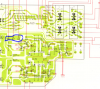
Check for audio at inputs to Control amp (AWG-045) pins 2&7 (L&R).
Check at output, pins 3&6.
Also check for audio at the bass/treble wipers, it's an easy test point.

Have switches been deoxed?

upload_2020-2-19_14-29-51.png
 
Outputs are unobtanium. There are output refits that work okay. I had to use one of the workarounds with my SA years ago when I did an overhaul. The 9500II was fairly easy to work on.
 
Check for +48Vdc at either pins 66,67,68, select one, they are all at same voltage

Measured voltage: +59.14 Vdc

Test Points 7,6,3 & 2 (image order) remained the same with or without music playing.
Switches have not been Deoxed yet, thank you mbz for your help.
 
Where are you located, whats your mains voltage, waveforms look 60Hz.
Also is there a voltage selector and is it correctly set, the +48V supply being +59.14V may be an issue or
might just be a ballpark/typo...
 
upload_2020-2-19_15-56-35.png

Working back, the test points would be,
Pin 17 and 20 on Switch Ass'y AWS-109 (input to vol pot)
R7,8 (47K) output of MODE switch
R5,6 (3.3k) input of MODE switch
Pin 7&3 output from function selector

Need to step out, a few more switches in there...
 
Yes 60 Hz located in US. Ok, thank you again for helping me troubleshoot this.

Main Voltage is 121 V ac
 
Last edited:
Check for audio signal at test points in post #12, suggest start at bottom, ie, Pins 3&7 on AWS-109, these pins
connect to the function selector. You probably have dirty switch contacts.
 
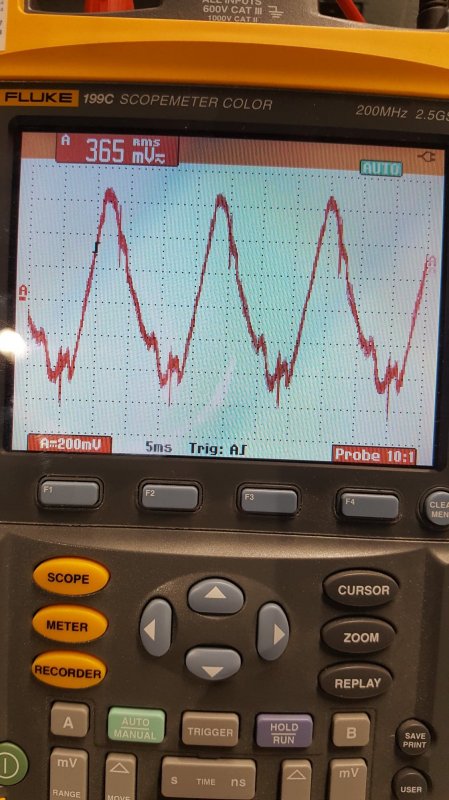
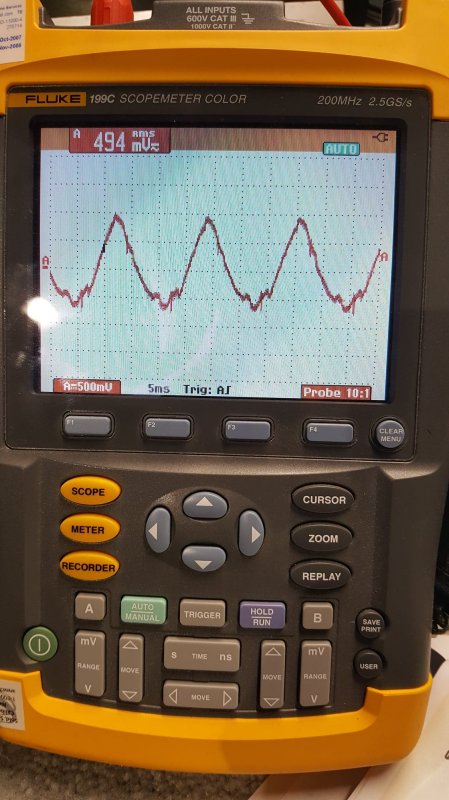
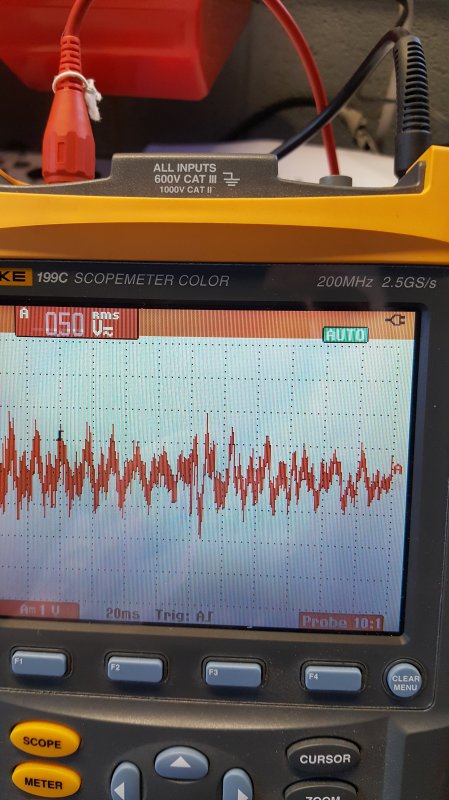
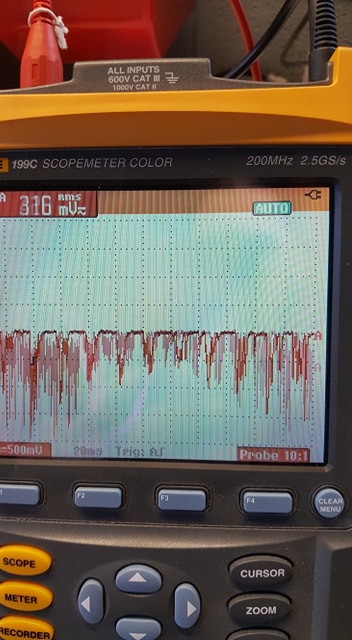
That solved one of my issues. I have a intermittent source switch, I have deoxed it but it is still a little flakey. Once the source switch is working properly I have output from right speaker only. I measured output with scope at speaker terminals and attached pics.
 
I have a intermittent source switch, I have deoxed it but it is still a little flakey.
Sometimes you need to disassemble the switch and deep clean. Yes it's a PITA and you need to be careful not
to bend things out of shape cos it will never sit right etc... Following switch was a bit tempermental but overall
not too dirty,
upload_2020-2-20_7-3-34.png

The Output Left trace suggests you should be getting something out of the left channel though it will be distorted.
Looks like the positive half of the amp has failed or is prematurely clipping.

Have you tried to adjust the bias. A warning though, the existing trimmers may be "fatigued", should they fail (open)
then you will probably loose your output transistors and,,, Most replace the trimmers (Bourn 3296P series) rather
than take the risk.

Suggest,
- check for auidio at PRE-OUT connectors, ie, PRE or POWER amp issue.
- Measure bias but do NOT attempt to adjust
 
Now I have audio out at Pre Amp section in back of amp. When I input audio into Power Amp In Right channel is good, Left channel is distorted in headphones. Right output speaker ok, Left speaker nothing. Where is the bias on this amp?
 
Where is the bias on this amp?
This does not fill me with confidence... the bias procedure is in section 9 of the service manual, freely
available on hifiengine.

The amp has 2 sets of output transistors per channel, the procedure calls for 2 sets of measurements per channel
Suggest the following, remove pre-out/main-in links, set volume to minimum, measure DC voltage between pins
3&9 on the left power amp, repeat for pins 6&12, the pins will be wire wrap posts. Expect about 30mV +/-10mV.
Do NOT attempt to adjust. The point to the test is to see if the faulty channel is "way-off" bias wise, which would
explain the faulty wave form. More likely you have failed transistor(s).
upload_2020-2-20_15-58-4.png
 
Sorry for the delay. New issue came up and wanted to make sure it was intermittent. No audio from R side now.

Here are the measurements that you suggested along with the measurements for the right side now too.

Left: 3&9 = 577mV 6&12= 577mV
Right: 3&9=1.2 mV 6&12= 1.6mV

Pins 1-12 to ground.
Left side:
1-16 mV
2-10 mV
3- 14 mV
4- 14 mV
5- 3 mV
6- 14 mV
7- 576 mV
8- 20 mV
9 -14 mV
10- 576 mV
11- 19 mV
12- 7 mV

Right side:
1- 52.1 V
2- 53.4 V
3- 43.2 V
4- 52.6 V
5- 53.7 V
6- 42.9 V
7- 43.2 V
8- 53.1 V
9- 42.7 V
10- 43.3 V
11- 53.2 V
12- 42.9 V
 
Back
Top Bottom