• The move to the new server is done. There are some software and database maintenance updates in process. This has us passing the hat around to help out. We appreciate any donations. Seriously, even a dollar helps. The payment page may be found here - https://www.audiokarma.org/support.html

Is it ever "just" the Relay? Troubleshoot STA-2000 help please...

polypetalous

Super Member
Well jeez, pretty bummed... Perhaps a lil help?
My equipment had been serving me well during this "stay at home" time, until today.

Realistic STA-2000, un-restored.

Periodically over the last couple of years the "speaker protection relay" won't click/engage when powered on. Since I have been using my stereo a lot lately, this problem has occurred once a week upon first start up (Wednesdays, the last three weeks oddly). Typically some time waiting or taking the top cover off the receiver and a light tap on the relay housing brings it all back to life for well about a week.

Until today, relay clocked on when powered up, so I started a record then halfway into track two side one, relay clicks off and WILL not come back on at all.

If I manually push in the switch in the relay (took cover off), sound comes through both speakers no issues, but the relay WILL NOT stay on or engage on its own.

So clearly either something is amiss and the relay isn't seeing voltages it needs/wants OR the relay is bad... right?

So two questions:
1) is it ever "just the relay?"

2) Anyone got a starting point for troubleshooting this?


Ben
 
Register to hide this ad
1) No...
2) DC volts might be getting out to the speakers...there is a protection board in there, so you have to check that board and the power supply board for worn out or failed components. Or the DC offset has drifted...since it's been happening on and off for a bit, it could be old leaky capacitors on one of those sections.
 
It's almost never just the relay. If you're lucky the DC offset has simply drifted high enough to trip the protection circuit. Assuming there is no underlying issue beyond component drift, a quick adjustment of the offset could be all that is required.

Service manual here:
https://elektrotanya.com/realistic_sta-2000_sm.pdf/download.html

1) No...
2) DC volts might be getting out to the speakers...there is a protection board in there, so you have to check that board and the power supply board for worn out or failed components. Or the DC offset has drifted...since it's been happening on and off for a bit, it could be old leaky capacitors on one of those sections.

Thank you both for the replies...
Do have the service manual.

Checking DC offset (DMM set to DCV 200m):
RIGHT ~13.2
LEFT ~37.5

Obviously I am having to manual press in the "Speaker Protection Relay," to get these readings.

I do suspect you are right @ttbccw in that its "probably" a leaky cap or some such on Power Supply or Protection Board, any ideas on narrowing it down to either board?

Ben
 
Start with the power supply board. I have a Realistic SA-2001 integrated that would go into thermal shutdown, no relay, but the thermistor would trip. Everything sounded fine until it did. What I found were a couple of caps on the power supply board were shot. They sat close to a hot running regulator and just got cooked over the years. One was burned black on one side and the other was bulging bad. You might think about adding a heatsink to any regulators on the power supply board if there aren't already.
 
The service manual specifies <20mV for offset, I'd tweak the left side down a bit. That still seems pretty low to trip the protection circuit but it doesn't hurt to have everything in spec!

Check the voltages at the relay board, a quick peak at the schematic looks like it shares the main rails with the amp boards. I would expect to see +/- ~50V or so (I don't see a voltage spec, but the caps are 63V rated...). I had an STA-2000 for a while, it was a great receiver. I seem to recall I had to fix something, but I can't remember what (we're going back 12+ years...).

Good luck!
 
That's a risky move, pushing in the relay...but effective. If those readings are both in dc volts...it's high alright.
I was looking at the schematic and I don't see any reference voltages on it. You can check the voltages at the pins on the protect board and see what you get there. I don't know what they should be, maybe somebody else knows here.
Pins:
9 and 6 are the power supply...probably one negative and one positive? Haven't seen a circuit like this one...but I am also not an expert tech.
1 and 2 look like the audio out to the speakers...check for DC there
4 is right channel, 3 is left channel into the protect board.
5 ties the left and right at pin 11 on the amp board...also check for DC there...not sure how this pin works.
I'm hope someone can verify this who knows a little more than I how this works and what voltages you should have.
I would expect to see +/- ~50V or so (I don't see a voltage spec, but the caps are 63V rated...)
 
Okay well...
yeah...
Think I screwed the pooch here... bridged a couple of pins (accidentally of course) on the Protection Board (#5 to #4, I believe)...
Spark, pop... nothing powers up at all now.

Trying to not lose it here, but yeah... think this may signal the end my stereo for awhile.

Thank you again for all the help, truly appreciate everyone's input.


Ben
 
Okay well...
yeah...
Think I screwed the pooch here... bridged a couple of pins (accidentally of course) on the Protection Board (#5 to #4, I believe)...
Spark, pop... nothing powers up at all now.

Trying to not lose it here, but yeah... think this may signal the end my stereo for awhile.

Thank you again for all the help, truly appreciate everyone's input.


Ben
Check your fuses. Maybe you didn't totally knock up the dog..:biggrin:
 
Back to the drawing board... First verify you still have a good power supply.
 
How about the two fuses on the primary side of the transformer both are 7A on the mains input.

Oh man
You know you’re on it, as always.
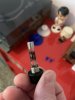
Forgot all about the main fuse that’s right there by the outlet cord, placed in an easily accessible spot...
7E7D1F24-A1D4-4B01-8167-7B61B437E98B.jpeg

Okay, so perhaps back to the original problem...


Ben
 
Back
Top Bottom