• The move to the new server is done. There are some software and database maintenance updates in process. This has us passing the hat around to help out. We appreciate any donations. Seriously, even a dollar helps. The payment page may be found here - https://www.audiokarma.org/support.html

Marantz 2240B Left Channel cuts out

sony ps 2000

New Member
Hello AK members:

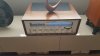
I am looking for help with my Marantz 2240B which I bought online a few months ago. It seemed to work fine for a while after getting it but I have now noticed this issue: The left channel cuts out after about 5 minutes of usage. If I let the amp rest (off) for a bit then try again, it usually works again for a short time. Also rapidly turning the volume knob up, can bring back sound to the left channel temporarily as well.

So far the only thing I have tried is deoxiting all the contacts, switches, buttons, pots.

This device came with a busted headphones jack which I plan on replacing. That might seem like an obvious cause of the problem, but I insulated all of the potential contact surfaces.

Researching on this site leads me to believe that the speaker protection relay might be the culprit.

I have a rebuild kit for the power supply board which comes with a new relay. I also have a new headphones jack.

Where should I start first?
 
Last edited:
Register to hide this ad
Is there a trick to posting photos? When I try to include them, it asks for a url. Does that mean I can only post links to other sites that host my photos?
 
I usually just use the Snip & Sketch tool in Windows to select the part of the photo or manual that I want to upload, duplicate it, then paste it into the text. Or, you can hit the "Upload a File" button on the right side of the screen.
 
Hey, SonyPS 2000, I thought for a moment you were talking about the same issue with my recent 2240B purchase! I just bought this receiver that was refurbished in 2011 by Tom Williams. I have the same exact problem and have cleaned all of the pots and switches with Deoxit, but that did not solve the problem. I then replaced the volume pot thinking that was the next logical step, but nope, same problem. I carefully removed the protection relay cover and cleaned the contacts with 100 grit sand cloth, and I still have the same issue. I have now ordered a new Omron MY-02 24vdc relay and will replace it when it arrives from Mouser.

After replacing the relay, I will be out of an easy remedy and hope someone can point me to the next place to look. I sent a message to Tom Williams and his contact on the bill of materials, hoping that he might be able to assist, but it was undeliverable. The original owner who had this refurbished in 2011 passed away and the family sold this receiver to stating that after it was refurbished, it was seldom played. I hope this problem is not why it was consequently seldom used.

Please let me know if and when you are able to resolve your problem. Thanks......
 
The switches that connect the preamp and main amp in the preamp out RCA jacks are notorious for going intermittent. Check by connecting the pre outs to the main inputs with a patch cord set. If that corrects the issue, you can clean the switches in the pre out jacks, or just install a couple jumpers, like Pioneer does (made from 8AWG wire).
 
Bob, Thank you, sir, for your quick reply. You were spot on! I removed a pair of external jumpers from my JVC VR-5505 receiver and installed them as you directed to the Marantz, and BINGO, problem solved! I have now been listening in the shop for the past 60 minutes with no issues. I will most likely open it up and clean the switches, but for now, it sounds great! I can't thank you enough for your assistance.
 
You really don't need to open it up. Just spray some contact cleaner / lube into the pre out jacks and then insert and remove an RCA plug a few times, and the switches will go back to working. I would still just use jumpers, as they are more reliable, and the switches will likely fail again in the next 35 years {:>)
 
...funny...I bought a 2265B a few years ago...it had been completely overhauled and serviced. Got it home and set it up...within a few days I noticed weakness in the left channel. Took it outta the case...did a thorough cleaning. It was good for a few days...then same issue. Took it to a local tech...for the price of 60 bucks I discovered I needed external jumpers...DOH!!!

Cheers!

David

Marantz 2265B Mar 2 2023.jpg
 
Awesome thank you for all of the above replies.

I wanted to try just cleaning the relay contacts but I didn't think I could remove the plastic cover without breaking it. I know some people are able to carefully do this, but I can feel it already starting to crack as I fiddle with it.

I did not try connecting jumpers to the pre-amp and main amp RCAs but I will try that. It might save me the trouble of doing the speaker relay replacement.

Either way I will update with my results.
 
Like AE Bob stated the insertion of jumpers is an all to common solution to this issue. Cleaning the jacks may or may not help. I have found the jumper to be a permanent easy fix.

Doing a complete switch and control cleaning is a good preventive measure if on the bench.
 
So I brought the amp to the workbench, took off all of the body panels, then plugged it in just to see the issue happen again before I start swapping in new parts. Now it's been playing nicely through both channels for about a half hour.

The only possible difference here is that before the problem would arise generally while selector is on PHONO bc that is what I mostly use it for. But the Ieft channel would still cut out before when I listen to FM radio.

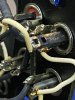
Tapping on the relay while amp is playing music, I can get either or both channels to sort of cut out, but not completely. Not sure what is happening, but it has done this before when I brought it to the bench to work on it. the amp would start playing through both channels for a while, and I would think it's fixed, but the problem would eventually return. Hmm.
 
No. I was about to, but I wanted the problem to be happening before I tried anything. Unfortunately the cutting out is intermittent and now that I have the amp at the workbench with the covers off of it, it decided to start working perfectly.
 
No. I was about to, but I wanted the problem to be happening before I tried anything. Unfortunately the cutting out is intermittent and now that I have the amp at the workbench with the covers off of it, it decided to start working perfectly.
...yeah...that's not unusual...honestly...try jumpers before you do anything else...it simply won't work properly with 'em
 
OK. I didn't do anything with the relay yet--just took the cover off.

The left channel finally cut out while I was playing FM radio on the bench.

So I plugged an RCA cable into the Left Pre-Out--as soon as I do that--sound then returns to left channel. The thing is, I didn't even plug the other end of the RCA cable into the Main In yet. Left channel sound came back as soon as I plugged one end into the Pre-Out. Sound stayed on left channel even after RCA removed from Left Pre Out jack.

The Pre-Out RCA jacks feel slightly loose.

Where is the switch for the Pre-Main connection located?
 
Back
Top Bottom