• The move to the new server is done. There are some software and database maintenance updates in process. This has us passing the hat around to help out. We appreciate any donations. Seriously, even a dollar helps. The payment page may be found here - https://www.audiokarma.org/support.html

MC2105 Modern Speaker Switch Replacement - Found

I just got mine in from Mouser; thank you for the part number. My right channel keeps dropping to a low volume and it’s the Speaker switch, even though I scarcely ever used it.
That's a simple upgrade my man ... one of these will fix you right up.
 

Attachments

  • IMG_8639.jpeg
    IMG_8639.jpeg
    123.7 KB · Views: 19
After 40 years or so the right channel of my 2505 became intermittant and I traced it down to the speaker on and off switch. Fortunately for me pulling the bottom cover allowing access to the switch for a thorough cleaning and the switch has been working like new for the past 15 years. I guess I was very lucky.
 
I like many have had the misfortune of a broken MC2105 speaker on off switch, Mcintosh part number 146-103. The original, Clarostat 20 had long given up.

Use the following info at your own risk.

Knowing this was just a simple DPST throw, I began looking around for a suitable replacement. In looking at the spec sheet for this particular rotary switch, I found that mouser had one that worked, but it was too long. But, researching the order codes, I found that the unicorn exists, albeit, it requires a light filing down of the shaft in order to fit the knob; otherwise perfect.

The Brand is C&K, part number is A21405RNZQ

You'll notice the original clarostat is rated 3A @ 125VAC, while this outwardly is 2.5A @ 125VAC. Looking at the spec sheet you'll notice it can carry 5A. Assuming that an MC2105 puts out 29v @ 8 ohms, thats roughly 3.6a @ 29v or 5.125a @ 20.5 (4 ohm). Considering that unless you pegging your amp out, you'd likely not hit those levels anywhere near continuously. After installing, I fired up the amp and ran it hard for about an hour, and according to the laser temp tool, it was 1F above ambient. Not enough for me to be worried.

At any rate, I hope this helps others. Mouser is sold out of this right now, but does have a similar part, with a longer shaft that you'd have to cut down. It also has PCB type terminals on the back side, but is workable. That one is part number A21415RNCQ.

https://www.mouser.com/datasheet/2/60/ckci_s_a0001220822_1-2263264.pdf

View attachment 2338115

Jumpered original vs new:


Soldered in place: gray wires from transformer go to pin 4 and pin 10. Purple/brown to A, and Purple+White Stripe/Brown go to Pin C. I had to heat shrink my cables due to the previous original wires being too short after being jumpered previously.


Installed. Note that the locating pin doesn't line up quite right to make it work with the layout of the silk screen so you'll need to orientate it accordingly for the best alignment. Notice where I filed the flat portion of the switch pole down to fit the knob. Took about 10 minutes with a file to get it right.


Side by side - the white line gives you an idea of why you need to file it down:

Hello, and sorry for replying to a very old thread. My MC2155 speaker switch has broken the inner plastic toggle that connects the knob to the switch mechanism. Do you know if this switch you found is compatible with the MC2155? Do you know how I would go about determining that? Sorry - I'm just an amateur with some soldering skills. I have contacted McIntosh to see if they have any switches in stock for this model but haven't heard back yet. Thanks for any help!
 
McIntosh won't have this; it's been out of stock for a long time. The suggested replacement will work on a 2105. To determine whether it would work on a 2155, you could get copies of the maintenance manuals for both amps; each should will have the Mac part numbers. Couple of things, don't know how helpful McIntosh will be these days; but, in the past, someone would have looked up the switches for each amp and let you know if they were the same. Also, Hi Fi Engine, where I always got the manuals, now wants a donation. Don't know the details of that, but the donation is probably small and worth the cost. Finally, the replacement switch action is soft and mushy, not "snappy" like the original, and the detents don't align with the lettering on the face plate.
 
McIntosh won't have this; it's been out of stock for a long time. The suggested replacement will work on a 2105. To determine whether it would work on a 2155, you could get copies of the maintenance manuals for both amps; each should will have the Mac part numbers. Couple of things, don't know how helpful McIntosh will be these days; but, in the past, someone would have looked up the switches for each amp and let you know if they were the same. Also, Hi Fi Engine, where I always got the manuals, now wants a donation. Don't know the details of that, but the donation is probably small and worth the cost. Finally, the replacement switch action is soft and mushy, not "snappy" like the original, and the detents don't align with the lettering on the face plate.
You are correct - after posting, McIntosh got back to me and said no dice. I really appreciate the help, and I'll look into the maintenance manuals.
 
You are correct - after posting, McIntosh got back to me and said no dice. I really appreciate the help, and I'll look into the maintenance manuals.
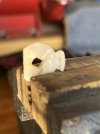
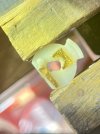
OK for anyone interested, I tried to epoxy the two pieces of the plastic switcher (there's probably a real term of art but I don't know it) inside the MC2155 speaker on/off switch back together. That did not hold. I tried using some metal encased in epoxy to strengthen it and that also failed. I finally succeeded in repairing the switch by melting a staple gun staple through the plastic using my soldering iron and folding it over. I also melted the edges of the plastic piece together along the break. It is holding for now. Many thanks for your assistance, team. I apologize for not having pictures of the staple fix, but it worked.

IMG_3354 Large.jpegIMG_3355 Large.jpegIMG_3353 Large.jpegIMG_3358 Large.jpeg
 
I think I would choose the A203 so that the detent moves precisely at 30 degrees. The 3rd position can be blank, but at least it is not glaringly visible on the front panel.
 
Last edited:
Back
Top Bottom