• The move to the new server is done. There are some software and database maintenance updates in process. This has us passing the hat around to help out. We appreciate any donations. Seriously, even a dollar helps. The payment page may be found here - https://www.audiokarma.org/support.html

McIntosh MC225 60Hz Buzz, Vol at Min, No Inputs

Basspig

Active Member
Got a mystery problem here. MC225 amp, all new tubes, s/n A-weighted, left channel 80dB, right channel 72dB.
Audible 60hz buzz with nothing connected to the inputs and volumes at minimum.

Tried the filament circuit modification (ungrounding one side and putting 220Ω balanced resistors across both filament leads to ground. That just made the buzz equal in both channels.

Tried other tubes, same result.

Has all new filter caps. But tried added another cap across the first filter cap in the voltage doubler, but heard no change in level switching the cap in and out of the circuit.

Since this amp spent a lot of time in a garage, I thought maybe transformer leakage. So I checked the chassis to earth ground and did this with the plug reversed too, both times reading under 1/2 mV of AC from chassis to earth.

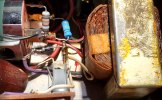
Oddly, the negative wire, from the anode of the rectifier diode that connects to chassis ground at the cap, acts like an antenna when I touch it and push it toward the chassis. The hum increases in amplitude! So I tried shorting this wire and re soldering it to the cap ground tab, but it still acts like an antenna! See red arrow.

Before I waste too much time chasing this one down, I figured I'd ask the community if they have any ideas as to the cause of this hum.

1773340408058.png
 
Register to hide this ad
Got a mystery problem here. MC225 amp, all new tubes, s/n A-weighted, left channel 80dB, right channel 72dB.
Audible 60hz buzz with nothing connected to the inputs and volumes at minimum.

Tried the filament circuit modification (ungrounding one side and putting 220Ω balanced resistors across both filament leads to ground. That just made the buzz equal in both channels.

Tried other tubes, same result.

Has all new filter caps. But tried added another cap across the first filter cap in the voltage doubler, but heard no change in level switching the cap in and out of the circuit.

Since this amp spent a lot of time in a garage, I thought maybe transformer leakage. So I checked the chassis to earth ground and did this with the plug reversed too, both times reading under 1/2 mV of AC from chassis to earth.

Oddly, the negative wire, from the anode of the rectifier diode that connects to chassis ground at the cap, acts like an antenna when I touch it and push it toward the chassis. The hum increases in amplitude! So I tried shorting this wire and re soldering it to the cap ground tab, but it still acts like an antenna! See red arrow.

Before I waste too much time chasing this one down, I figured I'd ask the community if they have any ideas as to the cause of this hum.

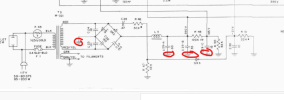
View attachment 3718730
1. Try a different 12AX7.
2. Short the inputs to ground (if the input capacitors are still there).
3. Make sure the Stereo/Mono switch is clean.
 
Where is the tie from ground to the chassis? Not going to pretend to be familiar with these, but I'd expect the points circled to all tie together and run to chassis at one end or the other. I'd sort of expect the cap in the spring clips to be insulated from chassis, and the can grounded through a wire to wherever the HV rectifier grounds. It certainly wouldn't be relying just on those spring clips to make the connection.

either way, make sure the caps are well grounded to chassis, wherever that connection happens to be.

1773341567545.png
 
I've tried a different set of tubes, same result.

Tried shorting inputs. still hums.

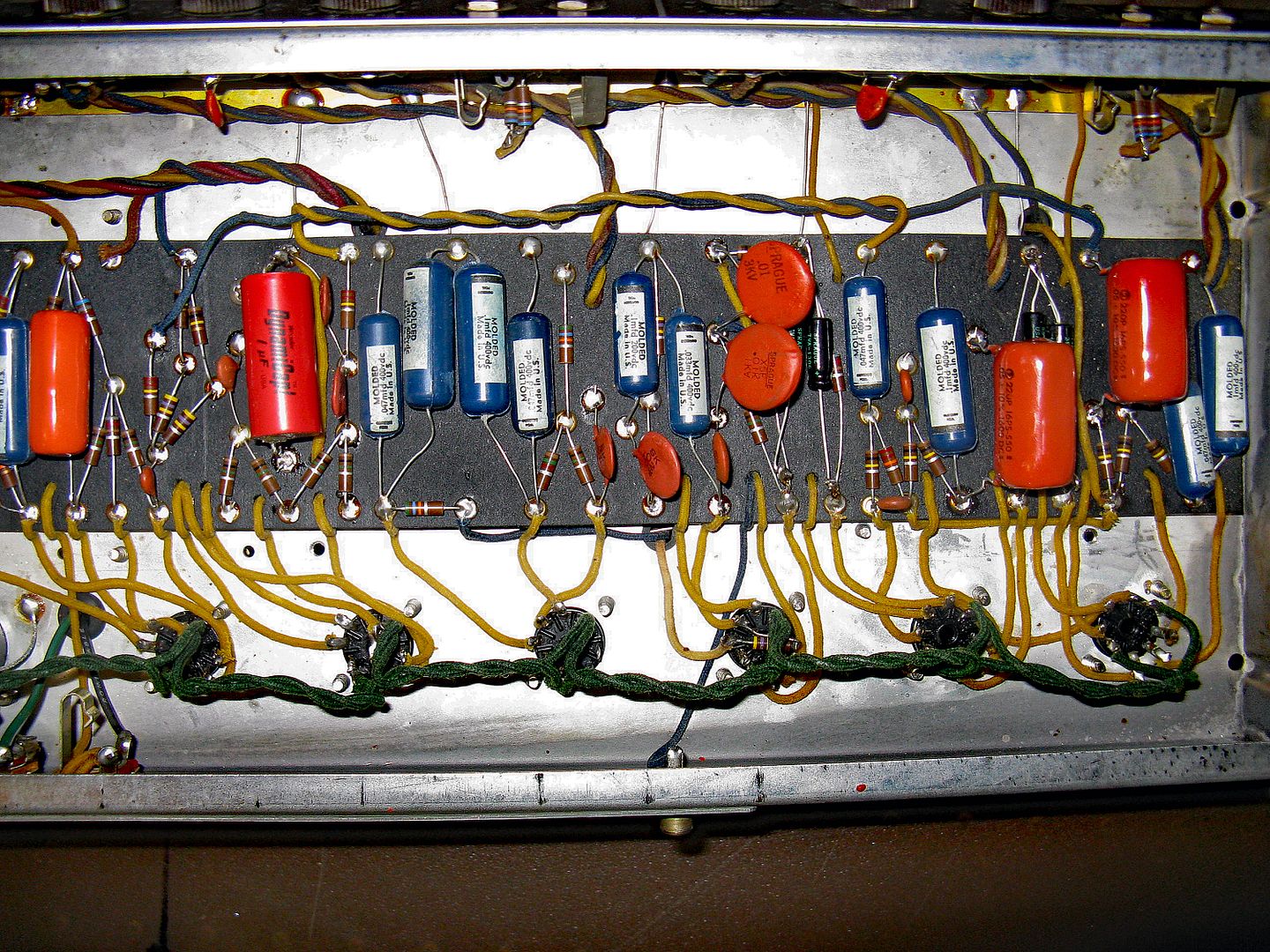
The ground goes to the chassis plate. The bottom lower cap in the doubler is directly soldered to chassis. The other cap sections also are wired to the same tab on the input filter can.
 
Oddly, the negative wire, from the anode of the rectifier diode that connects to chassis ground at the cap, acts like an antenna when I touch it and push it toward the chassis. The hum increases in amplitude! So I tried shorting this wire and re soldering it to the cap ground tab, but it still acts like an antenna!
That's pointing to the problem somehow. Does it hum with nothing except speakers connected? No other equipment attached in any way, including anything grounded? Does the hum change when you simply touch the chassis near that ground connection? Did it exhibit this problem before the restoration? Are you sure this is 60Hz and not 120Hz?

Jack
 
any chance that plate isn't making good contact with the rest of the chassis? Not sure what the hardware situation is but maybe just giving it all a quick snug wouldn't be a bad idea. Better if it had star washers between chassis and that plate to ensure good contact. Steel on steel can get crusty.
 
Are the RCA jack outer shells firmly swaged to the chassis? A friend had one of these and one RCA was loose and it caused a nice buzz/hum.
 
Did you use it before the power supply update? Did this problem arise immediately after the upgrade or did it begin after some while of use?

I like Gadget73's suggestion of cleaning/tightening every bolt that has a ground run to it.
 
I faced that long time ago on a this amp.
If I remember, the problem was where the ground points are (I tried to be smart and the start ground did not work).

Was something changed during the recap on this amp?
 
It didn't have the hum after recapping. But upon shipment when it arrived at its destination, the hum started. It hums with nothing connected other than the load/speakers.

I'm paying close attention to the plate that the capacitors are attached to. I've decided to solder are jumper between it and the chassis it is bolted to, because there is corrosion in many parts of the chassis and travel may have shifted it, causing resistance to build up between the capacitor plate and the rest of the chassis.
 
Soldering a jumper between the subchassis plate with the capacitors and the main chassis, unfortunately, did nothing to improve situation. I figured something mechanical had caused a shift during transport, causing a ground loop issue, but it still remains unresolved.
 
Apparently, the negative bias wire is acting like an antenna. I've seen this behavior at radio transmitter sites where the field strength at VHF frequencies is over 120dBu, but in a clean environment, this behavior is perplexing.
I tried adding a poly cap across the electrolytic filter for this circuit, but ultimately, just moving this wire 1/2" bought me another 10dB of s/n ratio.
I ended up keeping the filaments off ground, with a balanced ground reference via two 220Ω resistors, but ultimately, repositioning the bias wire had the most effect.
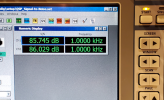
Residual noise is below 400 nW at the speaker terminals.


1773421435138.png


1773421404639.png
 
That should be sufficiently low impedance to not be doing that. Just seems fishy to me.
Yeah, it's perplexing. In 60+ years of building, fixing and tinkering with tube amps, I've never run across one that behaved like this. I suspect the silicon diode is oscillating at RF frequencies briefly as it switches. That RF is riding along the wire that carries the -25V bias. Putting a snubber cap across the diode seems to have helped some.

BTW, your avatar looks like the hood ornament on my 1961 Lincoln Continental that I used to drive.
 
Have you tried crossing the suspected wires (especially signal-carrying leads) at a 90-degree angle? This can sometimes reduce the induced EMF. You may need slightly longer leads to achieve the 90-degree angle. :idea:

13b5ff67-6312-49a1-8c69-986851877768.jpg
 
Got a mystery problem here. MC225 amp, all new tubes, s/n A-weighted, left channel 80dB, right channel 72dB.
Audible 60hz buzz with nothing connected to the inputs and volumes at minimum.
Try using a wooden chopstick (a non-conductive tool) to tap all the solder points, leads, and connections in the heater line and the power transformer leads. Including grounding points (like center taps).

I like using headphones for this test. Listen for static or clicking noises. Concentrate on the soldering, wiring, socket connections, and any potentially bad components or ground loops in that area.

Please keep your free hand off the metal chassis when doing this live test.

Good luck! :thumbsup:
 
The bias line looks clean. I use a piece of wood to manipulate wires (out of habit with high voltage stuff). All soldering is stable. I did resolder related areas, though it made no difference.
My R&S UPV has a high gain when there is zero signal, so I turn on it's internal speaker and can hear hum down in the nanowatt range. Just by redressing the wires, I was able to reduce the hum to inaudibility.
 
Back
Top Bottom