• The move to the new server is done. There are some software and database maintenance updates in process. This has us passing the hat around to help out. We appreciate any donations. Seriously, even a dollar helps. The payment page may be found here - https://www.audiokarma.org/support.html

Multi-Zone setup

BroncoJimbo

Well-Known Member
Well, I started out with my trusty Denon AVR610 and SubSat System which worked well for many, many years and met my wife's requirement for no big speakers. Honestly, she reminds me of my parents, "Why is that so loud?" LOL. Anyway, flash forward a few years and I wanted speakers on the covered porch so I wired in some Polk Audio Atrium 45s with a Radio Shack selector switch. I added a brick patio outside the garage so I added some Kicker 6.5s. I knew I was pushing it especially with the long runs from the receiver (60'+) but I at least I used 12G wire. Well, I built another patio outside the basement and I want to add another set of speakers but I know I don't have enough power. So, I have a Rotel RB-956AX 6-channel amplifier but I am not sure how I can use this. Suggestions? I was thinking of going with the Dayton Audio 12 channel amp but am hesitant to pull the trigger on a $650 piece of equipment. Not looking for audiophile level volume or quality (see wife comment) since we mostly stream music via Pandora at moderate volume levels. The basement is where I plan on having the good stuff.
Any advice?
 
Register to hide this ad
The receiver you have isn't really capable of driving another amplifier. You need a L/R preamp output for that, or a second zone.

You already have the Rotel amp, what I'd do is look for a used higher-end early 2000s Dolby Digital receiver. These typically sell for pennies on the dollar since everyone wants HDMI in an AV receiver, and HDMI only started to be used in receivers in 2006 or so. Best bet would be to find one with a second zone with preamp outputs, which would allow you to send different signals to a different zone. If it has regular preamp outputs you can send the same signal as the main speakers to the remote(s), but be aware that if you are running surround sound in the main system, you won't get the full signal on the remotes unless you have the same speaker configuration there. If you keep it in stereo mode it will work fine. You can split the preamp output once or twice to drive all 6 channels in the amp, to run 3 pairs of speakers.

If you don't want to purchase another receiver you can purchase a high level to low level converter (one example but there are others) which will convert your speaker level outputs to preamp outputs, which you can then feed to the Rotel amp (again, splitting it as required). You should be able to connect this device to the L/R speaker outputs at the same time as your main speakers, without using the selector box.

I note that the Rotel amp is capable of bridging two channels into one. If you need to run only two sets or remote speakers, you can split the preamp output once using a Y connector, then set two sets of channels to run in bridged (mono) mode, and keep the last set regular. Use the bridged channels to run the speakers that need more power.
 
Ahhhhh. I am beginning to understand.
Fortunately I have a Harmon Kardon AVR520 getting almost no use in my basement theatre room. It has multiroom capability via a separate amplifier you mentioned.
Now I have an excuse to upgrade the Theatre Room/Listening Room/Man Cave.
So, I can run the main room on the 520 and the other three zones with my Rotel using the three amps. Awesome.
How do you split the preamp outlet?
 
How do you split the preamp outlet?
A couple of Y RCA splitter cables for each channel should work. Split it once, then split one side again. Electrically, all outputs from the splitters will be the same , and there should be enough output power from the multi-out jacks to drive 3 sets of amps. If there isn't then you can use an inexpensive distribution amp (even thought that one has video, you just ignore the video channel and just use the L/R channels).
 
Ok. I am in business. Here's the good and the bad:
Good
It cost me nothing besides a couple of cables
Volume is improved although I seem to recall the BA SubSat6 sounding much better. They may be past their use-by date.
The outdoor speakers now have decent output.
Bad:
The way the HK multi-room works I have to manually change the input when I go from Pandora to FM. Not a huge problem but it does involve going to the OSD and scrolling thru the choices. In order to do that the Blu-Ray player I stream thru has to be off. So, kind of a PITA.
I am pressed for room so the HK AVR and the Rotel amp are stacked. I am not worried about the Rotel since it runs cool but the HK runs a little hot so am going to separate as much as possible and keep an eye on it.
The HK does quite a bit more than I need it to in that room so it's definitely underutilized while taking up a lot of space.

So pretty happy...for now. Ideally I would like to simplify things since I don't need to have an AV type receiver in the living room.
 
The way the HK multi-room works I have to manually change the input when I go from Pandora to FM. Not a huge problem but it does involve going to the OSD and scrolling thru the choices. In order to do that the Blu-Ray player I stream thru has to be off. So, kind of a PITA.
A Harmony remote, even an inexpensive one, should be able to solve this problem. Not sure why the Blu-ray player would need to be off, though, can you elaborate on that?

Also, regarding the BA speakers, try connecting them directly to the receiver's speaker outputs and see if they sound any different. Speakers generally don't wear out.
 
I may be able to program my HK remote to make this a one-button process. I'll research that.
When I try to go to the OSD I get a message that I need a HDMI input. It only works when the Blu Ray is powered off. Odd but not that big of a deal. I think if my HK had HDMI inputs this wouldn't be a problem
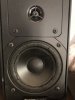
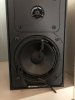
I pulled the screens from my BA speakers. Pretty worn out LOL but I expected as much. I've replaced foam before so as long as I can find them... I'm sure the sub is as bad.
Thanks again for your help. I'm learning quite a bit.
 

Attachments

  • IMG_0737.JPG
    IMG_0737.JPG
    44.8 KB · Views: 4
  • IMG_0736.JPG
    IMG_0736.JPG
    29.7 KB · Views: 4
I have a Denon AVR-X4000 with multi-zone outputs - the main zone and two others. One zone is audio only, and the other is HDMI and/or audio. Being a networked receiver, I can control it via app on my iPhone - no onscreen menu needed. This includes changing inputs, volume, and a bunch of other settings. I'll need to use separate power amps for the second and third zones, which isn't an issue; lower powered amps are pretty cheap. I've used in-wall impedance-matching volume controls to allow for local control of the volume, too. If you use an AVR similar to mine, you may get by without them, since the app will let you control volume. Still, it's nice for others to be able to turn down speakers while having the max level set by the receiver. I'd think your 6 channel amp would work well. Connect a pair or two channels to Zone 2's output, and connect the remaining to Zone 3. Connect speakers to the amp, and connect the AVR's trigger output to switch on the amp, and you're all set.
I know other receiver brands will do similar, but I've had really good luck with Denon. These receivers can be a bit pricey, but I bought it used (but like new) for $325, so it was an easy decision. I know lesser models have similar features, but check to make sure. It's very customizable, which can seem a bit involved, but it ultimately makes it much easier to use. It's also got AirPlay, so if you use iDevices, you can stream to the receiver and control zones all from your device. I'm really impressed with its surround processing, and Audyssey Platinum is really good at setting levels, distance from speakers, etc for surround setups.
 
I may be able to program my HK remote to make this a one-button process. I'll research that.
When I try to go to the OSD I get a message that I need a HDMI input. It only works when the Blu Ray is powered off. Odd but not that big of a deal. I think if my HK had HDMI inputs this wouldn't be a problem
I pulled the screens from my BA speakers. Pretty worn out LOL but I expected as much. I've replaced foam before so as long as I can find them... I'm sure the sub is as bad.
Thanks again for your help. I'm learning quite a bit.
That's very strange about the HDMI message, and it sounds like it's coming from either your BluRay player or TV, since the receiver would have no knowledge of HDMI. I'd check the menus on your BluRay player and see if there is some configuration that can be done.

Regarding the speakers, foam doesn't wear out, it actually disintegrates due to age. Even if they had been sitting on a shelf doing nothing, the foam still would have needed replacing. I suspect once you do that, they'll sound like new.
 
I may be able to program my HK remote to make this a one-button process. I'll research that.
When I try to go to the OSD I get a message that I need a HDMI input. It only works when the Blu Ray is powered off. Odd but not that big of a deal. I think if my HK had HDMI inputs this wouldn't be a problem
I pulled the screens from my BA speakers. Pretty worn out LOL but I expected as much. I've replaced foam before so as long as I can find them... I'm sure the sub is as bad.
Thanks again for your help. I'm learning quite a bit.
Does the HK 520 even have HDMI? When I looked it up, it appears to be from the early 2000's pre- HDMI. If so, is your BD player connected directly to your TV? How is your receiver connected to your TV?
 
Does the HK 520 even have HDMI? When I looked it up, it appears to be from the early 2000's pre- HDMI. If so, is your BD player connected directly to your TV? How is your receiver connected to your TV?
Yeah, something is screwy here. An HDMI receiver can tell if it has a TV connected and turned on, but earlier receivers with component outputs cannot.
 
No, there is no HDMI on the HK AVR520. The message is coming from the Television.
The blu ray is connected to the TV with the HDMI and to the Receiver with the audio inputs. The receiver is connected to the TV with the Monitor out just so I can see the on screen display.
 
No, there is no HDMI on the HK AVR520. The message is coming from the Television.
The blu ray is connected to the TV with the HDMI and to the Receiver with the audio inputs. The receiver is connected to the TV with the Monitor out just so I can see the on screen display.
So the BD player is connected to the TV with HDMI, and the AVR520 is connected to the TV via component? I've seen some TV's that will do some sort of input autoselect. It was a sort of shared input that would choose HDMI over component. Can you try using a different input for one of the sources? Honestly, I had an old first gen HDMI Yamaha receiver that wouldn't handle full HD (only 720P and 1080i), so I didn't use it those inputs. I used the TV as a switch box and fed the receiver via optical from the TV. Live became much easier when I got a 'real' HDMI receiver. The OSD is simply an overlay to whatever source is playing. My old 2010 Pioneer Elite AVR didn't do good OSD, but I could use the receiver's display - a real PIA. Multi zone AVR's have gotten much better since then. My current Denon is from '13, and it's years ahead of that Pioneer Elite. Plus,it has internet radio and streaming apps built in making it even easier.
 
Regarding the speakers, foam doesn't wear out, it actually disintegrates due to age. Even if they had been sitting on a shelf doing nothing, the foam still would have needed replacing. I suspect once you do that, they'll sound like new.

I am looking forward to getting them 100% again. I already ordered the new surrounds from Simply Speakers. I got the ones for the sub too...

So the BD player is connected to the TV with HDMI, and the AVR520 is connected to the TV via component? I've seen some TV's that will do some sort of input autoselect. It was a sort of shared input that would choose HDMI over component. Can you try using a different input for one of the sources? Honestly, I had an old first gen HDMI Yamaha receiver that wouldn't handle full HD (only 720P and 1080i), so I didn't use it those inputs. I used the TV as a switch box and fed the receiver via optical from the TV. Live became much easier when I got a 'real' HDMI receiver. The OSD is simply an overlay to whatever source is playing. My old 2010 Pioneer Elite AVR didn't do good OSD, but I could use the receiver's display - a real PIA. Multi zone AVR's have gotten much better since then. My current Denon is from '13, and it's years ahead of that Pioneer Elite. Plus,it has internet radio and streaming apps built in making it even easier.
I only need the TV/520 hook up for the OSD. We don't use that TV for movies just news and background noise. We use Pandora and FM (mostly talk radio) much more.
I know I can buy an AV recieer with all the bells and whistles I just don't need it and I like the challenge of making what I have work. Also, I am leary of investing $ in a depreciating asset that utilizes wifi, etc, because of the technology changing so fast and my experience with car audio. My Blu ray player was $40 and can be upgraded or replaced easily.

I would love to have something smaller and simpler. I love vintage stuff (cars, motorcycles, tools, etc) so it would be cool if I could set something up that uses vintage equipment but still gives me the flexibility to operate several zones AND is simple enough for the wife to use.
Appreciate the help.
 
I am looking forward to getting them 100% again. I already ordered the new surrounds from Simply Speakers. I got the ones for the sub too...


I only need the TV/520 hook up for the OSD. We don't use that TV for movies just news and background noise. We use Pandora and FM (mostly talk radio) much more.
I know I can buy an AV recieer with all the bells and whistles I just don't need it and I like the challenge of making what I have work. Also, I am leary of investing $ in a depreciating asset that utilizes wifi, etc, because of the technology changing so fast and my experience with car audio. My Blu ray player was $40 and can be upgraded or replaced easily.

I would love to have something smaller and simpler. I love vintage stuff (cars, motorcycles, tools, etc) so it would be cool if I could set something up that uses vintage equipment but still gives me the flexibility to operate several zones AND is simple enough for the wife to use.
Appreciate the help.
Still that message isn't normal re using component on one input and HDMI on another. You still need to use the OSD to change inputs, I believe you said.
That's why I purchased a used receiver for about 1/3 of what it costs new. You're finding that the use of older equipment with full multizone functionality and ease of use are kinda hard to achieve. If you don't want any sort of multi-source selection, it becomes much easier. Wifi isn't going away, and my Denon doesn't have it; just an Ethernet port in the back. This is one reason I went with a used upper level model vs a cheap new one; the flexibility is there to keep it from being a dead end. The only area that I'm not current, with this 6 year old receiver, is with Dolby Atmos, and I'm OK without it in this space.
If you want to go vintage, get a receiver or amp with a separate record out. You can then run that to various integrated amps or receivers (since record out won't have a volume control) or add a simple VC to go before your 6 channel amp. This will give you two sources - main room and record out. I've done this in a previous setup but used Zone 3's output from my Pioneer Elite AVR to an old Adcom pre-tuner / power amp setup. I did not have any sort of remote input selection or volume control, though, but the wall mounted volume controls at each speaker location were very handy.
 
I used the TV as a switch box and fed the receiver via optical from the TV. Live became much easier when I got a 'real' HDMI receiver.
Unfortunately, when you do this, you generally lose discrete surround, and everything gets downmixed to prologic or stereo.

I agree that the OP needs to rewire his connections to the TV so the receiver isn't sharing an input with the BD player. But using a better remote would fix it without needing the TV.
 
Unfortunately, when you do this, you generally lose discrete surround, and everything gets downmixed to prologic or stereo.

I agree that the OP needs to rewire his connections to the TV so the receiver isn't sharing an input with the BD player. But using a better remote would fix it without needing the TV.
That is correct, about the surround sound passing through the TV, in most cases. I just happened to get lucky in that my Toshiba TV will pass along 5.1 just fine. Otherwise, I'd have used a HDMI switch with digital audio extraction. It's much easier with a more modern AVR!
 
Solved the OSD issue. I still get the error message but I can ignore it and leave the blu ray on and the screen will go to OSD. Still a PITA because I need to go thru a couple of steps... but livable.
Another downside is volume. The volume level for the multi-room is separate from the main volume so that is set using the OSD. There is supposed to be a separate remote for that function but I am not sure I have it. Again, livable since I can set the volume to a comfortable level for outside and just leave it.

You're finding that the use of older equipment with full multizone functionality and ease of use are kinda hard to achieve. If you don't want any sort of multi-source selection, it becomes much easier. Wifi isn't going away, and my Denon doesn't have it; just an Ethernet port in the back. This is one reason I went with a used upper level model vs a cheap new one; the flexibility is there to keep it from being a dead end. The only area that I'm not current, with this 6 year old receiver, is with Dolby Atmos, and I'm OK without it in this space.
I see David_NC's point and may need to upgrade. Good advice.
 
Back
Top Bottom