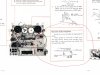
My problem: It won’t record. Neither does it appear to erase. Inputs seems ok as needles swing on meters, audio quality from the “source” is fine via headphone jack. Simply: when I record it leaves the previous recording on the tape untouched, with nothing new laid down. The record lights both go on.
I have doused the “record switches” with CRC to no effect so far. But getting the spray in the right spot is hard given how the switch is encased. I did take the small sheet metal shield off (which comes off with one screw)—so spraying has not been a shot in the dark. I reluctantly began trying to take the side panel off to get to the switches but have not finished that yet. I’d love to have electrical crude as the problem cause. If anyone can explain where the actual contacts are that would be great.
I write to ask if I am wasting my time on accessing those switches when the likely fault is the oscillator or other electronic component.
One thing is very strange though—A local guy on Craigslist recently was trying to sell the same model. I went over to put it through its paces—the only thing I found wrong was exactly the same problem I seem to have- in record mode, it did not erase or put a signal down. So I might be missing something obvious.
With thanks in advance,
Phil
Rochester NY
I have doused the “record switches” with CRC to no effect so far. But getting the spray in the right spot is hard given how the switch is encased. I did take the small sheet metal shield off (which comes off with one screw)—so spraying has not been a shot in the dark. I reluctantly began trying to take the side panel off to get to the switches but have not finished that yet. I’d love to have electrical crude as the problem cause. If anyone can explain where the actual contacts are that would be great.
I write to ask if I am wasting my time on accessing those switches when the likely fault is the oscillator or other electronic component.
One thing is very strange though—A local guy on Craigslist recently was trying to sell the same model. I went over to put it through its paces—the only thing I found wrong was exactly the same problem I seem to have- in record mode, it did not erase or put a signal down. So I might be missing something obvious.
With thanks in advance,
Phil
Rochester NY