outnfront11
Active Member
Hi All,
I have an Onkyo TX-DS989 AV Receiver that is not producing any sound.
I have tried the headphone plug as well, and no sound there either.
I hear 2 relay clicks when I power the unit on and press the "stand-by" button.
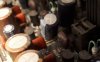
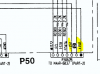
There are 7 identical capacitors that are either swollen to leakage or very close to it. These are (C5180-C5186) 2pF/500V caps which are on the power amplifier stage. The schematic below is one block on the PCB which is repeated 7x on this board.

I will be replacing these caps, but I'm a bit confused whether this is the cause of the problem or not because looking at the block diagram, I can see that the headphone jack taps off the signal before the power-amplifier board (schematic below). Are these blown caps likely to affect the circuit back in that direction? If not, can anyone make a suggestion on debugging this? I have a sig-gen and scope, but have not used them to debug an amplifier before.
The last interesting piece of data is that the speaker output does "sometimes" produce a terrible hum, but I can't work out why. Going into the speaker calibration menu selection and playing in there seems to affect it. I had the unit off overnight and now on and running for a good hour, and the hum has not returned, speakers are producing no sound.
The fan also is unpredictable about coming on.

Any help, even non-specific, general advice on amp debugging would be great! (I have a SansuiAU-717 that has a "no sound" issue as well and I hope to debug and restore).
Thanks!
I have an Onkyo TX-DS989 AV Receiver that is not producing any sound.
I have tried the headphone plug as well, and no sound there either.
I hear 2 relay clicks when I power the unit on and press the "stand-by" button.
There are 7 identical capacitors that are either swollen to leakage or very close to it. These are (C5180-C5186) 2pF/500V caps which are on the power amplifier stage. The schematic below is one block on the PCB which is repeated 7x on this board.

I will be replacing these caps, but I'm a bit confused whether this is the cause of the problem or not because looking at the block diagram, I can see that the headphone jack taps off the signal before the power-amplifier board (schematic below). Are these blown caps likely to affect the circuit back in that direction? If not, can anyone make a suggestion on debugging this? I have a sig-gen and scope, but have not used them to debug an amplifier before.
The last interesting piece of data is that the speaker output does "sometimes" produce a terrible hum, but I can't work out why. Going into the speaker calibration menu selection and playing in there seems to affect it. I had the unit off overnight and now on and running for a good hour, and the hum has not returned, speakers are producing no sound.
The fan also is unpredictable about coming on.

Any help, even non-specific, general advice on amp debugging would be great! (I have a SansuiAU-717 that has a "no sound" issue as well and I hope to debug and restore).
Thanks!