I recently bought an Optimus STA-300 from goodwill. For a compact 15 watt receiver, I was surprised that it can generate such volumes than what it's rated for (in a good way of course). The problem is that when I first plugged it in, there seems to be some strange crackling sounds. This would continue for a good minute or two and then it would go away. Any suggestions on what I should do?


You are using an out of date browser. It may not display this or other websites correctly.
You should upgrade or use an alternative browser.
You should upgrade or use an alternative browser.
Register to hide this ad

Power switch maybe arcing. If the crackle is coming from the unit. If the crackle is in the speakers--- solder connection or transistor leakage.(noisy transistor)I recently bought an Optimus STA-300 from goodwill. For a compact 15 watt receiver, I was surprised that it can generate such volumes than what it's rated for (in a good way of course). The problem is that when I first plugged it in, there seems to be some strange crackling sounds. This would continue for a good minute or two and then it would go away. Any suggestions on what I should do?
It's likely coming from the unit itself, tested my speakers with a different amp and they sound fine. How would I go about fixing a possible power switch arc or find out which transistor is leaking?Power switch maybe arcing. If the crackle is coming from the unit. If the crackle is in the speakers--- solder connection or transistor leakage.(noisy transistor)
Are the lights flickering as well?Power switch maybe arcing. If the crackle is coming from the unit.
So the crackle is heard from the speakers?It's likely coming from the unit itself, tested my speakers with a different amp and they sound fine
Both speakers? ----> power supply issue.So the crackle is heard from the speakers?
Single speaker? ---> amplifier issue.
NoAre the lights flickering as well?
Speaker and headphone jackSo the crackle is heard from the speakers?
Both speakers and the crackling sound changes with the volume.Both speakers? ----> power supply issue.
Single speaker? ---> amplifier issue.
Check the solder connection of the regulated power supplies. "pass transistors"..Both speakers and the crackling sound changes with the volume.
Nix that idea... Check the solder connections on the two voltage regulator chips
IC701 and IC702. These regulators would be the prime suspects.
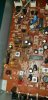
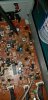
Don't worry about it. Its just wax.Thats the tuner circuit. Not the power supply.There seems to be this weird waxy stuff, should I be worried? I scraped some off but the problem was still there even if I didn't touch it.
Down load the service manual on Hifiengine.com.

I managed to disassemble it, and the solder connection seem...fine? I put some photos of what they look like and their solder connections to verify with you.Check the solder connection of the regulated power supplies. "pass transistors"..
Nix that idea... Check the solder connections on the two voltage regulator chips
IC701 and IC702. These regulators would be the prime suspects.
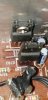 Both chips
 IC702
IC702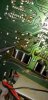 IC701
IC701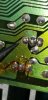
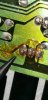
Alright, I'll desolder the regulators, order the new ones, and I'll let you know when I get the new ones.Going to need one of each.
Check the solder connection of the regulated power supplies. "pass transistors"..
Nix that idea... Check the solder connections on the two voltage regulator chips
IC701 and IC702. These regulators would be the prime suspects.
I noticed that when I took both of them out, they have similar numbers and lettering to their replacements, for example:
IC701
From the Manual: NJM7812FA
Taken from the board: 7812A
JRC
M1063U
The link you sent: MC7812CTG
IC702
From Manual: NJM7912FA
Taken from the board: 7912A
JRC
M2055F
The link you sent: MC7912CTG
Why is the labeling different?
Last edited:
Taken from the board: 7912A
Different manufacturerThe link you sent: MC7912CTG
From the Manual: NJM7812FA
Either chip was used. Both are 12volt regulators.JRC
M1063U
Different manufacturer
GotchaEither chip was used. Both are 12volt regulators.