• The move to the new server is done. There are some software and database maintenance updates in process. This has us passing the hat around to help out. We appreciate any donations. Seriously, even a dollar helps. The payment page may be found here - https://www.audiokarma.org/support.html

Problems logging in and out.

Hyperion

Roobarb & Custard
Subscriber
On some pages it shows me not logged in, and on others I am logged in, if I log out it doesn't register the fact and the screen appears to show I am still logged in.

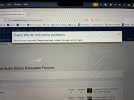
I can post if I make sure I am logged in, when navigating the site I am often getting "The active user has changed. Reload the page for the latest version." messages at the bottom of the screen. and "Oops a server error has occurred, use the back button and refresh the page". in a splash screen.

This happens on Chrome running in W10 desktop OR Chrome in Android, OR Brave (browser) in Android - and I am at a loss to know whether it is a setting at this end or at the AK end? - I have tried disabling Ghostery as used on the W10 desktop, and tried dropping the Brave shields on the Android phone - but nothing seems to make any difference. So, I have run out of ideas for now...

Disclosure
I did delete my cookies on the Android phone this morning, and Chrome (on the Android), is sync-ed with the W10 desktop. :( - But... I have re-created the cookies several times without a positive resolution. Any ideas?
 
Last edited:
Register to hide this ad
Also with Firefox 145.0 on Linux Mint 22.2.

Firefox had just been updated, so I figured it might have been a problem with that, but I also tried Chrome 142.0.7444.134 and the behavior seemed like the same. (I don't know if Chrome will pick up contextual data from Firefox. Wouldn't surprise me.)

I have some very tenuous experiential evidence that allowing the "Keep me logged in" box to stay checked is helpful. I normally uncheck it, but after managing to get a login popup, and leaving "Keep" checked, I managed to get here.
 
Update - I have disabled various things in Ghostery without success - but at least I can log on now - far from fixed though. I will try to seek a solution that allows the protection settings to be re-enabled if at all possible.

Even if I disable Ghostery completely - it still isn't working properly - I keep getting errors, failure to log on or off, server errors and so on.

Chrome is up to date
Version 142.0.7444.163 (Official Build) (64-bit)

BTW - this post disappears and re-appears - seemingly depending on the current error state! (doesn't return if I refresh).
 
Last edited:
On the basis that it's only me affected, and is browser (and OS) independant, please can someone check my account?

@w3jn
@Wardsweb

I am happy to provide log on and log off attempts for error log generation if needed. ;)
 
Last edited:
i’m having trouble logging in on latest firefox or chrome/mac os 15.6.1. only after the latest updates to either, started yesterday.

when i click the login link a window opens saying a security error occurred, to go back and refresh the page, or something similar.

however, i am able to get in on latest safari/ios 18.2.1 (and make this post).

thanks to all the mods for all you do!
 

Attachments

  • IMG_4284.jpeg
    IMG_4284.jpeg
    101.7 KB · Views: 5
Last edited:
screen shots since i am not retyping everything again

Annotation 2025-11-14 130225.jpg


Annotation 2025-11-14 130226.jpg


Annotation 2025-11-14 130227.jpg


i had to close out. then i loaded the page again and was signed out and it would not let me sign in, when i refreshed the screen, i was signed in and half my text was gone..

i'm over it. i'm gonna have beers in the fresh air
 
Last edited:
i will also add that last night, i would see a new post to a thread and if i clicked on the new post on the main page, it would show me as logged out and not show the new post. but if i clicked on the thread itself within the subforum, it would show everything and keep me logged in.

other times if i clicked on a new post on the main page, it would just try and try to load but if i went to the thread in the sub forum, it loaded fine.
 
My latest trick... if you are showing as logged in but are clearly not (lots of errors). Navigate to this thread and your logged in status gets refreshed to logged out. You can usually get properly logged in after that. ;)
 
It took me 5 minutes of faffing around to get logged on today, got there eventually. :(
Faffing...that seems like a good word.

Is there an English American English equivalent?

I found "dithering" which, however, doesn't seem to capture the "overcomplicated" aspect.
 
Hey - any chance you guys could give this a test again? There were some caching rules as a part of the new ongoing fight with ultra-aggressive AI crawlers that might have been too strict.
 
Firefox had just been updated, so I figured it might have been a problem with that, but I also tried Chrome 142.0.7444.134 and the behavior seemed like the same. (I don't know if Chrome will pick up contextual data from Firefox. Wouldn't surprise me.)
The new and improved Firefox (riiiight...) is messing me up all over the place -- bank(s) account access, brokerage(s) accounts access, DoD pension~benefits portal access -- but not at AK. OTOH I use Brave ~ 99% of the time to access AK.
 
Hey - any chance you guys could give this a test again? There were some caching rules as a part of the new ongoing fight with ultra-aggressive AI crawlers that might have been too strict.
i'm not having any issues right now. i just tried to get it to act up like earlier but it seems good. seems a LOT snappier too.

keep up the good work. :thumbsup:
 
Back
Top Bottom