• The move to the new server is done. There are some software and database maintenance updates in process. This has us passing the hat around to help out. We appreciate any donations. Seriously, even a dollar helps. The payment page may be found here - https://www.audiokarma.org/support.html

Raspberry Pi 4/B DAC/Streaming Journey

CohibaJoe

AK Subscriber
Subscriber
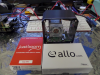
So I begin this journey searching for a Streaming platform. I'm currently using Chromecast Audio and BluDento devices. A trip to my local shop I was discussing moving up to Cambridge Audio Azur 851N or a Roon platform. After around 1hr going thru Azur 851N I was ask about trying out Raspberry Pi solutions. Being a nerd I said why not. So I put together a list of gear ($1200 budget) and spending several day's researching and ordering hardware...let's see what this is all about. And what ever this hold's I will donate this gear (will keep 1 Pi) to my local High School robotic group. I look forward to the feedback to those either dipping their toe or are All into Streaming solutions. For the Pi Project and will be using the following software and hardware...I will be picking up a separate DAC (TBD) as I am still researching Brands. I will be updating Hardware and Software solutions to this list.

Pi OS:
PINN multi boot Twister, Raspberry Pi OS
Music software stand-only on USB 3.0 and or SSD 500G

Hardware:
"4" Raspberry Pi 4/B 4mg/8mg
X825 V1.5 2.5 inch SATA HDD/SSD Expansion Board
X829 Dual 2.5" SATA SSD/HDD Storage Expansion Board
JustBoom DAC HAT
JustBoom AmpHAT
Allo BOSS I2S DAC V1.2 HWV1.7 and Digione V1.2
PI2AES - PRO AUDIO SHIELD
Roon Supported Hardware
7" Raspberry Pi Touch Screen
WiFi and Cat5 network connections
Bluetooth Audio
USB 2.0, 3.0, SSD 500G drives

Software:

moOde 7
Volumio
RuneAudio+R e6
RoPieee
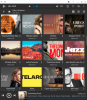
TIDAL, Spotify
piCorePlayer - Added 1/18
Silent Angel VitOS - Added 1/18

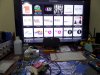
Pi4a.png
Pi4b.png Pi4d.png
 
Last edited:
Register to hide this ad
Good luck with your journey. I've been enjoying an RPi 3B in the garage system for almost five years. I use an Allo DigiOne for two reasons: the older RPi3s shared USB with ethernet and were kinda noisy and my older DAC supports USB only to 96/24.

The beauty with the current RPi4 is a separate USB bus which many say obviates the need for a digital board so long as your DAC supports USB up to a sample rate you need.

Today, I would not purchase a DigiOne. I would likely upgrade the DAC.
 
Software:
moOde 7
Volumio
RuneAudio+R e6
RoPieee

I tried all of those, but frankly, LMS 8.x with the Material Skin simply outclasses them all. It's very well designed, simple to use. I currently use a Topping E30 DAC via USB from the Pi 4, but thinking about adding an RME ADI-2FS DAC for the balanced outputs to the JBLs, and its built-in DSP for tweaking the response curve.

upload_2021-1-18_13-20-31.png
 
I tried all of those, but frankly, LMS 8.x with the Material Skin simply outclasses them all. It's very well designed, simple to use. I currently use a Topping E30 DAC via USB from the Pi 4, but thinking about adding an RME ADI-2FS DAC for the balanced outputs to the JBLs, and its built-in DSP for tweaking the response curve.

View attachment 2101748
Just added "piCorePlayer" to the list. I was looking at S.M.S.L M400 MQA for under $1k.
 
I use an Allo Digione Signature on a PI4 to a Schiit Modius DAC. I run Volumio as my OS and it has been working pretty well. Most all of the OS's are freeware, so they come with some quirks, Volumio is no different. That said, there are a few experiences I can share.

1) The Digione Signature is sensitive to the coax cable used. I don't think it is the cable itself, I think it is the quality of the RCA connectors. They need to have a tight grip. However, I do not think it is because the RCA connector on the Digione is of poor quality, rather I think there is a grounding issue related to the isolated power supplies. I could be wrong, but that is just the only thing I can possibly think of. It was not working AT ALL when I first set it up and I was ready to pack it up, so I grabbed the coax cable to pull it closer to me and it started playing. I swapped out the cable to a higher quality cable and it has been stable ever since.

2) Even though it is not a DAC, you have to turn on I2S DAC in the Volumio settings and choose allo_digione as the DAC. That one had me scratching my head for a bit, but it is the only way it works.

3) You HAVE to power them on in a certain order. One of the attractions to the Digione Signature for me was that it uses two power supplies. One for the Pi and one for the streamer board. Couple that with a nice, clean linear supply and it really does make a difference. However, you HAVE to power the hat up first followed by the Rpi. If not, the Pi will not detect the hat and it will not play. I leave mine on all the time, so it is not a big deal from that standpoint. But if we have power loss, I have to go back and power it up again in the proper order.

4) The RPi 4 gets hot. After a long session of listening, Volumio was acting up and just not playing music at all. After a reboot, it would play again. The Pi stack of boards was pretty hot. I am using the acrylic case for it as that is the only thing available. The Pi board is on the bottom and in touching the bottom, it is clear that the Pi is getting very hot. Once a certain temp is reached, the Pi starts scaling back its own processing capability in an effort to extinguish the heat. I simply changed the orientation of the case by setting it on its side to give the heat a place to escape and it went back to being stable again.

While they are quirky, I will say that it HANDS DOWN sounds better than the Bluesound Node 2i it replaced at a little less money. If you don't mind the homebrew look, and I don't, then they have to be on anyone's short list for a high quality, budget streamer. I would LOVE to see a nicer case for it, something more akin to the Volumio Primo case. So why not just buy the Primo? From what I read, the Digione Signature is better, so I went that route.

Good luck. It's a lot of fun.
 
I use an Allo Digione Signature on a PI4 to a Schiit Modius DAC. I run Volumio as my OS and it has been working pretty well. Most all of the OS's are freeware, so they come with some quirks, Volumio is no different. That said, there are a few experiences I can share.

1) The Digione Signature is sensitive to the coax cable used. I don't think it is the cable itself, I think it is the quality of the RCA connectors. They need to have a tight grip. However, I do not think it is because the RCA connector on the Digione is of poor quality, rather I think there is a grounding issue related to the isolated power supplies. I could be wrong, but that is just the only thing I can possibly think of. It was not working AT ALL when I first set it up and I was ready to pack it up, so I grabbed the coax cable to pull it closer to me and it started playing. I swapped out the cable to a higher quality cable and it has been stable ever since.

2) Even though it is not a DAC, you have to turn on I2S DAC in the Volumio settings and choose allo_digione as the DAC. That one had me scratching my head for a bit, but it is the only way it works.

3) You HAVE to power them on in a certain order. One of the attractions to the Digione Signature for me was that it uses two power supplies. One for the Pi and one for the streamer board. Couple that with a nice, clean linear supply and it really does make a difference. However, you HAVE to power the hat up first followed by the Rpi. If not, the Pi will not detect the hat and it will not play. I leave mine on all the time, so it is not a big deal from that standpoint. But if we have power loss, I have to go back and power it up again in the proper order.

4) The RPi 4 gets hot. After a long session of listening, Volumio was acting up and just not playing music at all. After a reboot, it would play again. The Pi stack of boards was pretty hot. I am using the acrylic case for it as that is the only thing available. The Pi board is on the bottom and in touching the bottom, it is clear that the Pi is getting very hot. Once a certain temp is reached, the Pi starts scaling back its own processing capability in an effort to extinguish the heat. I simply changed the orientation of the case by setting it on its side to give the heat a place to escape and it went back to being stable again.

While they are quirky, I will say that it HANDS DOWN sounds better than the Bluesound Node 2i it replaced at a little less money. If you don't mind the homebrew look, and I don't, then they have to be on anyone's short list for a high quality, budget streamer. I would LOVE to see a nicer case for it, something more akin to the Volumio Primo case. So why not just buy the Primo? From what I read, the Digione Signature is better, so I went that route.

Good luck. It's a lot of fun.
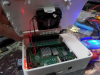
I am still tinkering with cases. Last night/morning I was testing moOde 7. I had a Frankenstein setup (Pi, Argon Fan HAT, JustBoom DAC). I ran into Under Power issues. I switch out the Argon Fan HAT with GeekWorm X735 Power HAT...It worked but when using moOde 7..when selecting a Stream I would get a internal DIR error. Removed the the X735 with just the Pi4 and JustBoom DAC then all was good. Looking at a number of threads seems a Pi solution is running 2 Power sources so not a Clean looking setup at this point.
 
I am still tinkering with cases. Last night/morning I was testing moOde 7. I had a Frankenstein setup (Pi, Argon Fan HAT, JustBoom DAC). I ran into Under Power issues. I switch out the Argon Fan HAT with GeekWorm X735 Power HAT...It worked but when using moOde 7..when selecting a Stream I would get a internal DIR error. Removed the the X735 with just the Pi4 and JustBoom DAC then all was good. Looking at a number of threads seems a Pi solution is running 2 Power sources so not a Clean looking setup at this point.

I have been toying with the idea of mounting the hat away from the Pi and using a ribbon cable to connect them... but then I worry about any noise that could be picked up by the ribbon cable. The rabbit hole is very deep. Very deep.
 
Even though it is not a DAC, you have to turn on I2S DAC in the Volumio settings and choose allo_digione as the DAC.

It's not a DAC, but it takes the same signals as a DAC; it converts a digital audio stream (I2S, probably) to a clean SPDIF digital audio stream. Thus, to Volumio, it appears to be a digital endpoint, or a proxy DAC. You are telling Volumio to send its digital audio stream to the Digione
 
It's not a DAC, but it takes the same signals as a DAC; it converts a digital audio stream (I2S, probably) to a clean SPDIF digital audio stream. Thus, to Volumio, it appears to be a digital endpoint, or a proxy DAC. You are telling Volumio to send its digital audio stream to the Digione

I understand that, but in Volumio, it appears in both drop down boxes to select the output. It is a bit confusing. One of those boxes detects it, the other you have to select it... so it is just intuitive to go with the selection that detected it. Just a cautionary tale.
 
Here is a update on moOde 7...Power is the issue with Pi. Pi 4, 7" Pi Display, USB stick and small fan. I was able to load up moOde 7 then started a stream and no sound. I removed the fan and was working...then reboot the system and a software error during a stream. I then removed the 7" Pi screen and used the
HDMI monitor port then all was good. moOde 7 is a easy system to install...Bluetooth was working but Spotify takes a few tries to connect. I will recap all software at the end. Next is Volumio.
 
I understand that, but in Volumio, it appears in both drop down boxes to select the output. It is a bit confusing. One of those boxes detects it, the other you have to select it... so it is just intuitive to go with the selection that detected it. Just a cautionary tale.
This is what I have at hand and will serve as a Test platform. No issues with Power as I will pickup a HDMI screen for the Pi. My monitor will work now.

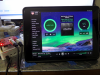
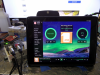
Pi4e.png Pi4f.png SAM_1199.JPG
 
Been running Volumio and what a nice looking and running OS. Using the Spotify Plug-In which integrated with ease. moOde 7 you are gone. With Volumio Interface, Setup, Function and Plug-In's work the 1st time.
Free version for Volumio has a number of plug-ins for Spotify, Squeezelite Player, LMS, Podcast, Onedrive Music Library. ROON Bridge are some of the standard Plugins. I upgraded to Virtuoso $36yr(support the development)....Bluetooth, TIDAL & Qobuz, CD Playback and Ripping, Control Playback with Alexa Voice Control and more Plug-In's. The App is Slick and well done. I will be setting up LMS server today or tomorrow.

I will be using the JustBoom DAC HAT then switch over to Allo Boss HAT then Allo Digione. My local shop will be loaning me a Project Pre Box S2 Digital DAC and Roon Speakers...It's Roon tested gear.
Pi4h.png
 
Last edited:
I liked Volumio, too; simple to install, simple to setup, and its gapless is seamless. Runs perfectly well on a Pi2.

I didn't try any other Pi music OS...
 
Switched out JusyBoom to Allo BOSS I2S DAC. Right off the bat...Wider soundstage. Going to put 72hrs as the JustBoom around 20hrs had a sound change. I do like Volumio platform ..
snappy GUI and rich features.

Pi4i.png
 
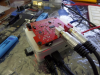
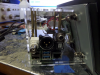
Just an update...I just received the PI2AES - Pro Audio Shield with case. Using the Pi 7" Screen and with the MEAN WELL 24VDC/1.64A adapter. This will power all attached..so they say. What is nice the PI2AES can decouple to power itself and Pi4 with a separate adapter. So far the the Allo BOSS DAC Hat is wonderful!!!! JustBoom DAC HAT while nice...Allo has a richer and fuller sound. After 4 day's running no drop outs with the Hardware and Volumio. Picking up the test DAC from my local shop and I will be putting a order in for S.M.S.L M400 MQA.

Pi4j.png Pi4k.png Pi4l.png Pi4m.png
 
I just built a RPi4B / Ropieee endpoint - USB to my Yggy. Very simple setup for the SW challenged like me.

I used a FLIRC case. Makes for a nice little package.

CPU temp is 41 deg C with 20 deg C ambient.

I’m going to play with some power supply options to see if I can get the noise on the USB power lines down a bit.

4553-00.jpg
 
I just built a RPi4B / Ropieee endpoint - USB to my Yggy. Very simple setup for the SW challenged like me.

I used a FLIRC case. Makes for a nice little package.

CPU temp is 41 deg C with 20 deg C ambient.

I’m going to play with some power supply options to see if I can get the noise on the USB power lines down a bit.

4553-00.jpg

It's all about Power...and adding a USB stick, HAT can make the Hardware or Software shaky. Here are a few....
1. iFi iPower 5V/2.5A
2. Allo Nirvana 5V/2.5A, Allo Shanti 5.2V 3A and 5.2V at 1.2A
3. Sbooster BOTW P&P ECO MKII Power Supply 6V - 1.75A, 5.5V - 2.5A, 5V - 3A

STPower.png
 
Back
Top Bottom