• The move to the new server is done. There are some software and database maintenance updates in process. This has us passing the hat around to help out. We appreciate any donations. Seriously, even a dollar helps. The payment page may be found here - https://www.audiokarma.org/support.html

Sansui 661 HUM problem

Zeus12

Active Member
Hello,

I have this beautiful Sansui 661 Receiver and I am literally in love with its performance. It is my first vintage amplifier and the first time I have opened ANY receiver in my life. I have done a couple of recaps for vintage speakers but still a bit fearful to work on a receiver.

Everything works great and the only thing I would like to fix is the common issue, from what I have read, of HUM. It is volume and selector independent and only audible when there is complete silence in the room.

I have tightened all the ground screws, and all the screws for that matter, but that hasn't helped the hum issue.

From what I have gathered so far, the most likely culprit is the Power Supply caps. I would like to know what else I should change on the PSU board. While I´m at it should I also change something else?

Would this cap be a good replacement? From what I understand, OK to increase the voltage but preferable to keep the same farads.
https://www.audiophonics.fr/en/mund...orf-mlytic-ag-capacitor-63v-3300f-p-6005.html

Greetings to all audiophiles!
 

Attachments

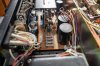
  • Sansui 661 internals 1.jpg
    Sansui 661 internals 1.jpg
    163.6 KB · Views: 84
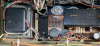
  • Sansui 661 internals 2.jpg
    Sansui 661 internals 2.jpg
    107 KB · Views: 74
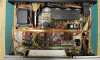
  • Sansui 661 internals 3.jpg
    Sansui 661 internals 3.jpg
    115.7 KB · Views: 76
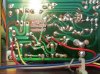
  • Sansui 661 internals 4.jpg
    Sansui 661 internals 4.jpg
    178.4 KB · Views: 75
  • Sansui 661 internals 5.jpg
    Sansui 661 internals 5.jpg
    143.4 KB · Views: 74
  • Sansui 661 internals 6.jpg
    Sansui 661 internals 6.jpg
    153.6 KB · Views: 73
Register to hide this ad
First step would be to identify if 50/60Hz mains hum or 100/120Hz, use mobile phone ap or audacity or ...
If 50/60Hz then less likely to be main caps, bad wiring practices contribute... cable tie wires from transformer, ideally
they should be twisted however do NOT undo the wire wraps, just cable tie.

upload_2020-11-25_19-49-9.png

If 100/120Hz then main caps and failed/tired voltage regulators come into play.
Is hum equally present on both channels?

Would be handy to identify if hum is in pre or power stage, but no pre/main links, would have to lift a resistor

EDIT: Audio wires should be separated from power supply wires.
 
Hi MBZ,

Thank you for you reply. HUM is equally present on both channels. Makes no difference what Input Selector I choose. I just use the AUX and FM Stereo by the way. The hum I have sounds EXACTLY like this:

Regards,
 
Last edited:
  • Like
Reactions: mbz
Sorry, my sound card on the laptop has died, will try and sort out.
Did you cable tie those wires?
 
I have seen people say for the XX1 series receivers, apart from making sure ground screws are tight, cleaning the driver board connectors helps with reducing or eliminating hum. I don't know if this makes sense as I have never personally seen the inside of a XX1 receiver. ;)
 
Last edited:
pic of 661 internals from the net, looks a bit neater than yours, also slightly different caps, possibly a later serial number.
I don't see wiring as the cause of the hum, however I'd still tidy up in the marked areas. If you can confirm it's 120Hz then
consider recapping the power supply. I'd prefer to track down the problem first however this requires an oscilloscope (to
check power supply rails) and a bit of time. Certainly follow up on suggestions from hyperion re ground screw, clean connectors...

upload_2020-11-27_19-14-55.png
 
Hello,

Thanks for the tips guys!! I have ordered Deoxit, and I would like to do a full recap. I have decided to give it a try and there has to be a first for everything. It is soooooooooo sweet sounding. That punch and power I don´t get from my Yamaha RX-657. Amazed how these things can still work so well after almost half a century.

Also found this site with very nice pics:
https://audio44.wordpress.com/2013/01/17/sansui-661-receiver-recap/

I will keep you posted.

Cheers!!!
 
Hello,

Gave the driver board a good cleaning with WD-40 Specialist Contact Cleaner. Also cleaned the blue socket connector with a paper towel after and it was full of dirt. Unfortunately, the hum is still there.

I am preparing the caps for the Driver Board, PSU and Pre Amp. The Tuner works perfect so I don´t think I need to do anything to it.

I would like to use the same parts as "River25" used (Nichicon UKW Audio series). https://audiokarma.org/forums/index.php?threads/661-re-cap-with-pics.572663/

Should I use the original specs of 3300uF/35V for the main power amp caps or increase it to 4700uF/50V units?
Also the Nichicon capacitor 0.47 mF 50V UKW1HR47MDD is not available (End of Life) on "Mouser". Found one from "Elma" 555-RF550VR47ME3#5 with same specs but has a Ripple of 9mA whereas the Nichicon has a Ripple of 4mA. Would that be OK? Any other suggestions for brands or series?

Cheers!
 

Attachments

  • Sansui 661_6.jpg
    Sansui 661_6.jpg
    118.7 KB · Views: 53
  • Sansui 661_8.jpg
    Sansui 661_8.jpg
    90.5 KB · Views: 49
Hello,

Gave the driver board a good cleaning with WD-40 Specialist Contact Cleaner. Also cleaned the blue socket connector with a paper towel after and it was full of dirt. Unfortunately, the hum is still there.

I am preparing the caps for the Driver Board, PSU and Pre Amp. The Tuner works perfect so I don´t think I need to do anything to it.

I would like to use the same parts as "River25" used (Nichicon UKW Audio series). https://audiokarma.org/forums/index.php?threads/661-re-cap-with-pics.572663/

Should I use the original specs of 3300uF/35V for the main power amp caps or increase it to 4700uF/50V units?
Also the Nichicon capacitor 0.47 mF 50V UKW1HR47MDD is not available (End of Life) on "Mouser". Found one from "Elma" 555-RF550VR47ME3#5 with same specs but has a Ripple of 9mA whereas the Nichicon has a Ripple of 4mA. Would that be OK? Any other suggestions for brands or series?

Cheers!
Someone's already been there. Caps are not your issue, as there are new. Not good, but new.

Don't use KW. Replace the trimmers and Sony transistors while you're there, they cause problems.
 
Hey Zeus!

I have exact same receiver and I remember that I always heard this low level hum from my speakers all the time.
I recapped this unit completely. I resolder all ground lugs and points, cleaned driver board socket heavily several times. Changed driver board differential pair transistors.
Reflowed all solder points and changed high value carbon resistors with metal film.

I really don't know or remember which action cured my hum problem, but right now my 661 is dead silent.

edit: this one is absolutely wonderful sounding receiver. Keep it.
 
Gave the driver board a good cleaning with WD-40 Specialist Contact Cleaner. Also cleaned the blue socket connector with a paper towel after and it was full of dirt. Unfortunately, the hum is still there.

I am preparing the caps for the Driver Board, PSU and Pre Amp. The Tuner works perfect so I don´t think I need to do anything to it.

I would like to use the same parts as "River25" used (Nichicon UKW Audio series). https://audiokarma.org/forums/index.php?threads/661-re-cap-with-pics.572663/

Should I use the original specs of 3300uF/35V for the main power amp caps or increase it to 4700uF/50V units?
Also the Nichicon capacitor 0.47 mF 50V UKW1HR47MDD is not available (End of Life) on "Mouser". Found one from "Elma" 555-RF550VR47ME3#5 with same specs but has a Ripple of 9mA whereas the Nichicon has a Ripple of 4mA. Would that be OK? Any other suggestions for brands or series?

Cheers!

I really don't like wd-40. It cures the problem when you first use it. But it gets worst afterwards. Get yourself a non-grease based contact cleaner and greaser.
Also I used 4700uf/50v caps without any problem.

If you want to change small caps (0,47 or 0,33uf) replace them with the film caps. You can use wima mks2 caps for these.
 
Hello audiophiles!

Thanks Starbender. You gave me hope that there IS a fix to this HUM problem. I agree 100%. From my limited vintage experience, this little gem sounds SWEEEEET! Can listen to it ALL DAY long. No fatigue!! Has enough power that it doesn´t even break a SWEAT. An OLD SCHOOL gentleman!! Can´t turn it past 1 on the Volume dial.

This is what I have done so far.

1. Cleaned and "Deoxited". The inside faceplate really needed a cleaning.

2. Changed the 2 big filter caps with Nichicon KW series (3300 mF 63V).

3. DC Offset and Bias Adjust. All OK

4. Powered up and the HUM was STILL THERE. Same level as before.

5. Recapped ALL EC and the 2 B.P. (C10 1mF & C11 47 mF) on the Power Supply board EXCEPT C02 1000mF E.C. (my mistake, added 100 mF in the order).

6. Powered up all OK but NO SOUND. Tried Tuner and AUX but VOLUME does nothing. The tuner meter functions OK, the lights OK, just that there is no sound coming out of the speakers.

I think I got all the specs and polarities OK. I did each cap one by one. Could it by my soldering? There is a very small "resistor" underneath the board that I had to take out and put back so I can remove the 2 caps soldered to it. What a pain in the ass! Does it matter which way it goes? Any ideas what I should check first?

Attaching some pics of the new caps and also the part list from Digi-Key in case anybody is interested.

Cheers!!
 

Attachments

  • Sansui 661_39.jpg
    Sansui 661_39.jpg
    91.5 KB · Views: 42
  • Sansui 661 Cap Part List (digikey).pdf
    Sansui 661 Cap Part List (digikey).pdf
    74.9 KB · Views: 7
  • POWER SUPPLY BOARD RECAPPED.jpg
    POWER SUPPLY BOARD RECAPPED.jpg
    141.3 KB · Views: 47
  • Resistor undernead Power Supply Board.jpg
    Resistor undernead Power Supply Board.jpg
    139.7 KB · Views: 43
  • Sansui 661_35.jpg
    Sansui 661_35.jpg
    89.1 KB · Views: 43
Check if relay clicks after turn on.
If not, there is something kicking protection.
If you hear relay click, check all fuses with dmm.
If fuses ok, check cables and wires attached to preamp pcb.
Resistors don't have polarity, it doesn't matter which way it goes.

Also; Always use current limiter (dbt) while testing this kind of gear.
 
Hi Starbender,

Yes, relay does kick in. Checked fuses with "continuity" beep and all of them OK. Could it be that I over soldered some points and maybe some caps are touching some adjacent points (resistors) underneath? Maybe I overheated the caps by too much time with the iron on the tip? I will get a high resolution pic tomorrow morning underneath the board so you can see my soldering work. The previous pic is the "before" shot.

That´s what I figured for bi-polars, doesn´t matter which way you put them in. For the rest of the caps, in case they were inserted wrongly wouldn't they pop or even explode? Will double check once again to make sure. So then it must be a wire that is not connected properly?

The volume doesn´t respond basically. I have 8 ohm speakers connected to A. When I put the Selector to A or A +B I can hear a faint hum, much less than before by the way, so there must be something related to the volume.

Cheers!!
 
Hello,

I think the pictures are self explanatory. My soldering is obviously pathetic. Did I ruin the board?

Had enormous problems finding the capacitor and ending up desoldering the resistors around some of the caps. When I resoldered the resistors I think they fused and connected with the cap leads. Is that called a "SOLDER BRIDGE"?

Also, that little resistor that connects the two caps, does it matter which way it goes? I think I dropped it about 20 times trying to hold it with a pair of tweezers in one hand and solder with the other. What about that brownish blob/stain? Saw a little bit of funky smoke and even funkier smell when I was trying to put the little resistor underneath.

I didn´t use any flux the first time. I ordered these two products now. Any other suggestions?https://www.amazon.es/gp/product/B00CIOVF8W/ref=ox_sc_act_title_5?smid=A37YW6NZPLZXVD&psc=1
https://www.amazon.es/gp/product/B00FA40RHM/ref=ox_sc_act_title_6?smid=A1AT7YVPFBWXBL&psc=1

I will also look into a good desoldering station since the plunger doesn´t work for me, or I´m not skillful enough to use it. Would this be a good choice?
https://www.aoyue.eu/aoyue-int474a-desoldering-station-desoldering-pump-solder-suction-pump.html

Cheers!!
 

Attachments

  • Sansui front panel.jpg
    Sansui front panel.jpg
    132.7 KB · Views: 51
  • Sansui PSU Board Soldering mistakes.jpg
    Sansui PSU Board Soldering mistakes.jpg
    193.4 KB · Views: 55
  • Sansui PSU Board Soldering mistakes2.jpg
    Sansui PSU Board Soldering mistakes2.jpg
    89.5 KB · Views: 49
  • Sansui PSU Board Soldering mistakes3.jpg
    Sansui PSU Board Soldering mistakes3.jpg
    166.1 KB · Views: 46
  • Sansui PSU Board Soldering mistakes4.jpg
    Sansui PSU Board Soldering mistakes4.jpg
    161.4 KB · Views: 48
  • Sansui PSU Board top view2.jpg
    Sansui PSU Board top view2.jpg
    163.3 KB · Views: 48
Zeus,

These old boards solder pads are fragile. Be careful while heating the pads. Are you using solder sucker or solder wick?
If not get one or get some.

Pictures are not clear to me (due to flash).

As I understand, receiver was working before changing caps. Check your last replacements and cap orientations. Check for solder bridges (with magnifier) if you are in doubt, use DMM.

At one picture, you pointed output transistor legs. If you didn't solder or desolder these, you don't need to do anything with them (unless they're smoked already!)

Cut legs of the soldered components.

If receiver was working before cap replacement, you don't need to blindly replace parts, instead check your recent work.
And don't plug receiver directly to wall outlet while checking the receiver. Use a dim bulb tester.

Why this resistor had to be soldered underneath the board?

Did you checked the resistor value with dmm? did you checked continuity between the solder pads, did you checked continuity between preamp and amp cables.
 
Hi Starbender,

Big thank you for your help. I´m still fairly new to this wonderful and exciting world of vintage audio gear. I´m still learning the basics, voltage, current, amps, etc.

I have a plunger sucker (manual) and solder wick. I tried to use the solder wick but didn´t work for me. Perhaps because I didn´t use flux? I will order a good vacuum plunger since that was the root of all my problems. Couldn´t get those caps out.

There are definitely "solder bridges" around the caps I replaced. How do I go about doing a check with a DMM? You said to check continuity. Same way you check the fuses? If it beeps, it´s OK? Should I remove the caps, fix the solder blob, clean it with flux and then put the cap in?

Also, could you please advise me on what other parts I should change on the Power Board. You said you also changed some transistors. What about those U.F.O. looking transistors that people talk about? Should I order some resistors as well? I used the UKW series for the PSU and Driver board (UFG for audio signal path) and after looking around, the UPM series (higher temp values) would have been better? What series did you use?

Cheers!!
 
There are definitely "solder bridges" around the caps I replaced. How do I go about doing a check with a DMM? You said to check continuity. Same way you check the fuses? If it beeps, it´s OK? Should I remove the caps, fix the solder blob, clean it with flux and then put the cap in?

Fix the solder bridges first. DMM continuity is same as checking fuses. If two separate solder pads beeps there will be a solder bridge. You shouldn't have to remove caps, fix blobs and don't overheat components and pcb pads.

Don't replace any components unless they are defective.
UFO looking transistors are output transistors, if they blow there will be no relay click.

Download service manual.
Study. Learn to check dc offset and bias settings.

Don't be obsessive about capacitors. If they're good quality don't bother with substitutes.

Fix the bridges and solder blobs first.
 
Hi Starbender,

Thanks again for your help. I have the service manual already downloaded. I sleep with it practically. I try to read all the posts related to recapping and refurbishing of Sansui receivers and of course watch plenty of youtube tutorials. I am THOROUGHLY involved in my self-education, hahaha.

I think I know how to check DC offset and Bias. They were both within specs. By the way, many people say to also change the "trim pots" on the Driver Board. What is your take on it? Will concentrate on fixing the PSU board first, though. Will follow your instructions and post back.

Cheers!!
 
Hello again,

Oh, what a journey this is becoming. Learning something new everyday. Here´s the latest update:

1. Checked for the 99th time the orientation of the caps and all of them OK.
2. Checked for "solder bridges" with DMM (continuity test) and didn´t find any.
3. Decided to check that little resistor underneath the board and realized that it was reversed. It is connecting the C03 and C04 caps (47mF each). Thank God I took a close-up at the beginning.
4. Fixed the solder blob between the 2 connections and put the little resistor the way it was originally.
5. Check for DC offset and Bias. Both OK
6. Connected the amp and THERE WAS SOUND!!!!! :banana:

So basically it was that little microscopic resistor (NEC RO244 -43 on the bottom) that was put back upside down?
Can somebody tell me what it does? I measured the OHM value and it was 31.2 (OHM @ 200 on DMM). Is that what it should be?

The HUM is still there. I think it is more or less the same as before. So changing the caps--except C02 1000mF-- on the PSU didn´t solve my problem. What should I do next?

By the way, when I heard sound today it was like a blind person seeing again. Or, when a deaf person hears again. What a joyful experience when something works again!!

Big thanks for all your help!!:beerchug:
 

Attachments

  • Sansui resistencia.jpg
    Sansui resistencia.jpg
    104.7 KB · Views: 45
  • Sansui resistencia 2.jpg
    Sansui resistencia 2.jpg
    153.1 KB · Views: 42
Hi Moefuzz,

Thanks for the tip. I used a special WD-40, the "Specialist" for Contact cleaners. This one here:

As you can see from the video, he is using it on Audio equipment and practically hosing a computer MB. I used it mainly to clean the "blue" contact on the Driver board since many AK´ers have said that it cured their HUM problem. Do you think that could be the reason for my HUM problem?

Cheers!!
 
Hi Moeffuz,

WOW!! Big thanks for all those nice video links and the Sansui ad from June 1976 Stereo Review. Been reading those old Stereo Review magazines from the 60´s and 70´s. Amazed at the quality of the articles back then.

I didn´t know about Paul Carlson but I will definitely check him out. Been watching the "Vintage Audio Addict" and "Blueglow" youtube channels a lot. There are plenty more online, for sure. Everything is still new to me so slowly I´m starting to get the hang of it.

I will also look into the "MG Chemicals 409BAll". I do have "Deoxit D5" , which I use for the "pots". Boy, even though it is expensive, had to ordered online from Germany, I think it does miracles. The knobs are soooooooooo smooth now that they feel like their are gliding on air. Perhaps too smooth. I want some of that "dirty" feedback I had before, hahahaha.

I will also get a good vacuum desoldering gun. Wanted to get this one but it is currently unavailable.
https://www.aoyue.eu/aoyue-solderin...ion-desoldering-pump-solder-suction-pump.html

A lot of these products are difficult to get here in Spain. Everything that comes from the U.S. or Canada has to go through fricking Customs. My caps from "Digi-Key" were "retained" at Madrid Airport for 4 days for clearance!! WTF, 4 days to clear 25 dollars worth of caps? So, I am kind of forced to try and find something in the E.U.

All I know is that, WHEN THERE IS A WILL, THERE IS A WAY!!

I see you have a wonderful Sansui collection. Would love to hear the G9700 with those Sp7500s. I´m in love with the Sansui amp sound. Haven´t heard any of their speakers though. Are you in France?

Cheers!!!
 
Back
Top Bottom