


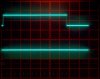
I got this nice RDS tuner as working but the autoscan feature does not work most of the time. I cannot fathom what the criteria for the microcontroller are for when to stop. This is what happens: briefly turn the tuning knob to initiate autoscan. When a station is found it should stop. I monitored the AUTOSTOP signal (top trace) to the micro which comes from the IF chip LA1235 and goes low when a signal is received. I also had my scope trigger from the CLOCK signal to the synthesizer chip which is only present when scanning. If the AUTOSTOP works OK the CLOCK pulses (faintly visible in the lower trace at the bottom) go away:
When it trudges on, it briefly stops, even says TUNED in the display and the pulses continue:
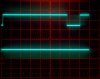
The scale is 0.2 s/div, the tuning is from 97.2 MHz to 98.0 MHz.
I cannot figure out why the micro does that. Unfortunately a quick search did not produce a user manual. The SM is mum about this. What other criteria must be satisfied for the micro to stop?
When it trudges on, it briefly stops, even says TUNED in the display and the pulses continue:
The scale is 0.2 s/div, the tuning is from 97.2 MHz to 98.0 MHz.
I cannot figure out why the micro does that. Unfortunately a quick search did not produce a user manual. The SM is mum about this. What other criteria must be satisfied for the micro to stop?