


Audio Noob
New Member
Long story short(ish), as soon as you turn on the secondary set of speakers on my JVC reciever, the primary speakers lose almost all mids and treble (sound muddy). I discovered this issue when attempting to add a sub with an integrated amp, but if you press the button to turn on the secondary output the sub works, but it makes the primary speakers sound muddy, even after I disconnected the sub. The button for the secondary output toggles the muddiness. If you think you could help I have more info below. New to audio, any tips would be appreciated!
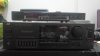
As the username suggests I'm not very well versed in the audio world. My first and current setup is a JVC AX-R97 powering a pair of Pioneer CS-G403s. They sound great IMO but I'm sure my standards are a bit lower than most, but one of the speakers has a slight cone rattle when I really crank them. So to prolong the speakers quickly shortening lifespan I bought a small 10" sub with an integrated amp to give me the base that I crave at lower volumes. Looked up a YouTube video beforehand and was able to get the sub to work, but the reciever has 2 pairs of high level outputs so I have had the Pioneers on the #1 output so I left those and had to wire the sub to the #2 set, I wired both the left and right channels to the sub and when I finally figured out where the button to turn on the #2 set of speakers was, the sub started to work, but the Pioneers mids and treble drops dramatically and just sounds muddy. I then disconnected the sub from the reciever completely so the JVC was only powering the Pioneers, and it still sounded muddy, just without the bass from the sub. The wierd thing is even if nothing is hooked up to the #2 set and I turn them on, the #1 set sounds like garbage but as soon as I turn off the #2 output they sound perfectly normal. I'm lost and can't find hardly any info on my reciever online. I would like to think the speakers are not the issue because they sound fine when only they are on. I have a fair bit of electrical experience in the home and auto industries, but audio is my newest venture and I have alot to learn. Any help, advice, experience, or referrals to other threads with info regarding this issue that I missed would be greatly appreciated! Will give free car advice if you can help!
Edit:I misspelled quiet in the title and can't fix it which is frustrating
Pics below to provide more info.



As the username suggests I'm not very well versed in the audio world. My first and current setup is a JVC AX-R97 powering a pair of Pioneer CS-G403s. They sound great IMO but I'm sure my standards are a bit lower than most, but one of the speakers has a slight cone rattle when I really crank them. So to prolong the speakers quickly shortening lifespan I bought a small 10" sub with an integrated amp to give me the base that I crave at lower volumes. Looked up a YouTube video beforehand and was able to get the sub to work, but the reciever has 2 pairs of high level outputs so I have had the Pioneers on the #1 output so I left those and had to wire the sub to the #2 set, I wired both the left and right channels to the sub and when I finally figured out where the button to turn on the #2 set of speakers was, the sub started to work, but the Pioneers mids and treble drops dramatically and just sounds muddy. I then disconnected the sub from the reciever completely so the JVC was only powering the Pioneers, and it still sounded muddy, just without the bass from the sub. The wierd thing is even if nothing is hooked up to the #2 set and I turn them on, the #1 set sounds like garbage but as soon as I turn off the #2 output they sound perfectly normal. I'm lost and can't find hardly any info on my reciever online. I would like to think the speakers are not the issue because they sound fine when only they are on. I have a fair bit of electrical experience in the home and auto industries, but audio is my newest venture and I have alot to learn. Any help, advice, experience, or referrals to other threads with info regarding this issue that I missed would be greatly appreciated! Will give free car advice if you can help!
Edit:I misspelled quiet in the title and can't fix it which is frustrating
Pics below to provide more info.


