• The move to the new server is done. There are some software and database maintenance updates in process. This has us passing the hat around to help out. We appreciate any donations. Seriously, even a dollar helps. The payment page may be found here - https://www.audiokarma.org/support.html

Speakers getting blown

JMiP

AK Subscriber
Subscriber
I have a Harman Kardon 330c and a pair of Advent /3 speakers. The right speaker blew out just today after about an hour of playing music at a not loud volume level. By "blew out," I mean that there was a significant loss of volume from that one speaker and it sounded scratchy. A little history: I had just put aside another pair of speakers (Celestion 3) about two months ago for the same reason; the right speaker blew out. In that case, the woofer stopped working.

I don't know if this is just a coincidence of two sets of speakers that were not in good shape or if the receiver is the fault. How would you check this? Is there a set of tests that I could perform on the receiver to see if it the culprit? Also, is there a way to get this speaker to work correctly again? Is there something online somewhere that shows how to open an Advent /3 speaker? Looking at the back of it, I don't see a way in, so I assume that I remove the woofer and tweeter to get to the inside. Even when I do get in there, I'm not sure what to look at or test to find the problem.
 
Register to hide this ad
In the meantime, you can protect your speakers with a fuse or a polyswitch, connected in series with the speaker. I think 2A is conservative, it won't blow under normal conditions but it should blow under an electrical event.
 
Are you sure the speakers are blown and it's not just dirty switch contacts? Try excersizing the speaker selector switch, tone defeat, volume knob, etc. If this seems to clear up the issue a good cleaning is in store.
 
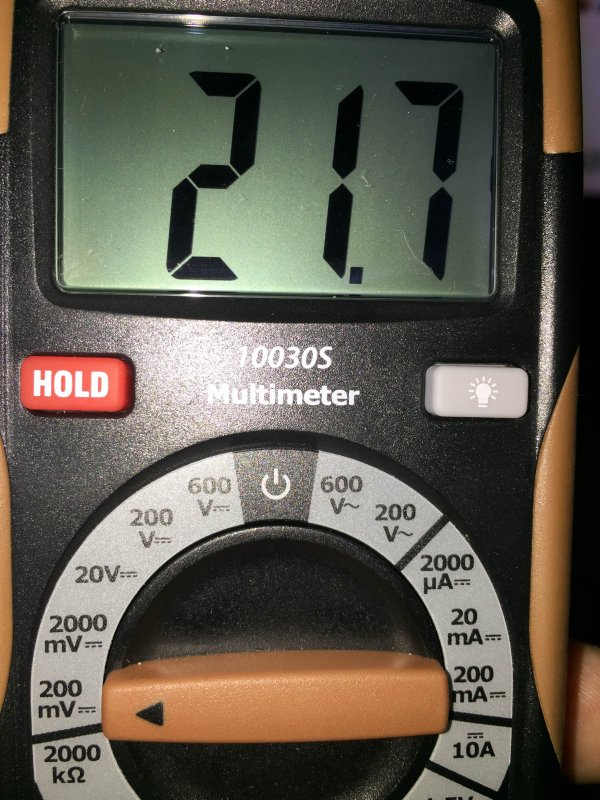
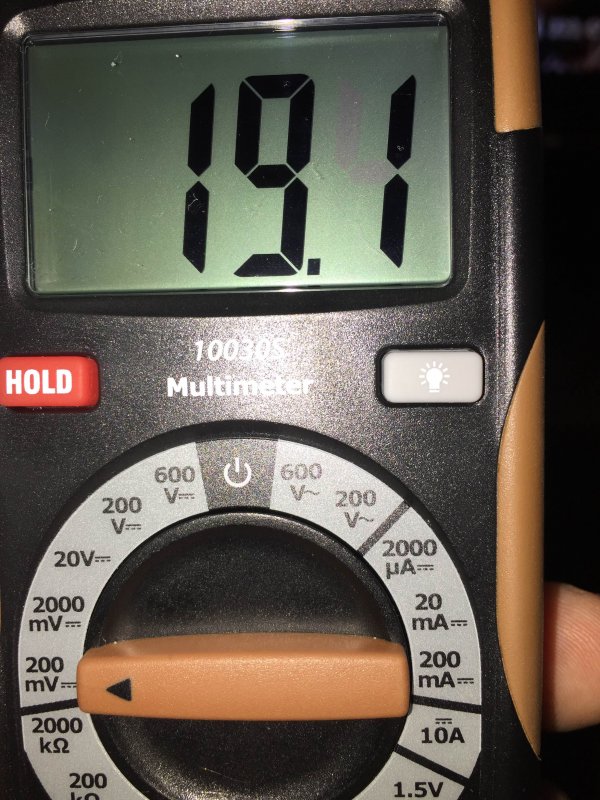
If you do not have a meter the easiest way to check for offset is to turn the speaker switch on and off with the volume all the way down. There should not be a "tick" sound. You can start to hear it on most speakers at around 100 mV faintly. At 250 mV which is considered by most a hard limit, it will be more noticeable. If you can get the grills off the speakers, if you see the cone move more than like 1/16 th of an inch, I would be concerned.

For the moment you will have to risk a good speaker on that channel to do it, but it is about the fastest way to find out. Speakers usually do not just go bad at low levels unless it is the foam disintegrating. (I think even that is accelerated by driving them hard)

But I agree, quite a coincidence to be the same channel. You might have intermittent DC offset. It happens.
 
So, this can't be the problem. Then, to add a wrinkle, the speaker seems to be fine again. At least for a quick listen of five minutes. :dunno:
 
Yup, and that other speaker probably ain't blown either. Be happy.

I think you're in good shape here with a minor problem. Dirty switch loose connection, something like that.
 
Are you sure the speakers are blown and it's not just dirty switch contacts? Try excersizing the speaker selector switch, tone defeat, volume knob, etc. If this seems to clear up the issue a good cleaning is in store.
A good cleaning where? Inside the receiver or inside the speakers or both?
 
A good cleaning where? Inside the receiver or inside the speakers or both?

The receiver, search deoxit. This is a very common issue, contacts from lack of use (movement) become corroded and lose connection. Not knowing which, just excersizing (repeatedly operate back and forth) all of the knobs, buttons, switches to clear some of the corrosion, if this works it may last a good while. Eventually it would be a good idea to have the unit cleaned.
 
There's a DeOxit for Dummies thread here. It's a sticky either in DIY or Solid State.

In case no one said it, if one speaker has a problem you can swap left with right. If it follows the speaker, it's the speaker. If not, it's the amp or the wiring. Same thing with anything you plug into the receiver (TT, CD player etc.). Swapping channels will help you determine where the problem lies.

I'm going for dirty switches too. Speaker selectors, volume or balance control, source selector, even tape monitor switches. Any or all of them can do this, and intermittently, too.
 
I'm sorry, but I don't quite understand you here. Turn on the receiver, play the radio (for example), keep the speakers plugged in and then check DC?
sorry i made a hurried assumption that when it had cooled down it went back to being ok for a while . no idea what made me think that ..my apologies.
 
There's a DeOxit for Dummies thread here. It's a sticky either in DIY or Solid State.

In case no one said it, if one speaker has a problem you can swap left with right. If it follows the speaker, it's the speaker. If not, it's the amp or the wiring. Same thing with anything you plug into the receiver (TT, CD player etc.). Swapping channels will help you determine where the problem lies.

I'm going for dirty switches too. Speaker selectors, volume or balance control, source selector, even tape monitor switches. Any or all of them can do this, and intermittently, too.

OK, it's the receiver. I took the wires for the right speaker and put them in the connections in the back of the receiver for the left speaker and the same for the left speaker. The original issue was with the right speaker, but when I swapped the connections, the issue switched to the left speaker. So, it's definitely the receiver's right channel.

I should deox the speaker connections in the back of the receiver?
 
Back
Top Bottom