• The move to the new server is done. There are some software and database maintenance updates in process. This has us passing the hat around to help out. We appreciate any donations. Seriously, even a dollar helps. The payment page may be found here - https://www.audiokarma.org/support.html

transistor identification

hi, i noticed the wire wasent right either but i took apart another cyrus and it was wired the same?, the brown wire from the fuse goes to the switch on the back and i tested that connection and its going to the blue wire that goes in to the toroidal?, strange, the fuse was already changed when i got the amp
do you think i should swap them over so all blue connect to blue and brown with brown and plug it in and see what happens?
just out of interest when a psx r is connected do these wires get swapped over for some reason?, i didnt think they did because i thought it was just the wires near the toroidal that get swapped round?
 
Last edited:
leave wires as they are ..its just one brown wire didn't look pushed all the way on .
with my cyrus 2 with psrx you had to remove internal fuses before using .
 
ok ile wires as they are, ive took the board out now, is there any specific pic you would like to see of the pcb?, thanks
 
just found this ...is the mute light on ?

The Standby light flashing GREEN

This indicates:
? That a PSX-R power supply has been connected to a Cyrus Power which has not been correctly prepared for PSX-R use. In this case, remove the PSX-R connection and re-test the Cyrus Power. If the Cyrus Power now functions correctly, return the amplifier to a Mission distributor for PSX-R adjustment.

? A fault reported from the PSX-R. In this case, switch off the power to both the Cyrus Power and the PSX-R and switch on again. If the problem does not clear, return both units to your Mission distributor for checking.

? That the Cyrus Power has been set to Mbloc mode but has not been modified for use with a PSX-R. In this case set the Cyrus Power to Stereo or arrange for PSX-R conversion in a dual Mbloc installation.

? That the PSX-R has been disconnected or switched off. In this case check for power to the PSX-R and check the PSX-R connection to the Cyrus Power.

The MUTE light glowing red
? This is a normal condition for six seconds after the Standby light changes to green or should any of the above faults be detected. MUTE indication at any other time indicates a possible fault condition. In this case, return the Cyrus Power to your Mission distributor for checking.

 
just found a better fault finder and it does look like its an overload fault ...
this is for a CYRUS POWER and will not be true for any other component.

The Cyrus Power has a powerful protection system and unique fault indication system. This is designed to prevent damage to your Cyrus Power or the connected hi-fi system while helping you and the service personnel to diagnose the possible cause of a problem. It is essential that the
amplifier be reset via the mains switch on the rear panel, should any fault indication persist on the front panel.

The Standby light flashing GREEN
This indicates:
? That a PSX-R power supply has been connected to a Cyrus Power which has not been correctly prepared for PSX-R use. In this case, remove the PSX-R connection and re-test the Cyrus Power. If the Cyrus Power now functions correctly, return the amplifier to a Mission distributor for PSX-R adjustment.

? A fault reported from the PSX-R. In this case, switch off the power to both the Cyrus Power and the PSX-R and switch on again. If the problem does not clear, return both units to your Mission distributor for checking.

? That the Cyrus Power has been set to Mbloc mode but has not been modified for use with a PSX-R. In this case set the Cyrus Power to Stereo or arrange for PSX-R conversion in a dual Mbloc installation.

? That the PSX-R has been disconnected or switched off. In this case check for power to the PSX-R and check the PSX-R connection to the Cyrus Power.

The Standby light flashing GREEN/YELLOW
? This indicates an overload condition in at least one channel. If the problem is of a temporary nature (for example excessive volume setting), normal operation will resume after ten seconds. If the fault indication
persists, there may be a problem with the loudspeakers or their connections. In this case, switch off the power at the rear of the Cyrus Power and disconnect the speaker cables from the rear panel. If the fault indication has now cleared when power is re-applied, check the loudspeakers, cables and plugs carefully for loose strands of wire which
may be causing a short circuit.

The Standby light flashing YELLOW/RED
? This indicates that the Cyrus Power has over heated.
In this case check the ventilation around the Cyrus Power and allow the unit to cool down before reapplying power.

The Standby light flashing YELLOW
? This indicates that there is a DC voltage at the output of the Cyrus Power. In this case disconnect all inputs and outputs and switch on again. If the problem does not clear, return the Cyrus Power to your Mission
distributor for checking.

The Standby light flashing RED/GREEN
? This indicates that the RCA/XLR switch has been changed whilst the amplifier is operating. Return the switch to it's original position or if the other input is required set the Cyrus Power to Standby before operating the switch.

The MBLOC light flashing RED
? This indicates that the STEREO/MBLOC switch has been changed whilst the amplifier is operating. Return the switch to it's original position.

The MUTE light glowing red
? This is a normal condition for six seconds after the Standby light changes to green or should any of the above faults be detected. MUTE indication at any other time indicates a possible fault condition. In this case, return the Cyrus Power to your Mission distributor for checking.
 
hello, the standby light flashes yellow/green?

The Standby light flashing GREEN/YELLOW
? This indicates an overload condition in at least one channel. If the problem is of a temporary nature (for example excessive volume setting), normal operation will resume after ten seconds. If the fault indication
persists, there may be a problem with the loudspeakers or their connections. In this case, switch off the power at the rear of the Cyrus Power and disconnect the speaker cables from the rear panel. If the fault indication has now cleared when power is re-applied, check the loudspeakers, cables and plugs carefully for loose strands of wire which
may be causing a short circuit.
 
yep, thats the same info i found on the subject, not sure what to do next, im a bit suspicious of the lm7 transistor it feel flimsy to the touch compared to the other transistors in there, im going to take it out and see if theres a way to test it, all i have is a digital meter and anologue meter?, any suggestions
 
i think i found how to use psxr .. there is mention of jumpers that need moving first .
do you have a psxr ?

check the regulator whilst powered up in circuit ... pin 2 raw dc higher than -15v dc pin 3 will be regulated -15v dc output
pin 1 ground reference
 
hello, i dont have a psx r but i know the jumpers you mean there in the right place i think, you might be able to see them in the pics, when i move the jumpers to be used with psxr it displays a different flashing leds sequence that suggests the psxr isent plugged in, when there put to normal power it flashes yelow/green.
ive took the transistor out to see if i can test it somehow.
 
Last edited:
its NOT a transistor ..its a voltage regulator chip ..
only way you can test it properly is powered up .
if you have a bench supply you could use that . or maybe 2x 9v batteries in series .
best to check it in the board really then you will find problems if there are any ..
what is the -15v supply for anyway ?
 
hello, sorry yes it a voltage regulator, not sure what you mean here:what is the -15v supply for anyway ?, ile pop it back in then, thanks for helping mate, man amongst men i must say, cheers
if i had a power supply ide test it, ile have a look about and see if i can find a old laptop charger or something thats the same dc volts
 
Last edited:
fault finding blind without a schematic is quite difficult from where i am sat .
you should have a better clue where the -15v goes to in the circuit .i am clueless .
what i am saying is we don't know even if the -15v is missing that it would trigger an overload fault .
i am guessing the overload detector is a transistor in the driver circuit and the protect circuit is an ic ... again without a diagram this wont be easy .
 
best bet is trace the circuit back from one of the relays coils to see what drives it . then if it is an ic look up the data sheet and check its voltages to see what might be triggering it .
i will get the manual and have a look to see if when one channel is overloaded the other one should still work or not .
my guess it shuts down both sides .
being a dual mono amp it might just shut down one side .
 
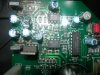
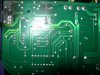
ive tried to take some close up pics, if you save them you should be able to zoom into them, i could try and trace the tracks if you need me too, if i could buy them schematic i would but not sure where to get it, regards
mozmax
 

Attachments

  • DSCN7174.jpg
    DSCN7174.jpg
    107.8 KB · Views: 8
  • DSCN7175.jpg
    DSCN7175.jpg
    85.9 KB · Views: 4
hi im not 100% coz its in parts right now but i think between that light and the mono light they sort of flash between each other, hope that makes sense
 
the LM393 n is a voltage comparator .maybe part of the protect circuit ..not sure
mc74hc4053n is a SGL ENDED MULTIPLEXER .....whatever that does:D
 
ive acumilated to much hifi gear over time, ive got a cyrus 3 intergrated amp thats also broke and a cyrus fm7 , thought ide have a dabble fixing them but its turning out a right mission, lol
 
Back
Top Bottom