• The move to the new server is done. There are some software and database maintenance updates in process. This has us passing the hat around to help out. We appreciate any donations. Seriously, even a dollar helps. The payment page may be found here - https://www.audiokarma.org/support.html

Yamaha A-1 speaker cut out

Hi Guys,

Thanks both for offering your help.
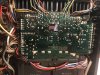
Since my post I’ve furiously checked and scraped every bit of potentially poor soldering and reassembled.
Very promising, it’s powered up perfectly!
Will now let it run for a while, check idling current etc and hope that it doesn’t randomly cut out.
Fingers crossed.
 
Hi Guys,

Thanks both for offering your help.
Since my post I’ve furiously checked and scraped every bit of potentially poor soldering and reassembled.
Very promising, it’s powered up perfectly!
Will now let it run for a while, check idling current etc and hope that it doesn’t randomly cut out.
Fingers crossed.
:lurk: :thumbsup:

EDIT: What source? Does it happen on all of them?

nashou
 
This random cut out activity happened whilst I only had Aux connected, so can’t be sure.
I really think that it was a poor solder join. Time will tell, certainly hoping so. Just want to enjoy this amp now, not spend time navigating its interior.
 
Ok, spoke too soon.
Speakers cut out, and then after about 8 seconds came back on. Speaker lamp went off and back on in time with this activity.
Have now switched off the amp.
Given the careful soldering and reassembly what’s now the most likely issue?
 
It may still be a switch issue. either dirty or cold solder joints.

Try another input like the tuner input then maybe hook up a TT for phono.

And you said switches were cleaned. Were they desoldered , taken apart cleaned and then reassembled?

That can be a pain to do as there are small parts that are delicate. Sometimes a new switch replacement is easier. I also think the signal actually goes through the Speaker switch but not sure when looking at the Block diagram. @avionic can you shed some light on the path of the signal. And would a dirty intermittent signal from dirty contact switching cause the protection to go on?

Just double checked it doesn't, the speaker switch controls the power going to the relay. so it stilll could be a dirty switch .

Example

51829698540_31d89ff237_b.jpg


Athansios
 
Last edited:
Thanks @Nashou66
I'm wondering if, given the timing and heating element of this problem, whether freeze spray wold be good to try?
If I can locate a component or area of the board where cooling causes the speaker relay to click back on then I'll have found the cause of this problem.
A good plan, or is there something easier and cheaper I can try in the meantime?
(Does the freeze spray have to be the non-flammable type or is inverted canned air just as good.?)
 
Thanks @Nashou66
I'm wondering if, given the timing and heating element of this problem, whether freeze spray wold be good to try?
If I can locate a component or area of the board where cooling causes the speaker relay to click back on then I'll have found the cause of this problem.
A good plan, or is there something easier and cheaper I can try in the meantime?
(Does the freeze spray have to be the non-flammable type or is inverted canned air just as good.?)
As it was stated above, please try another input port first to see if the problem is universal or limited to Aux input …
 
Apologies, @Nashou66, should have followed this through and thanks @Sparkplug for nudging me along. With the time difference will probably have to do this tomorrow.
Will try also to measure ’pin 10’ on the power supply board (one of the easier points to access) to see if it registers 12V.
Thanks again guys for your help so far.
 
Just reread your post @Nashou66, and yes I remember doing this painstaking task on my C4. If it does turn out to be switch related are there any tricks with accessing contact spray into the switch? Not a proper fix but a change in the faults behaviour would reassure me that it was the cause of the problem and can be a task properly attended to whenever I choose.
 
Apologies, @Nashou66, should have followed this through and thanks @Sparkplug for nudging me along. With the time difference will probably have to do this tomorrow.
Will try also to measure ’pin 10’ on the power supply board (one of the easier points to access) to see if it registers 12V.
Thanks again guys for your help so far.
:thumbsup: Don’t be in any haste to change parts, chances are most of them are fine, probability of a physical defect (corrosion, bad solder joint, etc.) is much higher …

Try tapping lightly on switches when this happens to see if it makes any difference … of course that means running the unit open and ready to inspect.
 
Last edited:
Hi @Sparkplug, yes, the lamp does turn off when the speakers cut out.
The speaker switch is actually brand new, I think I damaged the last one whilst attempting disassembly or repair. But I’ll still take another look at it and its soldered leads.
For tapping duties on the pcb… just a wooden stick, the handle end of an artist’s brush.., that sort of thing? Any other tips on best practice?
 
Thanks @Sparkplug .
Some very promising news.
Connected source to Tuner input. 5 hours have passed and no speaker cut out. Rather wish that I'd attended to @Nashou66 's advice more immediately, so thanks again both.
So at this point I guess I should just check the solder attachments to the Aux switch and if they're looking robust then clean that switch.
Not looking forward to this, any effective shortcuts to this chore?
 
Thanks @Sparkplug .
Some very promising news.
Connected source to Tuner input. 5 hours have passed and no speaker cut out. Rather wish that I'd attended to @Nashou66 's advice more immediately, so thanks again both.
So at this point I guess I should just check the solder attachments to the Aux switch and if they're looking robust then clean that switch.
Not looking forward to this, any effective shortcuts to this chore?
Sounds good.
I’d try some Tape inputs as well while changing volume to see if anything happens. Unfortunately there aren’t any short cuts to what you need to do … it’s tough but it builds character … :thumbsup:

Added: Make sure you reflow all RCA input/output connector solder joints.
 
Last edited:
Thanks @Sparkplug .

Not looking forward to this, any effective shortcuts to this chore?

https://www.digikey.com/en/products/detail/c-k/F4UEE/417520?s=N4IgTCBcDaICwAYCMBaJYwDYUDkAiIAugL5A


But not sure how you can get the lock out mechanism to work. The switches in the A-1 push out the active switch when you press another. there is a small bar that pops the other one out of circuit. I haven't tried it there yet. and they have to trimed a bit to fit the
carrier of the A-1 .
 
Last edited:
In a forlorn attempt to avoid building character I tried carefully dropping in a minute amount of Kontact cleaner into the tiny holes in the switch and using the compressed air and clicking the Tuner, Aux and Tape switches a hundred times.
Result: Tuner works perfectly but Aux will cut out after 10 mins. It tends to make noise in the left channel and then Speaker cut out, and then Speaker button come back on again with sound through both. At which point I powered off the unit and accepted that the Aux switch must get the full dismantling treatment.
What grease should be used in the switch, and is there a homemade substitute as only the tiniest amount is required?
Can petroleum jelly be used, or anything else?
And, yes, will check and reflow the RCA's input / outputs.
 
Back
Top Bottom