• The move to the new server is done. There are some software and database maintenance updates in process. This has us passing the hat around to help out. We appreciate any donations. Seriously, even a dollar helps. The payment page may be found here - https://www.audiokarma.org/support.html

Yamaha CR-620 w/no lights

Switchblade

Super Member
My CR-620 had no lamps working when I got it, so I thought I'd replace them with LED's. After the first one didn't work, I checked the voltage going to the bulb and found I have no voltage going to any of the 3 lamps behind the meters. This is the unit that also pops every time I turn it off. Power supply is putting out48 volts on the main leads. I traced the bulb leads down to the board pins and there's no power there either. The 3 fuses inside the unit all test good. I don't where to go from here? :dunno::(
I tested the existing bulbs and the bulbs were all burnt out.
 
Register to hide this ad
I don't where to go from here? :dunno::(
I tested the existing bulbs and the bulbs were all burnt out.
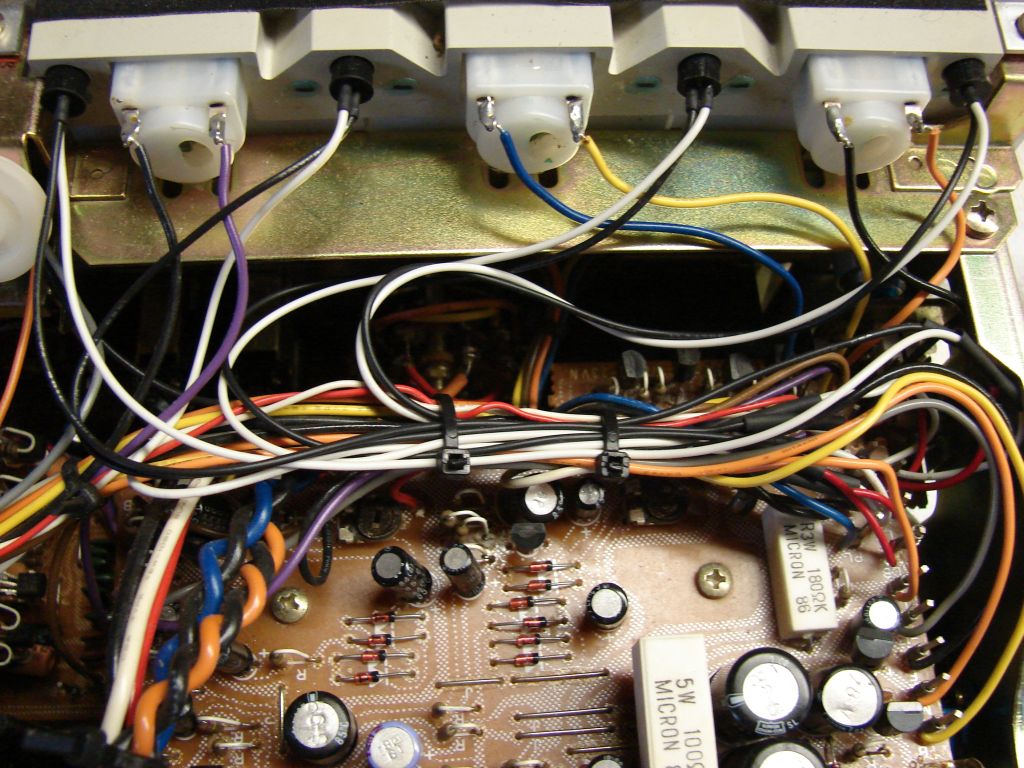
Contact AKer Dgwogo, he'll fix you up with new bulbs for your 620. Since they are in series, you may as well swap out all of them. Fairly straight forward to do, but the dial pointer can be dicey. Here's a pic of my recent relamp of a CR-1020. If I recall correctly, the 620 has two meters, so 3 lamps instead of 4.

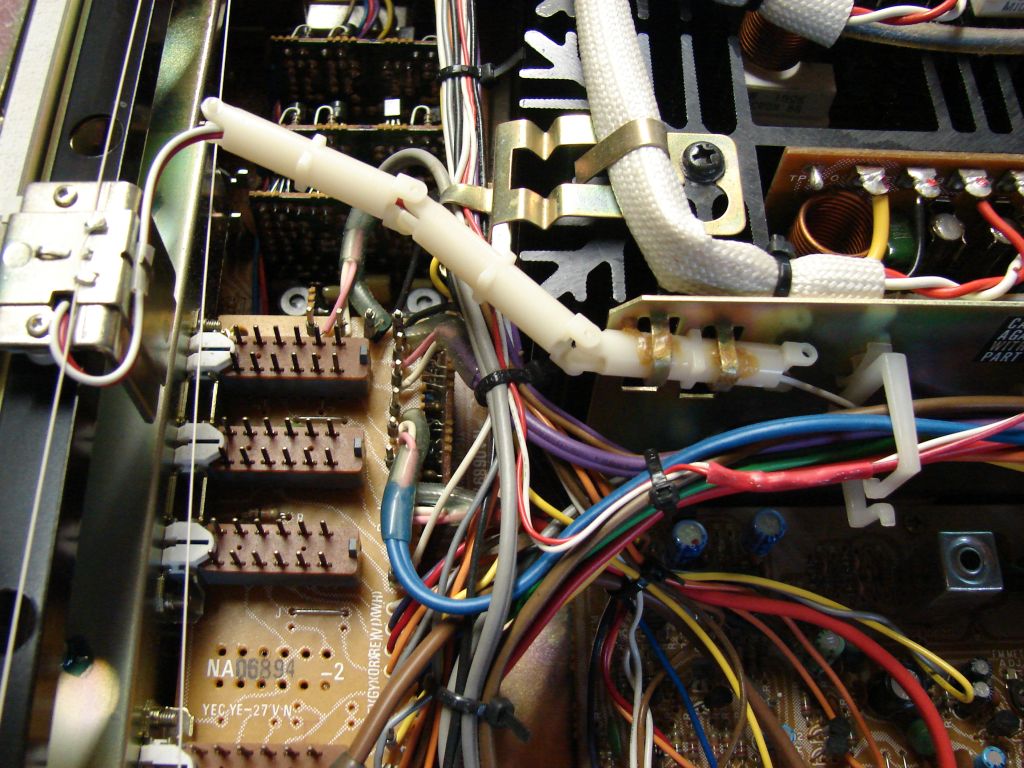
Pull the lamps out by the rubber base. You'll reuse the base with your new lamps. just find a good spot to splice in the wires, I went as close to where they attached to their posts as I could. You can see my splices to the right of this shot.

relamp2.jpg


Here's the dial pointer, your's may be slightly different. Move the pointer all the way to one side in order to preserve the alignment of the pointer to the proper place on the dial. Be careful with the screws on top - I had to use a bit of PB Blaster on a q-tip to get one of them loose.

relamp4.jpg
 
Thanks for the tutorial. Unfortunately, the LED replacements are fine, it's just that there is no power to the lamp leads and I can't figure out why.:no: Mine don't seem to be in series. Each set of leads traces to a set of pins on the PCB board.
 
Merrylander is probably the one you need to ask. He's an expert on Yamahas.
I just replaced the meter lights in a 640, but thats probably a different design altogether. Can't say why you have no volts. Check again for another fuse somewhere? You really need a good schematic to check voltages, or have alot of experience on a particular model. Checking for DC voltage, right?
 
In the CR-620 where the lamp leads go, two of the pins are simply bridging points where the series pairs are connected. The pins labelled L1 and L4 are where you will find the voltage, approx 22 V, pins L2 and L3 are there simply to provide a spot to hook two lamps in series.

The thump may be due to a DC offset and there is no adjustment for that but there is an idle current adjustment details of which are floating around here in an 820 or 620 thread, same proceedure for both.
 
Thank you! I did adjust the idle current to the spec sheet, but it still gave a pop when turned off. I WILL check that bridge point at the pins and see what or if there is voltage. Is there any chance you could tell me what the next point to check is if I have no power on those pins? I couldn't find any visibley burned parts on the PCB's.
 
The lamp voltage comes from the same source as the relay power, if that operates then it would need to be a blown fuse, the two orange and blue wires are the AC source feeding a small silicon bridge, the lamp voltage is one side of that bridge.
 
Hi,

Sorry, I was on vacation and haven't seen this thread until now.
I have the Yammie CR-620 schematics and will get back to you tonight (GMT).
The circuit is REAL simple and w/o a fuse. I'll make a cut-out of the schematics and upload it here.


Kind regards,

/tri-comp
 
Here's the Power-part of the schematic for CR-620.
If you want the whole of the schematic, PM me with your e-mail address.

Note!
There's an error in the schematic. Well, at least one that I recognize, there may be more :D
Of course, the + end of the Graetz-Bridge rectifier D801 should be connected to + of C802. Well, they marked the points to be connected, just forgot to draw the line :scratch2:

Hope this is of some value to everybody.

Kind regards,

/tri-comp
 
Last edited:
MerryLander, Specialidiot, Tri-comp, kcollins4, and Wajobu! Thank you all for the help. :ntwrthy: :thmbsp: She's a-workin'! MerryLanders instruction and Tri-comps diagram were especially helpful. It seems that someone may have been in this receiver before I got my grubbys on it. :grumpy: Those lamp leads were not all where they should have been. Maybe that's why every lamp was blown out. I removed two leads from the incorrect pins and used a wire wrap gun to rezip some new ones down on the PCB. Then I was able to get all 4 LED's to work. Looks kinda spooky with the OUTER LIMITS radioactive green LEDs. :para: Other problems were that I had to realign the tuner and the stereo light wouldn't light. I figured it was the muting circuit so I traced the PCB printing to an adjustment pot for the muting circuit and readjusted that perfectly. I think whoever owned it before jazzed with every pot on the board, because the idle current adjustment was off also (that was the first adjustment I made with MerryLander's help). One last question for someone who knows this little receiver-do the tuner section lights stay on even when you switch to phono or aux? Mine does, so I hope that's normal.I spent about 4 1/2 hours on this Tuesday night/Wednesday morning, but it was worth the effort because it sure sounds nice. Love that variable loudness! I've been laid up for two days with a back injury so it was a good way to pass the time besides laying flat on my back! One last thing to report- no more popping! :banana::banana::banana:
Special thanks to Don (WHSH93a) for the awesome LEDs. I'll never have to change those buggers again!
 
One last question for someone who knows this little receiver-do the tuner section lights stay on even when you switch to phono or aux? Mine does, so I hope that's normal.

The three Yammies I've owned (that worked) were that way. Normal is a state of mind, so don't sweat it.

Hope your back is better.
 
Thanks all! I really am glad I got it going. It actually went out to the trash once, because I was so aggravated.I'm glad I learned a little patience and a little electrical knowledge along with it!.:yes: :D
 
Back
Top Bottom