mboxler
Well-Known Member
the patent expires this year, if it hasn't already.
Looks like it's next year, so I'll wait



the patent expires this year, if it hasn't already.


Do you do straight sections directly after the mouth or do you start the transition zone immediately?

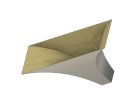
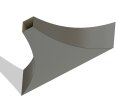
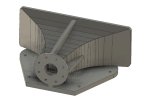
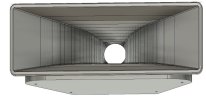
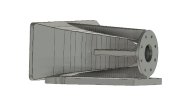
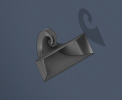
Probably impractable, but I had to figure it out anyway. Horn is 30" long along a Fibonacci curve. Calling it the "Scorpion".
Needs a lot of work
Maybe, but I would modify the rate of expansion to create more clearance. I have no idea how I would even print thisIs there enough clearance to fit a driver on that?

I would think a few flanges would work. Keep the angles less than 45 degrees.Maybe, but I would modify the rate of expansion to create more clearance. I have no idea how I would even print this
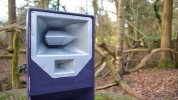
Speaking of messed up, this would be an attempt to print a time aligned tweeter horn. The thought behind the curled-up squawker horn was to make room for this behind and underneath. This splits a 1" exit tweeter into two mouths.Liquid-n-lasers style. Maybe one of the smaller 18Sound drivers would fit.
With that curve to it, I bet the sound is a little messed up. Might be a real vintage "warm" 1920’s tone.


Have a little look at what's presented here: Lab — JW Sound
Especially these tools:
"Boundary Lab is a GUI-based Boundary Element Method (BEM) tool for loudspeaker design. It uses Ath to generate loudspeaker surface meshes, runs BEM solves, and shows SPL, directivity, radiation impedance, spinorama-style curves, and 3D balloon plots inside the desktop application."
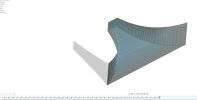
"Autodesk Fusion script for exporting visible bodies to configurable Gmsh .msh meshes for downstream BEM/FEM workflows.
The script adds an Export to MSH command in Fusion, exports each selected body as temporary STEP geometry, and generates a 2D mesh in Gmsh with per-body sizing controls and optional seam-aware blending for connected bodies."
Cool stuff imho.
The free DIY plans on the 'Systems' part of his website are pretty damn good too.
I like it!Just to throw a wrench in it, switch that. M-T-M. Split the midrange.
Just wanted to share this for your awareness of the available tools, and in the case others might want to dig deeper.I'm using his Fusion 360 MSHExport tool, but not smart enough to learn how to use Boundary Lab.