• The move to the new server is done. There are some software and database maintenance updates in process. This has us passing the hat around to help out. We appreciate any donations. Seriously, even a dollar helps. The payment page may be found here - https://www.audiokarma.org/support.html

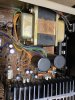
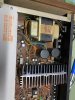
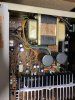
Adjusting DC Offset on Technics sa 400

The center pin is the common Emitter. The two outer pins are the BASE. Put one KSA992 (ECB pinout) in the right side facing you (Emitter on the left, and in the center hole). Put the left 992 facing away from you which also puts the Emitter into the center hole. The other leads fall right into place. If the center hole is too small to fit both emitter leads, use a #60 drill bit to enlarge the hole a little.
Okay, thank you for the tip. I got both transistor pairs in and offset is 50-55 on both channels. Is there anything else I should do or should I leave it
 
Look in the Service Manual to determine which legs are which on the 5-legged transistor. One of those legs is common to both transistors inside it. Put that leg from each of the matched pair in the same hole and the other legs in the proper places. Some have a shared base leg, some have a shared emitter leg.
Both transistor pairs are in, still a consistent audible hum. Could it be the two power supply caps gone bad?
 
Were we not looking at a dc offset problem? Did those changes help the dc offset?
Hum is a different problem.
We were, and the offset went down quite a bit, but still hovers just below 50mv. So the hum is a totally different issue, what do you think it is
 
OK, for many manufacturers below +/-50mV is acceptable.
Was it humming before? Is this 60Hz/120Hz hum or something else?
 
Have you replaced anything yet ? Besides the KSA992's and the "chip amplifier" ..(power pack)
 
120 hz, it was happening before the transistor change as well. Maybe it’s a grounding issue?
You should have mentioned that, and any other details. A 120Hz hum can be main filter caps, or a bridge diode gone funky, or even something else, though less likely. A hum can cause erroneous DC offset readings (and BIAS readings) because the amp is amplifying the hum just as if it were a signal. With it unplugged and let sit for a while, make sure the main filter caps are discharged by checking the voltage on them. Then test the 4 bridge rectifier diodes using the diode test function on your meter. Desolder one end of each to eliminate any false readings. They should all 4 test the same, or really close to each other both forward, and reversing the probes. AND while there, check for any cracked or "funky" looking solder joints. Sometimes just a bad solder joint causes issues.

 
You should have mentioned that, and any other details. A 120Hz hum can be main filter caps, or a bridge diode gone funky, or even something else, though less likely. A hum can cause erroneous DC offset readings (and BIAS readings) because the amp is amplifying the hum just as if it were a signal. With it unplugged and let sit for a while, make sure the main filter caps are discharged by checking the voltage on them. Then test the 4 bridge rectifier diodes using the diode test function on your meter. Desolder one end of each to eliminate any false readings. They should all 4 test the same, or really close to each other both forward, and reversing the probes. AND while there, check for any cracked or "funky" looking solder joints. Sometimes just a bad solder joint causes issues.
Tested all four diodes. They are all the same value (around 0.5 v) but only one way with the probes. Switching the probe around prompts an OL on the multimeter display. What does this mean ?
 
It means the diodes are good, they conduct in one direction only, to convert ac to dc (in a rectifier circuit). Diode test ranges usually measure to 3 digit accuracy, post all three in the future, the actual voltage is sometimes significant.
Look this over: Bipolar Junction Transistor Testing Basics. It talks about PN junctions, which is a diode if it is just one junction.
 
Last edited:
Eagle eyes
Eagle_eye4.jpg

LOL ...
 
Back
Top Bottom