• The move to the new server is done. There are some software and database maintenance updates in process. This has us passing the hat around to help out. We appreciate any donations. Seriously, even a dollar helps. The payment page may be found here - https://www.audiokarma.org/support.html

Aiwa ADF 810 Calibration

oldvinyldude

Moderator
Staff member
Moderator
Subscriber
I have this Aiwa deck-it makes very good tapes.

I have set levels by ear more often than not.

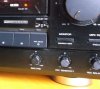
When I look at the User Manual, it is so cryptic about calibration. Primarily, there is a process to set a level-with a corresponding "Rec Sensitivity" trim knob, but after reading multiple times, I can't figure out how to set this. The manual says adjust for -20db-but so far, I can't figure this part out. Maybe I am not supposed to use the Rec Sensitivity knob?

Of course, I am able to set the actual recording level (to peak at +6db), and can fine tune the bias by ear during monitoring. The results are very, very good.

Anyone have a step by step method they use for the Calibration, as mentioned on page of 24 and 26 of the manual? On p26, it states "adjust to achieve -20db-that's what confuses me.

You need not reply in 6 languages, like the user manual :)
 
Register to hide this ad
As I understand the instructions, you need to be monitoring the Source which is FM interstation noise and adjust the Rec Level knob to set the VU meter readings to the -20 dB level. You then switch the Monitor push button back and forth between the Source and Tape monitoring positions while adjusting the Bias Fine control until the sound in the Tape position matches the sound in the Source position as closely as possible. The reason why the -20 dB level is used for this adjustment is to avoid tape saturation effects.
 
The "rec sensitivity" level setting is not related to bias, but to rec level, to compensate for specific tape sensitivity.

Its purpose is to match levels between source and tape, through the monitor switch.

It is different from the bias setting which is dedicated to even the frequency response between bass and treeble.

Adjust the rec level sensitivity knob so that the general level is the same in source AND tape monitor switch position.

Then adjust the bias knob so that the treebles level match is the same in source AND tape monitor switch position (input around -20 dB).
 
The "rec sensitivity" level setting is not related to bias, but to rec level, to compensate for specific tape sensitivity.

Its purpose is to match levels between source and tape, through the monitor switch.

It is different from the bias setting which is dedicated to even the frequency response between bass and treeble.

Adjust the rec level sensitivity knob so that the general level is the same in source AND tape monitor switch position.

Then adjust the bias knob so that the treebles level match is the same in source AND tape monitor switch position (input around -20 dB).
There seems to be some confusion here about the adjustments described in the calibration procedure. The procedure doesn't say anything about making Record Sensitivity adjustments which would require access to the interior of the unit. There is no "knob" associated with this adjustment. The calibration procedure does specify that a Record Level adjustment should be made and that would be done by setting the knob labeled as Rec Level on the front panel of the unit.
 
oldvinydud refers to the user manual, which describes a calibration procedure using the front knobs for bias ("bias fine") and rec level ("rec sensitivity").
 

Attachments

  • 1643760-aiwa-adf810.jpg
    1643760-aiwa-adf810.jpg
    42.9 KB · Views: 6
Yes, but my point was to make clear that there is a difference between the Record Sensitivity and Record Level adjustments and to explain why the Record Level needs to be adjusted to the position that corresponds to a -20 dB reading on the VU meters in response to his comment ‘Onp26, it states "adjust to achieve -20db-that's what confuses me.’ Since there's been no reply from the OP, I assume that he has figured out how the calibration procedure is supposed to work.
 
Last edited:
Back
Top Bottom