• The move to the new server is done. There are some software and database maintenance updates in process. This has us passing the hat around to help out. We appreciate any donations. Seriously, even a dollar helps. The payment page may be found here - https://www.audiokarma.org/support.html

Basic External Hard Drive Library Questions

j_loop

AK Subscriber
Subscriber
Thinking (once more) about putting my cds on an external hard drive and doing away with the transport side of things and have a few basic questions.

Product Opinion Questions:
1. What’s a good software for ripping them? I’m running Apple and my only experience is iTunes and that’s been awhile. I used Roxio way back when I digitized some lps which got me familiar with metadata. I would want something where I can edit that metadata before importing.

1a: What’s a good software for playback?

Functionality Questions:
2. If I use iTunes, for example, to import the cds to the hard drive and then plug that hard drive into a Windows, Linux, a car etc…will it show up and properly? In other words is it essentially “universal?” Last I recall external hard drives are formatted to a particular OS/brand?

2a. Also in terms of playback: If I rip with software A can I use software B for playback?

Thanks
 
Register to hide this ad
Exact Audio Copy is a popular CD ripper, but I don't think there's a Mc version. Not sure what you'd use on a Mc. That said, whatever you use, I'd recommend ripping to FLAC files. FLAC is a lossless compression algorithm that can be played by almost any software/devices that play music files. Add replaygain tags to prevent large changes in volume when playing back files from different CDs.

There are different ways to do it, but just playing files from a hard drive plugged into a computer is not always very good. Depending on the playback device, there may be limitations on the library size that can be accessed that way, and you don't get a nice UI to select music. If you're playing from a computer you're at the mercy of its onboard DAC or will have to get an outboard DAC.

It's better to use a dedicated audio file server that can be as simple as a Raspberry Pi or an old computer you might have sitting around. Put your music files on that HDD and let the server scan the library. Then you can stream music to many different, compatible streamers/music players.

I use Lyrion Music Server as it is compatible with Wiim and many other streamers.
 
Thinking (once more) about putting my cds on an external hard drive and doing away with the transport side of things and have a few basic questions.

Product Opinion Questions:
1. What’s a good software for ripping them? I’m running Apple and my only experience is iTunes and that’s been awhile. I used Roxio way back when I digitized some lps which got me familiar with metadata. I would want something where I can edit that metadata before importing.

1a: What’s a good software for playback?

Functionality Questions:
2. If I use iTunes, for example, to import the cds to the hard drive and then plug that hard drive into a Windows, Linux, a car etc…will it show up and properly? In other words is it essentially “universal?” Last I recall external hard drives are formatted to a particular OS/brand?

2a. Also in terms of playback: If I rip with software A can I use software B for playback?

Thanks

Here are my recommendations based on the setup I have been using with zero issues for the past 6 years:

1a. A MacOS equivalent to Exact Audio Copy is called XLD. I have used it to rip my CDs to FLAC and I recommend it.

1b. I am very happy with a player called Swinsian that was created as an iTunes replacement that doesn't have any of the annoyances of iTunes. It's simple, very lightweight, and receives frequent updates from the developer. You just point it to a shared drive with all of your ripped files and it just works. It's not expensive and you only have to pay once per major version. If you purchase v3 now you get all v3 updates included.

2. Don't rip with iTunes, use XLD and convert to the most compressed FLAC, which will give you the smallest possible lossless, CD quality files. Format your new hard drive as ExFat if you want it to be readable by any operating system.

2a. If you rip to an open source format then you can play the files on almost any software or player. Trust me: rip everything to FLAC with the maximum compression setting. The sound quality is identical to your source CD but it takes up considerably less disc space.

Additionally: I wouldn't trust my entire music collection to a single hard drive, especially if I spent countless hours ripping it from my own collection. The system I use is a Synology Diskstation that has redundant drives (RAID-1) and is set up as a network drive. You don't have to get a Synology, but I strongly recommend a NAS (network attached storage) that has at least two internal drives in it so that if one drive fails, you don't lose your data. The great thing about a NAS is it shows up as a network drive and any computer in your household can access it.

My playback system is a Macbook Pro running Swinsian pointed to the FLAC music folder on the NAS, USB-C to optical/TOSLINK adapter, TOSLINK cable to DAC, analog outputs of the DAC to the CD inputs on my preamp.

Let me know if you have any questions.
 
Thinking (once more) about putting my cds on an external hard drive and doing away with the transport side of things and have a few basic questions.

Product Opinion Questions:
1. What’s a good software for ripping them? I’m running Apple and my only experience is iTunes and that’s been awhile. I used Roxio way back when I digitized some lps which got me familiar with metadata. I would want something where I can edit that metadata before importing.

1a: What’s a good software for playback?

Functionality Questions:
2. If I use iTunes, for example, to import the cds to the hard drive and then plug that hard drive into a Windows, Linux, a car etc…will it show up and properly? In other words is it essentially “universal?” Last I recall external hard drives are formatted to a particular OS/brand?

2a. Also in terms of playback: If I rip with software A can I use software B for playback?

Thanks

Maybe not a long term solution, I don't know, but - I've been ripping CDs into iTunes/Music for years. Switched settings a few years back
to rip them into Apple Lossless format ALAC, since apple gear doesn't manage/recognize FLAC files.
(We have iphones, iPad, Mac desktop machines in our household.)
I can use the Apple "Remote" App on my iPhone or iPad to control my office music Library (iTunes/Music) and stream them around the house
as needed from my office computer system to a WiimPro on the main system, Airports in various places, and a 4K Apple TV in the multimedia room.
Or use the WiimPro app on my iPhone to stream music from Qobuz or other web based streams to my main music system.

I've got a 4 drive external system tied to office system with a dedicated 2TB Barracuda drive for my music files (nearly full).
If I had converted to FLAC files I'd cut off being able to manage them to my iPhone and such - unless I had multiple libraries for different uses.

The real Q is - how much Apple gear do you have in use? If you don't keep music on your phone and listen to it in your cars and such,
you may not worry about keeping the files compatible with all the places you play your music.

The receiving end that feeds my main system - the WiimPro and DAC (displays bit rate) that feed an Acurus preamp, Acurus power amp,
and whatever speakers are connected at the time

ToppingE30II-WiimPro_8345.jpeg

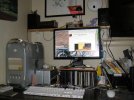
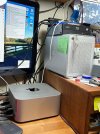
The stack of gear up in my office. Currently an Apple M4Max desktop unit, but I have run variations of this with a Mac mini and other Mac
desktops since my old MacPro tower and a Power mac waaaay back.
Apple M4Max-desktop_0066.jpeg

The older macPro version of this system circa 2018 ...
MacProDesktop_9523.jpg

The G4 Power mac version of this system circa 2007 (smaller external drives)
g4-PowerMac.jpg
 
Thinking (once more) about putting my cds on an external hard drive and doing away with the transport side of things and have a few basic questions.

Product Opinion Questions:
1. What’s a good software for ripping them? I’m running Apple and my only experience is iTunes and that’s been awhile. I would want something where I can edit that metadata before importing.
I've had and still have a great user experience with XLD as seen here (no affiliation) and 2nd the previous posters recommendation.

It's pretty user friendly and it'll migrate your rips into your iTunes library for you.

 
Last edited:
Exact Audio Copy is a popular CD ripper,...whatever you use, I'd recommend ripping to FLAC files. FLAC is a lossless compression algorithm
EAC is Windows based as are FLAC files.

Apple has its own proprietary Lossless Codec called ALAC. If one is going to primarily use the Apple ecosystem them just rip straight to ALAC as opposed to FLAC first and then converting to ALAC
 
Last edited:
Here are my recommendations based on the setup I have been using with zero issues for the past 6 years:

1a. A MacOS equivalent to Exact Audio Copy is called XLD. I have used it to rip my CDs to FLAC and I recommend it.

1b. I am very happy with a player called Swinsian that was created as an iTunes replacement that doesn't have any of the annoyances of iTunes. It's simple, very lightweight, and receives frequent updates from the developer. You just point it to a shared drive with all of your ripped files and it just works. It's not expensive and you only have to pay once per major version. If you purchase v3 now you get all v3 updates included.

2. Don't rip with iTunes, use XLD and convert to the most compressed FLAC, which will give you the smallest possible lossless, CD quality files. Format your new hard drive as ExFat if you want it to be readable by any operating system.

2a. If you rip to an open source format then you can play the files on almost any software or player. Trust me: rip everything to FLAC with the maximum compression setting. The sound quality is identical to your source CD but it takes up considerably less disc space.

Additionally: I wouldn't trust my entire music collection to a single hard drive, especially if I spent countless hours ripping it from my own collection. The system I use is a Synology Diskstation that has redundant drives (RAID-1) and is set up as a network drive. You don't have to get a Synology, but I strongly recommend a NAS (network attached storage) that has at least two internal drives in it so that if one drive fails, you don't lose your data. The great thing about a NAS is it shows up as a network drive and any computer in your household can access it.

This always causes a stink when I say it, but RAID alone is not synonymous with having a backup.

Nothing against RAID, myself I use a QNAP NAS with two drives, but the NAS backs up to the external WD HDD in the middle.

Ideally, the NAS would back up to something offsite but I have not set up a cloud thing nor offsite backup.

20260226_070218.jpg
 
Here are my recommendations based on the setup I have been using with zero issues for the past 6 years:

....use XLD and convert to the most compressed FLAC,

My playback system is a Macbook Pro
Out of curiosity why FLAC as opposed to ALAC if you're using a MBP?
 
Using iTunes to rip CD's will work fine, but I agree with karljansen that XLD would be better - specifically in terms of error correction. And yes, FLAC is the best choice to future-proof your digital library.

If I use iTunes, for example, to import the cds to the hard drive and then plug that hard drive into a Windows, Linux, a car etc…will it show up and properly?
Your choice of ripping application is irrelevant - what matters is the disk format. Default formatting for hard drives on macOS is APFS, which is neither Linux-friendly nor Windows-friendly. For cross-platform compatibility you should format your external drive as exFAT.
It sounds like you are considering moving this hard drive around. I caution that this puts your music library at risk - an asset which may eventually represent hundreds or thousands of hours of your time.
Long term I think you should consider locating your primary music library on a storage device in a fixed location, preferably with network file access, so you don't need to constantly connect/disconnect/reconnect. If you want to access these files in your car - make a second copy to a USB flash drive. Annoyingly, many car media players will only support USB drives formatted FAT32, including a Pioneer unit I purchased just a few years ago.

What’s a good software for playback?
If you are old-school and use your Mac computer for control and output, then - foobar2000, VLC, or JustPlay.
Long term, though, I recommend to run Lyrion server on your Mac, then stream it to a separate endpoint/streamer, and control it from smartphone or tablet.
 
Last edited:
FLAC vs ALAC...
ALAC is Apple proprietary. Need I say more? I think anything that can play an ALAC file can play a FLAC file.

Backups...
You can store your music on a HDD, or even SSD (the speed is really unnecessary for audio files), depending on the size of your collection, and then just make a copy of the whole thing on another drive that you can update periodically as you expand the library. Your music library is not a life-support or critical business accounting system. There's no need for RAID anything. I've been running LMS servers for over 20 years with backup on USB HDD and never had a loss from the server or the backup. No, I'm not running 20 year old drives. I periodically update the hardware like a normal human being. It's really not a big deal.
 
Your choice of ripping application is irrelevant - what matters is the disk format. Default formatting for hard drives on macOS is APFS, which is neither Linux-friendly nor Windows-friendly. For cross-platform compatibility you should format your external drive as exFAT.
Excellent point about the HDD file system.
 
@mrehorst @linuxfan @Dswankey @hjames @karljansen (tagging instead of quoting)

What I’m working with:
I have mac mini and a raspberry pi (I bought for this purpose, but then I needed to update my computer so now I have a spare mini). Plus I hear there may be a way to use the mini headless with my iPad (Sidecar or Remote). Plan to use outboard dac. Screen, keyboard mouse controls may be an issue as I’m not sure the iPad's touch screen will control the mini? Or at least with limitations.

I’ll set up an ipod for the car, but figured I’d use the built in hard drive of the mini/itunes to manage that.

Not going RAID because there’s not point in my living situation, just one listening space.

I’ll look into XLD and Swinsian, Lyrian.

I didn’t realize playback software could have a maximum library size, I’ll keep that in mind while exploring.

As I expected your responses have spurred questions I didn’t thinks to ask:

3. File Type. At first blush I planned to import whatever is on the cd (mainly AIFF & WAV, no?). I presumed these files would be playable on everything, is that wrong? I realize FLAC is lossless and smaller in size, but I figured I’d save that step plus it’s about 700 cds so I’ll need a terabyte which even uncompressed leaves me plenty of headroom and storage is realatively cheap. Is FLAC universal? If I ever end up getting Hi-Res albums, I’ll probably go FLAC there.

4. Format of Hard Drive. exFat was mentioned twice up-thread as opposed to Apple-specific format. Any downside to that? In reading your responses I may have been putting too much stress on “universal,” but if it doesn’t hurt?
 
I presumed these files would be playable on everything, is that wrong?
Maybe. Need to check what files types are supported by the audio system in your car.

For example:
My wives 2019 Mazda will not play FLAC files
My 2021 Jeep will play FLAC but ignores the metadata track numbers and plays songs in alphabetical order. I need to name song files 01 xxxxx, 02 xxxxxx, 03 xxxxx, for them to play in the correct album order.
A friends older Chevy used WMA, not sure what other formats it supported.

I still rip everything to FLAC and convert where necessary. Each car has it's own dedicated thumb drive.
 
The only issue I see is do you plan/need to share your music library with any Mac gear? Mac gear doesn't recognize FLAC, so without conversion to ALAC, you can't share the files to iPhones, iPads, etc. That may not be a problem if your only use is to manage a library for playback to your home audio gear. I can move our iPhones between the 3 cars for music on the move ... lightning to USB cables makes it easy. (2012 Honda Fit, 2000 Honda Civic SI, 1980 Triumph TR8 with a modern radio)

You may not need a RAID, but be sure to do periodic backups. every 3 to 6 months. I do a complete copy of my library to an external drive that is then disconnected.
Usually runs overnight (iTunes folder is currently 1.46TB - a 2TB drive is a good fit).

I keep the most recent 2 backups, just in case an error of some kind appears. I can always copy files directly from the backups to the library if needed. Storage has been relatively cheap these days, but it takes quite a while to rip a large stack of disks to digital/drive form.
 
Last edited:
At first blush I planned to import whatever is on the cd (mainly AIFF & WAV, no?)
Audio CD's contain digital audio data as uncompressed raw streams, there is no file structure. At the time of ripping you decide what file-type and compression-type you wish to save as.
macOS and iOS support FLAC just fine, via third-party applications. But Apple applications don't support FLAC - which is normally not a problem, because most hifi people I know prefer to avoid Apple applications - even if they run macOS.

I’ll set up an ipod for the car
Oops, that's a reason to stick with Apple-supported audio formats (unfortunately).
I was assuming you would plug a USB flash drive directly into your car media player, is that not the case? Why involve an iPod (or iPhone) in the device chain? Is it because your car media player has Apple CarPlay?
I think we really need to know what media player device you have in your car.

I have mac mini and a raspberry pi
In my post #10 I was pushing you towards a Lyrion playback system in the long term, but it appears that you have the ideal hardware on hand, so now is a good time to dive into Lyrion. It's the go-to digital playback system. My only hesitation is the issue of compatibility with your car audio system.
It may just be a case of doing your CD rips to ALAC instead of FLAC. But I will wait until we know more about the car system.

Signing off for the next 8 hours.
 
@j_loop

FWIW/FYI to the comment about RAID in post 13, it's not about number of listening spaces, it's about hardware redundancy.

More important than RAID is a backup plan/strategy as a few folks have mentioned.
 
Thinking (once more) about putting my cds on an external hard drive and doing away with the transport side of things and have a few basic questions.

Product Opinion Questions:
1. What’s a good software for ripping them? I’m running Apple and my only experience is iTunes and that’s been awhile. I used Roxio way back when I digitized some lps which got me familiar with metadata. I would want something where I can edit that metadata before importing.

1a: What’s a good software for playback?

Functionality Questions:
2. If I use iTunes, for example, to import the cds to the hard drive and then plug that hard drive into a Windows, Linux, a car etc…will it show up and properly? In other words is it essentially “universal?” Last I recall external hard drives are formatted to a particular OS/brand?

2a. Also in terms of playback: If I rip with software A can I use software B for playback?

Thanks
Apple Music is still fine for ripping and personally, I like their file/folder organization.

J-River and Plex are popular solutions. Plex allows you to set up a server so you can stream your own files over the internet, as if you were using Spotify, apple Music, et al.

Multi-platform interchangeability is dependent on hard drive format: exFAT is probably the most ideal. It is also going to depend on file format, with M4A being the most compatible, compressed lossless format.
 
FLAC vs ALAC...
ALAC is Apple proprietary. Need I say more? I think anything that can play an ALAC file can play a FLAC file.
As I understand it to play FLAC files on a MAC a user would need a 3rd party app/player such as Audiovarna etc, both FLAC & ALAC are Lossless Audio Codec's" one being Free/open source the other Apple (proprietary)

Not trying to argumentative or anything like that just trying to understand better why your trying to steer the OP in that direction
 
Last edited:
Thinking (once more) about putting my cds on an external hard drive and doing away with the transport side of things and have a few basic questions.

Product Opinion Questions:
1. What’s a good software for ripping them? I’m running Apple and my only experience is iTunes and that’s been awhile. I used Roxio way back when I digitized some lps which got me familiar with metadata. I would want something where I can edit that metadata before importing.

1a: What’s a good software for playback?

Functionality Questions:
2. If I use iTunes, for example, to import the cds to the hard drive and then plug that hard drive into a Windows, Linux, a car etc…will it show up and properly? In other words is it essentially “universal?” Last I recall external hard drives are formatted to a particular OS/brand?

2a. Also in terms of playback: If I rip with software A can I use software B for playback?

Thanks
Apple Music is still fine for ripping and personally, I like their file/folder organization.

J-River and Plex are popular solutions. Plex allows you to set up a server so you can stream your own files over the internet, as if you were using Spotify, apple Music, et al.

Multi-platform interchangeability is dependent on hard drive format: exFAT is probably the most ideal. It is also going to depend on file format, with M4A being the most compatible lossless format
 
Back
Top Bottom