• The move to the new server is done. There are some software and database maintenance updates in process. This has us passing the hat around to help out. We appreciate any donations. Seriously, even a dollar helps. The payment page may be found here - https://www.audiokarma.org/support.html

Bose 901 Equalizer problems!

I'm not sure what you mean by "recording from"? Also what do you mean by record function?
Most pre-amps, some integrated amps and receivers have a "record select switch". For example, it would allow you to listen to say the tuner, while recording from the CD. No, no, the Bose equalizer should work just fine. What you might consider doing is using Deoxit (spelling?) you can get it at Walmart or Home Depot, and spray down the internals of the EQ. After it has dried, see what happens. I use this stuff on all my vintage components when I get them and never had an issue.

I am sorry you are having all these problems with the speakers. :oops:
 
So
Most pre-amps, some integrated amps and receivers have a "record select switch". For example, it would allow you to listen to say the tuner, while recording from the CD. No, no, the Bose equalizer should work just fine. What you might consider doing is using Deoxit (spelling?) you can get it at Walmart or Home Depot, and spray down the internals of the EQ. After it has dried, see what happens. I use this stuff on all my vintage components when I get them and never had an issue.

I am sorry you are having all these problems with the speakers. :oops:


So did you mean by "the bose equalizer should work fine"? Are you referring to my question if my receiver can only use a graphic equalizer?
 
So


So did you mean by "the bose equalizer should work fine"? Are you referring to my question if my receiver can only use a graphic equalizer?
I think the issue is not with the receiver, if all is set up correctly, but with the Bose EQ. The Deoxit will clean the circuit boards properly and help restore functionality. Have you tried hooking another component to the Tape 2 input and listing either through another set of speakers or headphones. In this manner, you can eliminate the receiver as the component with the trouble.
 
So I looked up the manual for the kenwood kr-v9080. On the diagram it says the tape 2 monitor function if for tape deck or graphic equalizer. The Bose 901 IV equalizer is a active equalizer. Does that mean I'm SOL for using this reciever?

You are not SOL because of that statement. The Bose EQ is sorta like a graphic EQ set to a big smiley face curve, except it's permanently set that way.

(And, your receiver does NOT have a record out selector so that is not your problem.)

You need to confirm two things -

1. Is the EQ plugged into a live outlet and receiving power? In the picture showing the front of the receiver and the Bose EQ, the power indicator for the Bose EQ doesn't appear to be lit up.

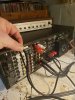
2. Confirm the connections are as described in post #12. I can't tell from the pictures because they are blurry and the cables loop around too much.
 
Last edited:
Most pre-amps, some integrated amps and receivers have a "record select switch". For example, it would allow you to listen to say the tuner, while recording from the CD. No, no, the Bose equalizer should work just fine. What you might consider doing is using Deoxit (spelling?) you can get it at Walmart or Home Depot, and spray down the internals of the EQ. After it has dried, see what happens. I use this stuff on all my vintage components when I get them and never had an issue.

I am sorry you are having all these problems with the speakers. :oops:

I hate any unit with a "rec select" type of switching.
I have one (it's retired) and I would never buy another one.
 
I dont
Most pre-amps, some integrated amps and receivers have a "record select switch". For example, it would allow you to listen to say the tuner, while recording from the CD. No, no, the Bose equalizer should work just fine. What you might consider doing is using Deoxit (spelling?) you can get it at Walmart or Home Depot, and spray down the internals of the EQ. After it has dried, see what happens. I use this stuff on all my vintage components when I get them and never had an issue.

I am sorry you are having all these problems with the speakers. :oops:
I dont know what a record selec switch is still I guess. What is the best way to use the deposit?
 
You are not SOL because of that statement. The Bose EQ is sorta like a graphic EQ set to a big smiley face curve, except it's permanently set that way.

(And, your receiver does NOT have a record out selector so that is not your problem.)

You need to confirm two things -

1. Is the EQ plugged into a live outlet and receiving power? In the picture showing the front of the receiver and the Bose EQ, the power indicator for the Bose EQ doesn't appear to be lit up.

2. Confirm the connections are as described in post #12. I can't tell from the pictures because they are blurry and the cables loop around too much.


Just confirmed the connections. Tried different rca cables, and other instructionson 12. Tried both normal and monitor function on the equalizer but didnt seems to make a difference. If I put my ear right up against the speaker i can barely hear something.
 

Attachments

  • 20200521_075934.jpg
    20200521_075934.jpg
    136.8 KB · Views: 19
  • 20200521_075941.jpg
    20200521_075941.jpg
    140 KB · Views: 18
  • 20200521_075950.jpg
    20200521_075950.jpg
    71.6 KB · Views: 19
Just confirmed the connections. Tried different rca cables, and other instructionson 12. Tried both normal and monitor function on the equalizer but didnt seems to make a difference. If I put my ear right up against the speaker i can barely hear something.

Answer the question about power too. #1 in post 24.

Leave the 901 EQ switch in the Normal position.
 
So then, as someone else mentioned, if you unhook the 901 EQ from the receiver, and use cables to loop straight from Tape 2 Rec to Tape 2 Play, then engage the Tape 2 switch, do you get sound or does it still cut out?

I suggest using the same cables you're using to connect the EQ as that will serve to confirm the Tape 2 function and the cables themselves.
 
Loop a normal stereo RCA cable from the ‘rec out’ and the other end to ‘play in’ on the receivers tape monitor connection. What you are doing here is testing the tape loop . All you have is the RCA cable connecting the out to the in. Select and deselect tape monitor. If there’s a difference in sound then the amp or the RCA cable is faulty.
Just do this simple test and report back forget everything else for now.
 
Loop a normal stereo RCA cable from the ‘rec out’ and the other end to ‘play in’ on the receivers tape monitor connection. What you are doing here is testing the tape loop . All you have is the RCA cable connecting the out to the in. Select and deselect tape monitor. If there’s a difference in sound then the amp or the RCA cable is faulty.
Just do this simple test and report back forget everything else for now.


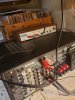
I did the test and the sounds worked with both the monitor function and without. I have the connection in the pic
 

Attachments

  • 20200521_090131.jpg
    20200521_090131.jpg
    143.2 KB · Views: 23
I think if that particular Kenwood doesn't have a record or duplicate selector then you just might be SOL. :dunno:

When I mentioned cleaning the switches, I meant the one's on the EQ. Have you pushed, wiggled, flipped them while listening?
 
Last edited:
I hope you get your 901s going and they perform just like you want. :hug: Personally, I am not a huge fan of Bose (other than the vintage rebuilt 10.2s), but their stuff is interesting.
 
I did the test and the sounds worked with both the monitor function and without. I have the connection in the pic
Great, this proves that the receiver, speakers and that RCA cable is working.
Now do the same test with the second RCA cable that you will use on the Bose equaliser, to test the second cable.
 
I think if that particular Kenwood doesn't have a record or duplicate selector then you just might be SOL. :dunno:
It has a tape monitor function and the Bose EQ should work with that. Just out of curiosity, what is the impedance of the Bose 901s? Considering all the small drivers, it might be pretty weird. It would be a shame to damage a really nice receiver because the speakers are a strange load.
 
It has a tape monitor function and the Bose EQ should work with that. Just out of curiosity, what is the impedance of the Bose 901s? Considering all the small drivers, it might be pretty weird. It would be a shame to damage a really nice receiver because the speakers are a strange load.

They are "8 ohm" speakers and, far as I know, don't have any wild impedance swings.

They are power hungry though, with all the low end boost the EQ provides to make the 901s work like 901s should.

I have a pair in my garage and it's very easy to make the meters on my amp bounce up to 100W or more. While it is loud, it's by no means what I'd call ear-bleeding volume at that level. Running 80-85dB(A) about 13ft from the speakers.
 
Last edited:
Yeah, those newer AV receivers have weird tape loops that never seem to work like the old fashioned one's on our 70's gear!

Have you simply tried tape 1 yet?

Theo Bose EQ's are really made to go hand in hand with the selected Bose speakers.

EDIT: I see he has both.....disregard!
 
We are getting there, other poster above please read the thread, his receivers tape loop is working, scootypuffjr please do the second test. Whilst you are playing music, pull out the tape 2 cable loop the music should cut out.
 
Back
Top Bottom