• The move to the new server is done. There are some software and database maintenance updates in process. This has us passing the hat around to help out. We appreciate any donations. Seriously, even a dollar helps. The payment page may be found here - https://www.audiokarma.org/support.html

Build a DIY Squeezebox Touch

Long time Squeezebox user. Santa brought a new Pi 4 to replace my Pi 3 as LMS server, and now my Pi 3 is a piCorePlayer. I found you can connect it to a bluetooth speaker for a very wireless setup. Would be cool to have a rechargeable battery option for full wireless.... My office:
IMG_3026.jpg
 
Here's the setup I've been using for a few months now, without further dinking around with code, lol. If you're crazy enough, here are the github repositories.

https://github.com/retired-guy/Spectrum

https://github.com/retired-guy/Squeezebox

P1290857.jpg
 
With a 7" screen and a Pi 4, tho, this would be pretty nice. Especially the built-in Camilla DSP feature.

garage tunes: 7" touch, pi3b+, hifiberry dac+ lite. running OSMC with my own kodi build. i built this before there was a pi4. i never saw a reason to go squeezebox as i found kodi first and it does exactly what i want it to do.but, invest hundreds of hours into anything and it's hard to change.
003.jpg
 
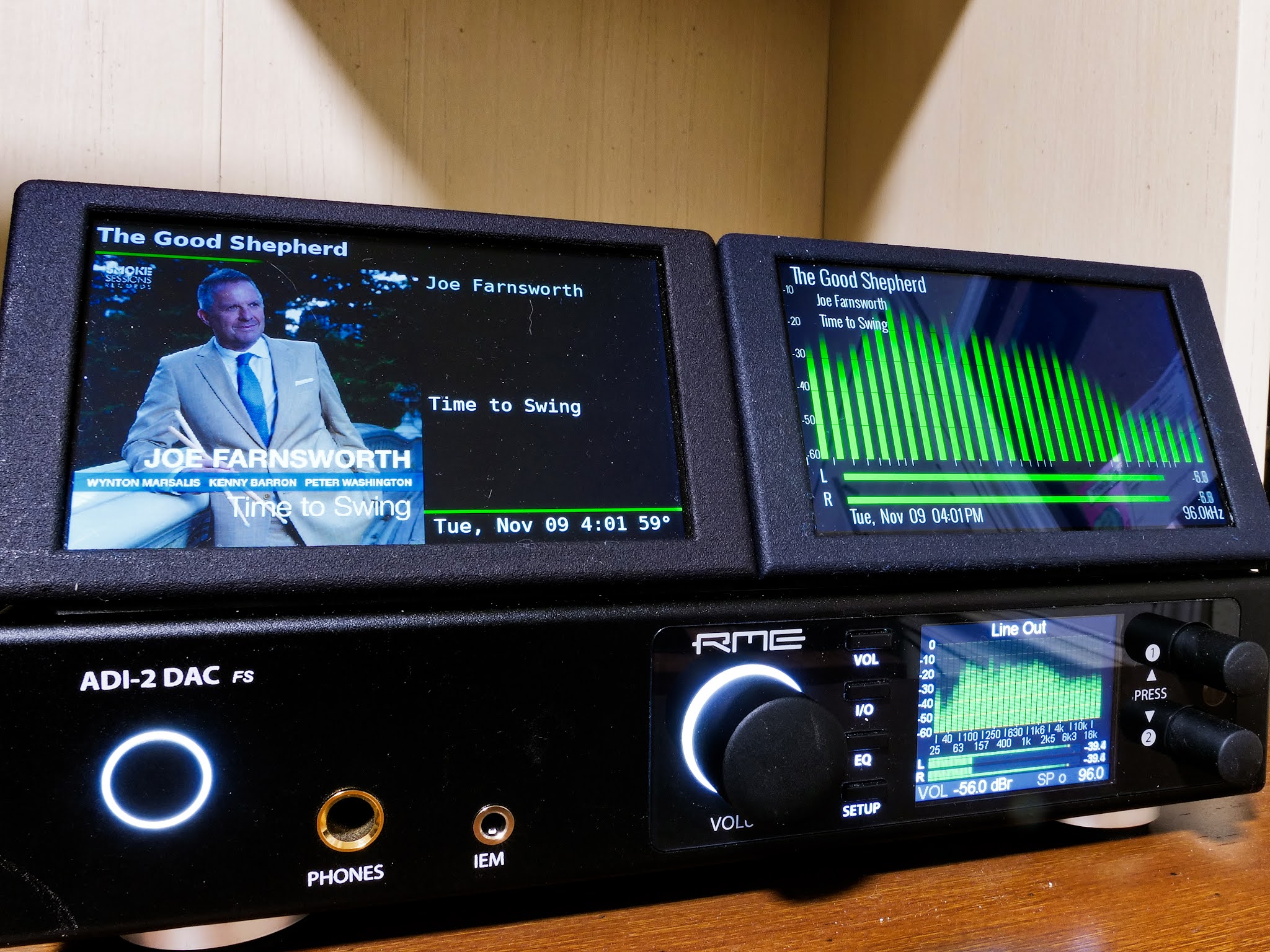
Yep, it's pretty simple with Python, I do it as well using the json API (left screen). C is another matter, though, several more levels of difficulty. And, since the bargraph is constantly being updated, not sure it's feasible to display the art on the right-hand device, as it would need to be updated about 30 times/second or be obliterated by the bars. Would need to be displayed without the bargraph, I think, using a touch to switch between modes...

AVvXsEjPGYuY-_XrNCfbxnD0LIK1DbRnk2QWBlDZWfjNrrgGV4Up7WvlU61xY_nrqJkDezHTFlj9jS1L8yQFRM19Lg5Fn2jjb6CV6ucSZP1coYXTRngkTAys2Yeun8JnfULBITo9W79DMTOhMi2liw_3TB8sHu7n6Dm7gyn2DTcjJwXO6pjSlHeZw2j13wC-iQ=s2048
Nice setup. Could you elaborate more about the top two screens? What hardware and software are they running? Is the left screen just a LMS "controller" with external server or is it a full up LMS?
 
Last edited:
One of my setups started acting up, so I decided to reload from scratch using the latest piCorePlayer 8.2. Note: The instructions here https://github.com/piCorePlayer/hyperpixel4 no longer apply. In fact, if you follow these instructions the device will hang after the reboot following the jivelite installation. Apparently, the touchscreen drivers are pre-installed in piCorePlayer these days.
 
One of my setups started acting up, so I decided to reload from scratch using the latest piCorePlayer 8.2. Note: The instructions here https://github.com/piCorePlayer/hyperpixel4 no longer apply. In fact, if you follow these instructions the device will hang after the reboot following the jivelite installation. Apparently, the touchscreen drivers are pre-installed in piCorePlayer these days.
Nevermind. Brain cramp. My RPi hardware has an issue. I would delete this post, but I couldn't find a way.
 
Back
Top Bottom