

You are using an out of date browser. It may not display this or other websites correctly.
You should upgrade or use an alternative browser.
You should upgrade or use an alternative browser.
ca-1000 channel imbalance
- Thread starter jkvw
- Start date
@mbz i have the pot assembly out and checking resistances. but what i've noticed is that when i turn my volume shaft it turns the back two pots (nearest the wires). and when i turn the balance shaft it turns the teo pots closest to the front of the amp. in your pic above the balance pots are in the back. am i missing something?

mbz has them mis-identified. Look at page 17 of the service manual.@mbz i have the pot assembly out and checking resistances. but what i've noticed is that when i turn my volume shaft it turns the back two pots (nearest the wires). and when i turn the balance shaft it turns the teo pots closest to the front of the amp. in your pic above the balance pots are in the back. am i missing something?
Yep my bad, I've got a CA-1000 open on the bench and I still get it wrong... time to give Ak away...@mbz i have the pot assembly out and checking resistances. but what i've noticed is that when i turn my volume shaft it turns the back two pots (nearest the wires). and when i turn the balance shaft it turns the teo pots closest to the front of the amp. in your pic above the balance pots are in the back. am i missing something?
ok then i am not crazy. my resistances also do not seem crazy off. if the back two are volume they read 85.1 and 86.9 at low volume vs 24.17 and 27.9 at high volume.
is that enough of a difference to cause a 10mV drop? if so, couldnt i add a small resistor in series to the lower resistance to even them out? or maybe a large resistor in parallel with the pot w higher resistance to lower it a bit?
is that enough of a difference to cause a 10mV drop? if so, couldnt i add a small resistor in series to the lower resistance to even them out? or maybe a large resistor in parallel with the pot w higher resistance to lower it a bit?

Been a while, but that vintage Yamaha tended to use fusistors. Check the service manual. If it has them, replace them before chasing your tail some more.
As Dave said, the class A switches tend to act up too. I’d change those also.
Great units. Restored a few. Saving a nice one for myself.
As Dave said, the class A switches tend to act up too. I’d change those also.
Great units. Restored a few. Saving a nice one for myself.
So the answer seems to be, yes, I put a 4,700,000 resistor in parallel with the weaker volume pot. Measured out of the unit the resistances were much closer. Soldered back onto the board and measured at the "out" pins of volume it looks balanced as well now. However, measured at speaker outs it is still imbalanced. So I suspect there is also a problem after the volume pots. Will be checking the fusistors etc next and reading up on the ca-1000 maintenance threads.
I’ve never found any out of balance pots in much. Of the 100s of units, I only remember one balance pot in a Dynaco pre-amp once that was hosed.
Odd that would be the issue.
Odd that would be the issue.


The Fuxtor
Addicted Member
Have you checked for this imbalance when using the ca-1000 as a power amp , separating the pre ??
Have you checked for this imbalance when using the ca-1000 as a power amp , separating the pre ??
That's next on my list. But I can say that at pre-amp outputs it seems to be not balanced even though it is balanced at the yellow outputs of the vol/bal board. The only thing I haven't cleaned out is the high/lo filter switches and the muting switch since they are shielded and look like a pita to get to.
Apologies, my ocd has kicked in...
Previously you had confirmed that channels were balanced/equal at the orange wrapped wires into the volume board to the VOL pot. The audio was unequal at the brown wrapped wires after leaving the VOL pot. The pot is pseudo log type, these are difficult to manufacture with any degree of accuracy, typically +/-20%, maybe +/-10%. Are the differences your seeing within these tolerances? Post a pic of the two channels waveform.
Previously you had confirmed that channels were balanced/equal at the orange wrapped wires into the volume board to the VOL pot. The audio was unequal at the brown wrapped wires after leaving the VOL pot. The pot is pseudo log type, these are difficult to manufacture with any degree of accuracy, typically +/-20%, maybe +/-10%. Are the differences your seeing within these tolerances? Post a pic of the two channels waveform.
With my resistor balancing them out I would say yes, at the brown wire they are now pretty well balanced. Before my hacky resistor they may have been within 20%.
Right now I am a little frustrated and taking a break. Before lunch I posted that pre-amp out levels were mismatched. After lunch I checked again and I am pretty sure it is within 10%. Either one of my tests was bad or maybe a transistor is going out but still works occasionally. This is the waveform at preamp out (after lunch). So closely matched you cant see the yellow line.
Right now I am a little frustrated and taking a break. Before lunch I posted that pre-amp out levels were mismatched. After lunch I checked again and I am pretty sure it is within 10%. Either one of my tests was bad or maybe a transistor is going out but still works occasionally. This is the waveform at preamp out (after lunch). So closely matched you cant see the yellow line.
Attachments

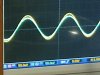
Yeah, trace at speaker outs is a bit annoying, however it appears to be at a low volume (20mV/div??)
Any inbalance at normal listening level, say volume at 10o'clock position?
Some parts fail intermittent, could explain why you are seeing differeing results, also wiper contact can be affected by oxidation, grit,,, Both halves of the wave are (almost) equally affected. The mute switch has caused me issues on a few CA-1000's however the point of the tests conducted was to identify where the inbalance occurs. If you are happy with the level at the brown wrap wires on the volume board then look elsewhere, eg, probe PRE-OUT RCA's and compare with speaker outs. Also probe the yellow wrap wires on the vol board, these go to the filter board.
Any inbalance at normal listening level, say volume at 10o'clock position?
Some parts fail intermittent, could explain why you are seeing differeing results, also wiper contact can be affected by oxidation, grit,,, Both halves of the wave are (almost) equally affected. The mute switch has caused me issues on a few CA-1000's however the point of the tests conducted was to identify where the inbalance occurs. If you are happy with the level at the brown wrap wires on the volume board then look elsewhere, eg, probe PRE-OUT RCA's and compare with speaker outs. Also probe the yellow wrap wires on the vol board, these go to the filter board.
Yeah, trace at speaker outs is a bit annoying, however it appears to be at a low volume (20mV/div??)
Any inbalance at normal listening level, say volume at 10o'clock position?
Some parts fail intermittent, could explain why you are seeing differeing results, also wiper contact can be affected by oxidation, grit,,, Both halves of the wave are (almost) equally affected. The mute switch has caused me issues on a few CA-1000's however the point of the tests conducted was to identify where the inbalance occurs. If you are happy with the level at the brown wrap wires on the volume board then look elsewhere, eg, probe PRE-OUT RCA's and compare with speaker outs. Also probe the yellow wrap wires on the vol board, these go to the filter board.
One of the pics above was at the pre-out, in that shape i think i am happy with it if it's consistent.
And yes, the difference was most noticeable at low volumes, 1 or 2 on the dial. Above 4 I think the signal level is so high that the 10-20mV drop is not noticeable. The difference doesnt seem to get higher as the volume rises. 10mV drop is obviously noticeable when signal is 20mV but not so much at 1V.
However, I would need a much bigger room to listen above 3 or 4. Most of my listening is in the 1-3 range of vol dial (10 is max).

Decided to at least try to clean the filter and mute switches before i just accept having to use the balance knob. The signal on yellow seems ok and on green it shows my slight difference. Am I right that the filter board is actually the pre "amp"? The signal seems to be amplified (unequally) when it leaves on the green board. I expected it to be passive muting.
Attachments

Filter board so named since in includes filter switches, it does contain transistors and along with the tone board is part of the pre-amp.Am I right that the filter board is actually the pre "amp"?
The green wrapped wires connect to the PRE-OUT RCA's. If the channels are balanced then need to look forward, ie coupler switch (disassemble and clean). Power amp previously tested ok.and on green it shows my slight difference.
Not good, points to problem earlier on, ie, filter, tone boards or,,,The signal seems to be amplified (unequally) when it leaves on the green board.
Yep, just a simple resistor. Problem is the audio still passes through the switch even with muting off.I expected it to be passive muting.
You could try continuity checking the switch while in the off position by measuring the resistance between the blue(left channel) marked solder blobs, repeat for red(right) marked blobs however this probably wont show anything since the waveworm difference is quite small.

To clean the switch you will need to remove the front plate on the filter board then unsolder the switch then disassemble and clean. This one was reasonably clean,
