• The move to the new server is done. There are some software and database maintenance updates in process. This has us passing the hat around to help out. We appreciate any donations. Seriously, even a dollar helps. The payment page may be found here - https://www.audiokarma.org/support.html

Digitizing vinyl - so frustrating and tedious I'm about to give up

Nice! Very impressive work. Not for me, though, as one of the big motivations why I got back to vinyl in the first place is that I hate CDs and wanted to get away from them... ;)

Thanks. It was more about preservation for me, because I wanted to make sure I could still listen to titles again that (back then) didn't look like they would ever be released on CD (Hence the DC5 cd).
 
This recording of records really stinks. My wife is a country music connoisseur. Right now I'm recording a collection of Jimmy Rogers songs from the 20's and 30's and includes The Carter Family. It hurts me to listen to him sing and yodel. But a happy wife makes for a happy life. The chances of finding this on a cd is probably slim and his cousin none. TJ's, my local record store had it for 3/4 gallon of gas.

I've recorded about 500 records. Mostly mine, but also from friends that filled in a lot of holes in the collection. I sent a backup hard disk to cousin in NC.

Why?

You get to listen to the record again!

Is it a pain to cut and name the songs?

Yes!

Is it worth it?

Yes!

3 songs from each artist on cd's for the weekends at the beach house parties.

I'm using Xitel's Inport for the ADC and CFB Software's LP Recorder and LP Ripper. An inexpensive combination.

Try removing the vinyl noise. You may have to EQ slightly on bad pressings though.
 
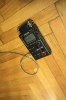
I got tired of screwing around with software and computer dongles to record analog to digital, so I picked up a TASCAM DR-40 for now, and it attaches to my tape output on the preamp. I can digitize up to 24-bit/96kHz. I record one side per file. I pop out the SD card, toss the files onto the computer...

DT: I'd also suggest you to first record onto some kind of digital recorder, the medium type of which can be quickly read on a personal computer. That removes a lot of the troubles with taming hardware, operation system and the software environment in order to record properly - and it also takes the pressure out of things, because then you already have a digital recording, you could already listen to and make back-up copies from. ...

This is exactly what I'm doing.

I'm using a line input on a TASCAM DR100MkII digital recorder.
The quality I'm getting at 24/96 is better than my MacMini's (late 2012) analog input, or my old M-Audio USB Audiophile interface.

index.php
 

Attachments

  • tascam2.thumb.jpg.f99a1f4a7493cd17751e24e8a5253c5b.jpg
    tascam2.thumb.jpg.f99a1f4a7493cd17751e24e8a5253c5b.jpg
    53.9 KB · Views: 104
Last edited:
This is exactly what I'm doing.

I'm using a line input on a TASCAM DR100MkII digital recorder.
It's what I'd be doing as well if I didn't already have a dedicated workstation for recording vinyl. Drop the needle and start the recorder; it's what we did back in the day with cassettes. There's no reason for digital recording to be more complicated than this.
 
This is exactly what I'm doing.

I'm using a line input on a TASCAM DR100MkII digital recorder.
The quality I'm getting at 24/96 is better than my MacMini's (late 2012) analog input, or my old M-Audio USB Audiophile interface.

Yep, this is how I´m doing it. It´s a piece of cake. SQ is excellent and no risk for hum.
 
There's a little more to it than that, but not a big deal. Doing a level check first is usually a good idea to make sure you don't slam the needles to far right. Then if you run into a mixer and want to avoid the hard start of the groove noise you hit record and drop the needle at the same time then you gotta whip over to the slider and ease it up before the music starts.
Ok, but my point is, you can make is easy or as difficult as you want. The OP can record to an SD card and carry it around with him as he pleases.
 
(...) I'm using a line input on a TASCAM DR100MkII digital recorder. (...)

I also thought about the DR100II for quite a while, but then decided to rather go for the Sony PCM-M10, as that's better suited to my needs and preferences.

Greetings from Munich!

Manfred / lini
 
I was a DJ back in the late 1970's and early '80's, and I have almost 6000 LP's and about 1400 45's. I had a Mac Desktop and with Roxio's CD spin Doctor. I could use my preamp and turntable with choices of carts. I even used a DBX 118 to 'fix' some issues, and I could switch it out for better S/N. I started in March of 2000, and every Saturday and Sunday I'd get up, make coffee and grab 15-25 LP's and head for the computer and Audio table. I generally used Koss Pro 4aa phones to listen to the quality of the tunes I wanted. Those I played too many times usually got rejected. I'd do this for 2-3 hours every weekend morning for 3 years before I pretty much got everything I wanted. Some weekends I just bailed if I didn't really wanna listen to old music. I also had about 20 cassette tapes of important stuff that I transferred. I saved all tunes as AIFF. I transferred over 2000 individual tunes during that time. I keep at least 3 complete copies on various hard drives, stored away, and 2 active versions on line in my house. Yeah it was a pain.

That makes me tired just reading about it . But , now it's done and you can just relax and listen .
 
From someone who did this professionally for a LOT of years.... There is no 'easy' way to transfer vinyl to digital that will sound good (or 'clean'). I still use a variety of programs, depending on the task at hand. I have yet to see one program that 'does it all', let alone does it 'easily'. The first 'hint' I can give you is this however: if you start with a clean record it makes your job a LOT easier. The second hint is to 'practice' - play around with a program for a while until you try to make a CD or anything. But it takes a LOT of time and experience to do it 'right'. But once you've figured it out it goes pretty quickly. I can usually scan and clean the cover digitally while it is played, and finish the audio within an hour of transfer (all cleaned, tracks split, fades, ect.). That all comes with familiarity with your programs and what you want/need to do. One more hint: I've found better programs made by people like the folks that are on here than the larger, well known programs - and for a lot cheaper too.

Very true . I went so far as to buy a new vinyl copy just so I could record it to CD .
 
That is a work of art ! Really nice job.

Thanks. I always tried to make them look and sound like a store bought CD rather than something that was not. I also had to make them for clients to sell at shows and such too, so you don't mind going the extra steps to do it right. One of the coolest reviews I ever saw for my work was when someone said 'we're so glad they went back to the original masters for this CD instead of a record - when it was from a 40 year old record that had been in a flood and was covered in mold and muck. Thankfully the record (it was a test pressing) cleaned up well!
 
Thanks. I always tried to make them look and sound like a store bought CD rather than something that was not. I also had to make them for clients to sell at shows and such too, so you don't mind going the extra steps to do it right. One of the coolest reviews I ever saw for my work was when someone said 'we're so glad they went back to the original masters for this CD instead of a record - when it was from a 40 year old record that had been in a flood and was covered in mold and muck. Thankfully the record (it was a test pressing) cleaned up well!
Did the Dave Clark 5 material ever make it to CD ?
 
I solved my issues with a TEAC cd recorder. Whenever I play my albums, I always have it turned on and ready. I record the cuts I like the best , from various records, until the cd is full. I write on the cd " FAVORITE CUTS" and I am done. I think I have about 75 cd's that are labeled that way. Don't matter which cd I play cause I like all of them.
 
I was previously using Audacity, then running the WAV file through Click Repair, splitting and converting to FLAC using JRIVER.

Last night I gave Vinyl Studio a try. Recorded and declicked. I found auto track splitting is more of a guide than anything . You still have to fiddle with where it splits the tracks or it gets it wrong. The resulting file also isn't quite as quiet in terms of pops/clicks though I honestly can't tell the difference between the rip and actual vinyl playback. To me the ease of use was a worthwhile tradeoff.

I'm using the Schiit JIL @ 192k and the playback using JRIVER through a Gieseler Groß DAC
 
I use Audacity, recording straight from the needle-drop at 48khz/24 bit and then 'Export Audio'. I may cut the last few seconds of run-out if for any reason I don't press 'Stop' quickly enough, but that's the only editing I bother with. Have done all my 1400 LPs, and do new LPs as I listen to them the first (or second) time, using a Soundblaster external soundcard from the Tape Out on my amp and into my laptop. I also convert the WAV files to MP3 for convenience (keep the original WAV of course). And I don't bother with pop/click removal - I mean, why does it matter for the ripped copy if it's there when I'm listening to the record ??? If I wanted a totally pop/click free listening experience I wouldn't bother with vinyl in the first place........
 
Have listened to my recording on some decent headphones now. It appears I definitely need to process these to get rid of more pops and clicks. More experimentation needed
 
Back
Top Bottom