• The move to the new server is done. There are some software and database maintenance updates in process. This has us passing the hat around to help out. We appreciate any donations. Seriously, even a dollar helps. The payment page may be found here - https://www.audiokarma.org/support.html

Help with new receiver

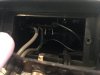
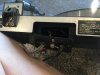
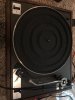
Ok, I see the pic of the back of your TT. The RCA cable goes inside.

But if you’ve tried everything mentioned above, you could try removing the two Philips screws that attach the panel where the cable goes into the TT and see what that reveals and see what you see.

Can also see what further you can jiggle with that panel off/loosened.

Again, if it’s just a loose/marginal connection that causes the hum to change when jiggling, it may be easy to fix by just making the marginal connection secure. But how accessible that point is will determine how easy it is to secure.
 
Is the hum from both channels or just one?
If the hum is only from one channel, you might try changing the red/white ends at the receiver and see if the hum changes channel.
I have a turntable that has a bad interconnect cord. I think it's the red one.
If it is not perfectly oriented it makes a LARGE SCARY HUM
A slight twist and the hum goes away until and unless the cord is touched or moved.
I should FIX/REPLACE it as it is a good way to blow up a speaker if the phono was turned on with the volume turned up and the cord was bumped to where it hums.
It's been like that for years, I am aware and I always turn the volume all the way down before selecting phono.
That's a long way of saying it could be your interconnect cord from the TT to the receiver.

EDIT---that's why I should read the whole thread before responding.
It would appear the problem is your turntable and possibly the interconnect cord, similar to my situation.
 
Last edited:
Not at home now, but can link up via Skype later today when I’m back home. But hums can be somewhat subtle to track down, but in the context of a TT, it’s usually a grounding issue.

If the ground wire is securely attached to the receiver, I would verify your headshell leads are firmly attached to the cartridge. Typically, green is the ground for the red/right channel and blue is the ground for the left/white channel.

If you’re only getting hum from one channel and not the other (you had said the white RCA gives you hum), I would check the white and blue head shell leads to make sure they’re securely attached to the headshell and then jiggle the white RCA attached to the receiver (you can giggle it both at the RCA attachment to the receiver as well as where it enters the TT). But while you’re doing that, might as well double check the red/green connections and the red RCA too.

Sometimes the cable itself gets frayed internally where the connections are marginal and jiggling will make it better or worse.

Do the RCA cables enter the TT body such that you can’t see where it goes internal to the TT? I ask, because sometimes TT’s have RCA jacks that allow you to connect your own RCA cables. Sometimes these jacks are internal to the TT, sometimes they’re on the back so you can see them. If there are jacks, you could try another set of cables or at least make sure they’re securely attached there.

If they go inside and you can’t see them, and you’ve tried everything else mentioned above, an option would be to try and open the TT and see where the RCA cables go and if anything looks loose. But how easy this is varies from TT to TT, so I wouldn’t go there unless you’ve tried everything else.

But the fact that you get hum on both Teac and Sherwood points to an issue on the TT itself.

That would be so awesome! Thank you so much, just let me know what works best for you, I am in PST.

NOTE: Here is an update!!!! https://photos.app.goo.gl/r2gi9jkLrXGhOJSY2

Anything I am missing?
 
I am glad to hear (pun intended) you now have music. And with the more powerful Teac receiver, too! The next question is which of the two TT's is the better quality unit? One works and has cosmetic issues, the other looks good but doesn't work... hmmm. :dunno:
 
I am glad to hear (pun intended) you now have music. And with the more powerful Teac receiver, too! The next question is which of the two TT's is the better quality unit? One works and has cosmetic issues, the other looks good but doesn't work... hmmm. :dunno:
Well, I think I might have broke the MCS. I tried to get cheeky, and I pulled the spinning part off and now the belt is just sitting loose, and I dont know how to fix it. But I did just take the cover off the MCS and it sits nicely on top of the Pioneer. At least I can do that for now. Also, the MCS might be a good one to learn on, since its broken anyways, maybe I can learn to fix it...
 
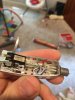
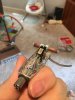
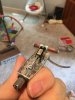
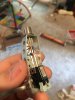
Definitely if the cartridge wires are incorrect this could cause hum. Could you post pictures of the headshell leads connected to the rear of the cartridge?
 
So just switch the green and white on the side that plugs into the "SHURE" labeled bit?
No, connect the leads as pictured in my post. With the cartridge on its back, green top left red below it, blue top right white below it.
 
No, connect the leads as pictured in my post. With the cartridge on its back, green top left red below it, blue top right white below it.
OK, got it! That fixed the HUM, but it is so quiet, at full volume I can barely hear it. When I hook the other TT up, it does not have that problem...
 
OK, got it! That fixed the HUM, but it is so quiet, at full volume I can barely hear it. When I hook the other TT up, it does not have that problem...

First, what is the other tt, second, what input are you using?

If the other tt has a built in phono amp and the input you're using doesn't this would make sense.

Ok, from what I could find the Teac does not have a phono pre on board, so apparently your other table does. Try the table with your other receiver now that the hum issue is solved.
 
Last edited:
From top to bottom, it should be Green, Blue, Red, White. Is that how you hooked it up?

Red is vertically below Green, White is vertically below Blue.

Did you get the belt back on and TT is spinning again?
 
From top to bottom, it should be Green, Blue, Red, White. Is that how you hooked it up?

Red is vertically below Green, White is vertically below Blue.

Did you get the belt back on and TT is spinning again?

I have the TT back spinning and hooked up with the orientation you both described. No more hum, but super low volume. This is going into the Teac. When I plug the Pioneer TT into the Teac it is normal volume. What should I do?
 
I moved the cartridge from the working one to the new one and it is working as well! It looks like the cartridge was bad on the new one!!!
 
Back
Top Bottom