• The move to the new server is done. There are some software and database maintenance updates in process. This has us passing the hat around to help out. We appreciate any donations. Seriously, even a dollar helps. The payment page may be found here - https://www.audiokarma.org/support.html

JVC JR-S 501 sound problem.

ELzekio

Active Member
Hello. I have recently obtained a JVC jr-s 501 that has some issues.

The biggest issue is the sound on the unit just barely works. When I first got it I thought that no sound was coming in the speakers what so ever, but after some monkeying around, I find that if you turn the volume up to full blast you can barley here the radio reception coming in and other sounds come in.

When you turn the unit on you get both relay clicks so I know that's not the problem. I have some questions about some of the transistors, but I'm not sure how to really test them with my multi meter.

I do not see any bulged capacitors.

Overall the unit seems to work well except for that one big issue, so if anyone can help me close in on what can be the issue that would be great.

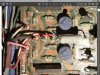
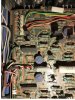
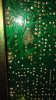
When I opened the bottom of the unit I found a couple solder joints that looked suspicious. I'm not sure if it's just a lot of flux or did somthing start burning up. I have pictured the solder joints under the transistor, X717 (2SD669A (B, C). A link to the service manual can be found on this link. I order to download it you just need to make a free Acount.

http://www.hifiengine.com/manual_library/jvc/jr-s501.shtml

Once again if anyone of you have any ideas/clues as to why the reciever only plays a at an extremely LOW volume when at full blast that would be great!
 

Attachments

  • image.jpg
    image.jpg
    54.5 KB · Views: 56
Register to hide this ad
Don't know that particular model but does it have the pre out/main in jacks at the rear? A lot of receivers/integrated amplifiers had this option which would externally connect and disconnect the main amplifier from the preamplifier.

This was for system versatility to add/mix/match receivers/preamps/power amps etc. If yours has these jacks, then make sure there are jumpers. If no jumpers then just use a pair of RCA patch cords. The good news is that you say the relay clicks so hopefully this is/was your issue.
 
The JVC jr-s X00 series had pre amp plugs, but the X01 series does not. So mine does not have preamp plugs.
 
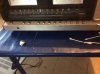
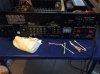
Don't think so. Here are pictures of the front and back.
 

Attachments

  • image.jpg
    image.jpg
    98.2 KB · Views: 58
  • image.jpg
    image.jpg
    82.8 KB · Views: 56
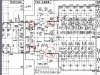
Looking at the schematic, I would check for signal between the SEA and amp section. I don't know if there are plugs or soldered wires, but look at the area 701/702/703 that is circled. You could probably inject a signal there to test the amp section.

501.png
 
These are pictures on 701 702 and 703 on the circus board. Would you mind showing me how you would put a signal threw these connections to test the power amp section?
image.jpg image.jpg
 
It's a receiver so it has a tape monitor switch. Make sure it is not on. Check the simple things before going in or getting real deep. I don't think you have anything majorly wrong with it.

Also, make sure the speaker switch(s) is on.
 
Last edited:
I've been having some issues with the speaker switches, but looks like deoxit has fixed it, still no sound. Only get a barely audible tone when you max out the volume and equalizer. overall the reciever needs a good cleaning which is what I'm doing now.
 
You could take the output of a portable CD player, Walkman, etc. and feed it right where you have it circled. Black is ground. White is left. Red (pink) is right. Make sure the volume is down on the temporary source as you have full power going to the speakers / headphones!
 
Take the REC OUT and engage the SEA REC function. I think this will then use the SEA and volume control. Plug it into a tape deck to see how it works with headphones.
 
Yup, both channels affected I think you are going to find a source out that is supposed to feed the EQ. Otherwise it is too much coincidence.
 
I have the exact same problem on an JR-S401. It's got something to do with the EQ board...but what I have no idea. I've had it for about 6 months and just haven't taken it to a shop to get it looked at. I'd say it's something simple...but then again with these old receivers you never know.
 
So here's what I did in regards to hooking up a CD player to those wires.

I took an aux cable and tied the cables to the correct wires and plugged my iPod in.

I made sure no buttons were pressed in like the aux, am, fm tutor or anything else.

I used the headphones to test for the sound.

When I turned the unit on and played music I was getting decent sound threw my headphones.
When I turned the volume up on the reciever nothing happened. The only way I could turn the volume up was if I turned it up on the iPod. It did seem like the volume going threw the amp to my headphones was maby a little bit louder then it would have been just going from the iPod to headphones, but once again the volume slider had no effect on the volume.
The graphic equalizer also did not respond when I used the sliders.
Only thing that responded was the balance. The balance slider worked fine.

It seemed that when I turned the volume up on my iPod, the music was getting distorted a bit. For some reason when I pressed the SubSonic and High Filter most of that severe distortion was then fixed and I could continue to turn the volume up.
 

Attachments

  • image.jpg
    image.jpg
    64.3 KB · Views: 29
  • image.jpg
    image.jpg
    78.9 KB · Views: 28
I'm surprised any controls on the receiver had any effect (balance). You are going straight into the amp section bypassing that stuff. The output on the iPod may not be as high as it needs to be here. But now you know the amp section is functioning. The reason you didn't get full volume is because the preamp section is loading the output of the iPod. Maybe that's why the balance control "worked'.

There is a thread here about using a tape deck as a signal tracer. I think something like this would be beneficial to you to track down where you are losing your audio.

I see a couple of coupling caps, C531 / C532. I wonder if those might be bad. I'd probably de-ox all of those switches too!
 
So I tried your second suggestion regarding the tape deck.

First thing I did was hook up my iPod up to the aux and activated the aux on the reciever.

I then hooked up the tape 1 rec out to the rec on the cassette deck.
I mad
With the SEA Rec OFF I started recording on the cassette deck and playing music with the iPod. I used the headphone jack on the cassette deck to monitor and I was getting prefect balanced sound.

When I press the SEC REC button the tape deck will stop recieving any input and the sound stops. When I move the volume control and EQ sliders nothing happens. The music is just dead. When I then unpress the Sea Rec button, the tape deck starts recieving the input again and I can here the sound again just fine.
 
It doesn't sound like the audio is making it through the SEA section. Time to start probing that board. Follow the audio through C531/C532, IC501/IC502, C545/C546. Is there power to those ICs?
 
So how do you really test if the ICs/caps are recieving voltage? Where should I start with the multimeter?

Here is a picture of the circuit diagram.
image.jpg
 
On that picture, see on the bottom where it gives voltages for the ICs and the pin numbers ? Check those voltages. There are positive and negative and it needs both.
 
OK so if you are getting good sound from headphones but not from your speakers, try this:
Switch from Speakers A to Speakers B.
If the problem persists, I bet you have a bad output transistor.
 
Back
Top Bottom