• The move to the new server is done. There are some software and database maintenance updates in process. This has us passing the hat around to help out. We appreciate any donations. Seriously, even a dollar helps. The payment page may be found here - https://www.audiokarma.org/support.html

MAC 4100

I was unable to isolate the problem so I took my 4100 to Cornell Smith. One channel had 48vdc on the output line. He replaced the defective drive transistor (and 5 other impacted transistors) and the speaker protection relay. I'm seeing differing opinions about the need for additional restoration; any suggestions?
 
Regulated power supply caps should be replaced...especially if they are the orange ROE caps.

Sounds like you had a shorted output transistor.....
 
Thanks for your assistance. I see one orange colored 10 μf capacitor on the PS board. Is this the cap of greatest concern? Do you have a replacement recommendation?
 
I believe there are 7 or 8 electrolytic caps on the PS board......they should all be replaced.

Personally I believe all should be replaced throughout the unit...... The receiver is 40 years old or close to it and the expected service life of most electrolytic caps is 20 years.

The ones that are surprising for their resilience are the main filter caps, they just seem to keep on ticking so to speak but I am sure their end of life will start cropping up over next 5 years or so.
 
I recapped a MAC4100 last year and have a thread here on AK with a full Mouser parts list. Should save you some time if you're thinking of recapping it. It's a great receiver. There were a few variations of this receiver - mine was an early one, but I don't remember the exact details at the moment.

Enjoy!

-Matt


I recapped a MAC4100 last year and have a thread here on AK with a full Mouser parts list. Should save you some time if you're thinking of recapping it. It's a great receiver. There were a few variations of this receiver - mine was an early one, but I don't remember the exact details at the moment.

Enjoy!

-Matt
I recapped a MAC4100 last year and have a thread here on AK with a full Mouser parts list. Should save you some time if you're thinking of recapping it. It's a great receiver. There were a few variations of this receiver - mine was an early one, but I don't remember the exact details at the moment.

Enjoy!

-Matt
I'm going to recap the power supply. Can you provide the AK thread to the 4100 capacitor parts list you referenced? Any additional words of wisdom about recapping the power supply board would be appreciated.

Thanks!
 
Hey Scott - good luck with the 4100! They are awesome receivers. Note that my 4100 was early so my cap list may not be 100% accurate for all 4100s (changes were made to a few boards during the production run). Here's my list:

https://audiokarma.org/forums/index.php?threads/mcintosh-4100-cap-question.785053/#post-10815073
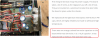
Thanks for your reply! Should the orange 10 µf cap be replaced using a low-noise Fine Gold "FG" series cap? Also, after replacing the caps do I need to make any adjustments? (See attached screenshot and http://hudsonvalleyhifi.com/mcintosh-mac-4100-restoration link).Power Supply PC Board.png
 
Hey Scott -

My rule of thumb is to replace like with like in any project I'm working on. So, any orange (ie low leakage) caps are replaced with new low leakage Nichicon KL parts.

For bi-polar caps I replace with Nichicon ES. For signal path caps that are not low leakage or bi-polar, I replace with Nichicon FG. For everything else (bypass caps, power supply, etc) I replace with Nichicon PW.

Exceptions are made in certain situations if there are size constraints or if there are Wima style film caps that will fit.

Take your time and go slow. I always take a picture of the board before I start just in case I forget which way a cap was oriented. I also only do one or two caps at a time and double check everything. Once a board is complete I stop and test before moving on.

Last piece of advice - if you're going to be doing more of this type of work, get a Hakko 808 or something similar. It is amazing and well worth the cost.

Good luck!

-Matt

 
Hey Scott -

My rule of thumb is to replace like with like in any project I'm working on. So, any orange (ie low leakage) caps are replaced with new low leakage Nichicon KL parts.

For bi-polar caps I replace with Nichicon ES. For signal path caps that are not low leakage or bi-polar, I replace with Nichicon FG. For everything else (bypass caps, power supply, etc) I replace with Nichicon PW.

Exceptions are made in certain situations if there are size constraints or if there are Wima style film caps that will fit.

Take your time and go slow. I always take a picture of the board before I start just in case I forget which way a cap was oriented. I also only do one or two caps at a time and double check everything. Once a board is complete I stop and test before moving on.

Last piece of advice - if you're going to be doing more of this type of work, get a Hakko 808 or something similar. It is amazing and well worth the cost.

Good luck!

-Matt
Thanks for the information and recommendations!
 
Hi Scott - I would have to look at the service manual to be sure on the purple cap. The orange is low leakage and should be replaced with a Nichicon KL.

-Matt
 
Hi Scott - I would have to look at the service manual to be sure on the purple cap. The orange is low leakage and should be replaced with a Nichicon KL.

-Matt
I completed replacing the caps on the power supply board; Thanks for holding my hand during the process... My receiver still makes a loud popping sound when it is first turned on and a lower volume pop a few seconds after it is turned off. Do you have any suggestions how I can isolate and resolve the popping issue?
 
The speaker relay should keep those transients out of the speakers......is the relay functioning? Is it stuck closed? Has it been bypassed?

Most often fails when a contact gets burnt and will cause a channel to drop out or the power to the coil gets compromised and it doesn't latch, but you never know with a 40 year old unit.
 
As Chris mentioned, the issue is likely the relay. Do you hear it the relay click when you power the receiver on and off?

-Matt
 
The speaker relay should keep those transients out of the speakers......is the relay functioning? Is it stuck closed? Has it been bypassed?

Most often fails when a contact gets burnt and will cause a channel to drop out or the power to the coil gets compromised and it doesn't latch, but you never know with a 40 year old unit.

My 4100 is using an Eagle 14Q2CD048 for the speaker protection relay and I'd like to replace it without buying the recommended relay from McIntosh. Additionally, their recommended relay is 24vdc and the original relay is 48vdc? Can you recommend a relay that is equivalent to the original 48vdc relay?
 
I just use the Mouser drop down selection menus and the Omaron data sheets o fing replacements to match the factory installed part.

If I remember correctly, DOB during a amp clinic, noted that because the NY meto power grid would often during high demand allow the voltage delivered to sag, relays as installed in the MC2205 and MC2200 would often not latch properly. A service bulletin was issued to address this issue and production was changed. Since the MAC4100 was a concurrently produced unit I assume it went through the same procedure.

So just resort to sorting through Mouser and replace with like kind.

Is yours bypassed or permanently latched? Going back to post #21 did Cornell just bypass it?
 
I just use the Mouser drop down selection menus and the Omaron data sheets o fing replacements to match the factory installed part.

If I remember correctly, DOB during a amp clinic, noted that because the NY meto power grid would often during high demand allow the voltage delivered to sag, relays as installed in the MC2205 and MC2200 would often not latch properly. A service bulletin was issued to address this issue and production was changed. Since the MAC4100 was a concurrently produced unit I assume it went through the same procedure.

So just resort to sorting through Mouser and replace with like kind.

Is yours bypassed or permanently latched? Going back to post #21 did Cornell just bypass it?

I had already replaced the relay before I brought the receiver to Cornell for repair, with what I thought was the correct Omaron equivalent (Mouser # 653-MKS2PIDC48). Cornell replaced the Omaron relay I installed with McIntosh part number 087019. I thought maybe the relay he installed might be defective, and since the Omaron relays are inexpensive I was going to swap it out using a relay others had direct experience with (since the Omaron equivalent I selected was apparently incorrect).

My receiver is working fine except for an annoying popping sound when it is first turned on. I may have to bite the bullet and drive the 200 miles drive back to Cornell so he can take a look. Please let me know if you have any other suggestions?
 
As Chris mentioned, the issue is likely the relay. Do you hear it the relay click when you power the receiver on and off?

-Matt
I exposed the relay and confirmed it is working correctly. The loud popping sound occurs when the receiver is turned on and the relay is energized. A lower volume pop occurs a couple seconds after the receiver is turned off, when the relay contacts return to the non-energized state. Cornell has suggested "...the supply could be charging/ discharging differently on the positive and negative rails..." I recapped the power supply in the hope that it might resolve the problem (and also because it was highly recommended) but it had no effect on the popping.

The receiver works great except for the popping. I've gotten into the habit of tuning off the speakers when I turn on the receiver because I'm concerned the loud pop might damage my JBL 4311s. Please let me know if you have any additional troubleshooting suggestions or ideas? Thanks!

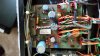
Speaker Protection Relay.jpg
 
Back
Top Bottom