• The move to the new server is done. There are some software and database maintenance updates in process. This has us passing the hat around to help out. We appreciate any donations. Seriously, even a dollar helps. The payment page may be found here - https://www.audiokarma.org/support.html

Marantz 1060 Basket Case Dead Short

Richs_Trains

Well-Known Member
Hey all,

I have a 1060 that I basically got for free as the seller listed a 1060b in good condition, but send a 1060 in trashed condition. I was tempted to part it out since it is in such rough shape, but I have never done that and hate to destroy such a classic piece. So, I put it on the DBT and bright sustained light, I pulled the power from the power amp boards and put it on the DBT again, still sustained bright. I have now pulled the supply to the main filter cap and it no longer shows a short. I am guessing the main filter cap is the first place to begin, I have only had one bad one in the past and would just like some idea of what causes this failure. Is it the cap just failing, or does something down the line cause the main filter cap to fail. Any insight is welcomed. Thanks as always..... Rich
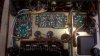
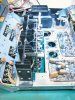
1060_basket.jpg
 
Register to hide this ad
Is the main rectifier still in line when the bulb goes dim? If not, then I would check that first.
I think there are more chances the rectifier is shorted than the main cap...
Good luck !
Is the amp in a bad shape externally ?
 
not to bad after I cleaned it up, the rectifier is still inline, but the jumper that feeds the power supply board is disconnected with the main cap. I am going to re-connect the feed wire from the rectifier and remove the main filter cap connections at the cap, leaving the PS jumper in place and DBT it once more. Rich
 
So, pulled the main filter cap and re-tested it with the power amp board feed connected, dead short again. Right now I have a dead short with the main cap disconnected, outputs? any advice or insight??? Thanks Rich
 
Pulled one of the 2SC897 outputs, don't know how to test it. One pin is shorted to the case, zero ohms, one pin reads 3.8 ohms to case and across two pins pins 3.7 ohms
 
Pulled one of the 2SC897 outputs, don't know how to test it. One pin is shorted to the case, zero ohms, one pin reads 3.8 ohms to case and across two pins pins 3.7 ohms

Good work, you've found one reason the DBT is lighting up. Test the rest of the outputs.
 
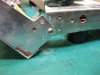
Here's a trick for working on the 1060 amplifier. Put in the rear panel side screws as shown, moving to the rear holes in the chassis. It holds the rear panel further away from the amp board but keeps the wires connected to the rear panel from getting tugged on.

1060 back panel screws.jpg 1060 back panel tilted out.jpg
 
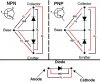
Ok, so I don't know how to identify the pins so by visual .... looking at transistor, pins offset to the top...

1) right pin 0 ohms to case, left pin 4.5 ohms to case, across pins 4.9 ohms
2) right 0 ohms, left 3.7 ohms, across 3.7 ohms
3) right O.L., left 83.7 ohms, across 92.5 ohms
4) right 15.8 ohms, left 34.3 ohms, across O.L.

what does it mean?
 
Since I had nothing better to do I re-capped the power supply and power amp boards while waiting for the transistors, hope it wasn't a waste of time. Rich
 
Slick brother!! Me like
Randy, Sorry I never made it up your way in September, I can't seem to completely shake this thing with my hands. Finally the did a culture and it's a bacterial staph infection and it's much better on the meds, but keeps coming back. I hope to make it up there and check out Prescott sometime next year.

Any advice about this 1060 I'm trying to bring back (it's in more trouble than anything I've ever done, but I figure it was free, right, learning experience)

Thanks Rich
 
Tony's diagram is very nice. Here's a sticky thread over on the DIY subforum:

Thanks for the thread, tested all the transistors and 2 read in spec, the other two read .002 on every test. Guess at least 2 are bad, I ordered 4 MJ21194G, if these are the correct replacement, should I change them all? Thanks Rich
 
Back
Top Bottom