• The move to the new server is done. There are some software and database maintenance updates in process. This has us passing the hat around to help out. We appreciate any donations. Seriously, even a dollar helps. The payment page may be found here - https://www.audiokarma.org/support.html

Marantz 1060 Ground Loop Noise

user0

New Member
A Marantz 1060 that I purchased second hand has what I understand is a ground loop noise when RCA input is connected to a computer/cd player. It's worse with the computer and you can hear the computer 'processing things'. the noise disappears when the inputs are disconnected.

I've done a lot of reading about possible fixes but none of the problems I've read about are exactly the same as this one, so I'm hoping for some tailored advice from the community. I'd really like this amp if the noise wasn't there, but as it is, it's quite annoying.

I have a recording I made on my phone with the computer connected and volume high. I'll try and attach it.

Thanks
 

Attachments

Register to hide this ad
A Marantz 1060 that I purchased second hand has what I understand is a ground loop noise when RCA input is connected to a computer/cd player. It's worse with the computer and you can hear the computer 'processing things'. the noise disappears when the inputs are disconnected.

I've done a lot of reading about possible fixes but none of the problems I've read about are exactly the same as this one, so I'm hoping for some tailored advice from the community. I'd really like this amp if the noise wasn't there, but as it is, it's quite annoying.

I have a recording I made on my phone with the computer connected and volume high. I'll try and attach it.

Thanks
If the 1060 still has a non polarized two prong power cord (what it came with) try reversing it in at the socket. Know that the issue is not the 1060 itself.
 
If the 1060 still has a non polarized two prong power cord (what it came with) try reversing it in at the socket. Know that the issue is not the 1060 itself.
Aah, so it's clear that it's just 'bad power'? I'm in New Zealand, so the prong is a three pin polarised one. Same in Australia.
 
Aah, so it's clear that it's just 'bad power'?
No. From Wikipedia (and correct): " In an electrical system, a ground loop or earth loop occurs when two points of a circuit are intended to have the same ground reference potential but instead have a different potential between them". Because your computer or CD player has a different ground reference (or none at all) and the 1060 has it's own through it's chassis and power supply, you have a ground loop.
 
No. From Wikipedia (and correct): " In an electrical system, a ground loop or earth loop occurs when two points of a circuit are intended to have the same ground reference potential but instead have a different potential between them". Because your computer or CD player has a different ground reference (or none at all) and the 1060 has it's own through it's chassis and power supply, you have a ground loop.

My situation is: I have one power inlet that powers all my appliances. I understand that I need to isolate the power on the amp from other appliances, but how do I do that? Is it possible?
 
My situation is: I have one power inlet that powers all my appliances. I understand that I need to isolate the power on the amp from other appliances, but how do I do that? Is it possible?
If possible, ground the CD player to the chassis ground on the 1060.
 
If possible, ground the CD player to the chassis ground on the 1060.


I'm trying to figure out a way to do this effectively without getting into the 'try everything territory'. The CD player is less of a priority than the PC. I think ultimately a solution like the one I've seen on the PSaudio website may be a good lead, and something to try. I don't know how to specify a high wattage 8 ohm resister for this, so perhaps someone here could recommend one?
I have had a very frustrating multiple years dealing with the DirectStream introducing a very loud and unlistenable ground hum into my Conrad Johnson Premier 350 amplifier. Lots of experiments and plugging/unplugging every permutation of component/cable, and it always came back to my DS Sr as the root cause of the ground hum in my system. Lifting the ground on my amp removed the hum but was very detrimental to sound quality… loss of warmth/naturalness to the sound… PRAT went away. Lifting the ground on the DS Sr. produced similar harshness/digital-brightness to the sound. I ultimately solved this the best I could by introducing a high-wattage 8 ohm resistor in-line with the ground wire coming from the amplifier’s case to the ground pin on the IEC connector. The resistor allowed the amp to remain grounded and keep the sound warm/natural while providing just enough resistance to stop the ground hum.
 
Last edited:
Try and isolate the "ground noise" issue to the Preamp circuit or Main Amp circuit by removing the PRE-OUT > MAIN IN jumpers from the back of the amplifier. Connect your PC audio (or CD Player) to the AUX inputs. Does the noise still occur?
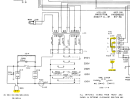
  • Is your 1060 a U.S. unit or European unit? The schematic only shows a two prong plug and chassis grounding screw... not a 3-prong plug. Was it modified by someone?
  • Does the ground pin of the AC plug connect to chassis ground internal to the 1060 or does it go to the power supply?
  • Here is what I understand your setup to be:
    • 1060 plugged directly into the wall socket using the 3-prong AC wire, no extension cord
    • 1060 ground screw on the back of the amplifier not connected to anything
    • Standard (NON-POWERED) speakers connected to L & R speaker terminals with speaker wire, no AC connection
    • PC (and display monitor) plugged into the SAME AC wall outlet as the 1060 and PC uses a 3-wire grounded plug
    • PC monitor attached to the PC and AC plugged into the SAME AC wall outlet as the PC and 1060
    • CD player connected to the 1060 AUX input RCA jacks with short SHIELDED RCA audio cables
    • CD player power connected to the SAME power outlet as the 1060 and monitor
    • Is the CD player AC a two wire or three wire power cord?
    • CD player is NOT grounded to anything else
    • NO OTHER connections to the 1060, monitor, or CD player
    • Does the noise go away if you turn-off the PC, but keep the 1060 on?
    • 1060, CD player, PC are away from other EMI generating sources (e.g. cellphones, cordless phones, Wi-Fi receivers, cable/wireless modems, copy machines, microwave ovens, wireless cameras, LED and florescent lights, light dimmers, etc.
  • An easy test for grounding would be to connect a wire from a chassis screw on the CD player to the Ground screw on the back of the 1060 to see if the noise is reduced.
1727738965911.png
 
Try and isolate the "ground noise" issue to the Preamp circuit or Main Amp circuit by removing the PRE-OUT > MAIN IN jumpers from the back of the amplifier. Connect your PC audio (or CD Player) to the AUX inputs. Does the noise still occur?
  • Is your 1060 a U.S. unit or European unit? The schematic only shows a two prong plug and chassis grounding screw... not a 3-prong plug. Was it modified by someone?
  • Does the ground pin of the AC plug connect to chassis ground internal to the 1060 or does it go to the power supply?
  • Here is what I understand your setup to be:
    • 1060 plugged directly into the wall socket using the 3-prong AC wire, no extension cord
    • 1060 ground screw on the back of the amplifier not connected to anything
    • Standard (NON-POWERED) speakers connected to L & R speaker terminals with speaker wire, no AC connection
    • PC (and display monitor) plugged into the SAME AC wall outlet as the 1060 and PC uses a 3-wire grounded plug
    • PC monitor attached to the PC and AC plugged into the SAME AC wall outlet as the PC and 1060
    • CD player connected to the 1060 AUX input RCA jacks with short SHIELDED RCA audio cables
    • CD player power connected to the SAME power outlet as the 1060 and monitor
    • Is the CD player AC a two wire or three wire power cord?
    • CD player is NOT grounded to anything else
    • NO OTHER connections to the 1060, monitor, or CD player
    • Does the noise go away if you turn-off the PC, but keep the 1060 on?
    • 1060, CD player, PC are away from other EMI generating sources (e.g. cellphones, cordless phones, Wi-Fi receivers, cable/wireless modems, copy machines, microwave ovens, wireless cameras, LED and florescent lights, light dimmers, etc.
View attachment 3309412

Thank you for your post. Lots to go on here, and I appreciate your effort. Nice of you. I'll try and clarify as best as I can, and upon further investigation, it looks as though some of my previous information was not correct. The CD player does not generate noise. Apologies for the misleading information. More details below.

--
  • 1060 plugged directly into the wall socket using the 3-prong AC wire, no extension cord
  • NO OTHER connections to the 1060, monitor, or CD player
a. The PC used a three wire grounded plug. Yes, the same surge protecting power strip is used for the PC, Monitor and Amp. Also all my other household appliances are supplied from what I understand is the same circuit (when tracing the switchboard).

b. I have a fairly long (but heavy gauge) extension cable extending from the wall socket to the power strip that powers all of the computer and audio related gear. As you mention this, I will eliminate the extension cable and see if it makes a difference.

c. When I power on every appliance except for a sound generating device (the PC) there is no fluctuation in the noise generated. When I power on the PC there is fluctuation in the noise when it is 'working'.


--

  • Standard (NON-POWERED) speakers connected to L & R speaker terminals with speaker wire, no AC connection
Yes

--

  • PC monitor attached to the PC and AC plugged into the SAME AC wall outlet as the PC and 1060
Yes

--

  • CD player connected to the 1060 AUX input RCA jacks with short SHIELDED RCA audio cables
  • Is the CD player AC a two wire or three wire power cord?
I've just reconnected the CD player and have done some testing and I now see that as an 'ungrounded' unit (2 prong power plug) it turns out that it creates no noise. The noise I heard earlier, was from the noise bleeding from the computer input when it is plugged in at the same time. (it disappears when the computer RCA is disconnected).

--

  • Does the noise go away if you turn-off the PC, but keep the 1060 on?
Yes. Absolutely quiet.

--

  • 1060, CD player, PC are away from other EMI generating sources (e.g. cellphones, cordless phones, Wi-Fi receivers, cable/wireless modems, copy machines, microwave ovens, wireless cameras, LED and florescent lights, light dimmers, etc.
As far as I can tell, this is the case yes. I have disconnected what I think is everything that could be creating this noise, and come to the conclusion that the PC is the noise generator. Apologies for mentioning noise was generated from the CD player, earlier.

--

  • CD player connected to the 1060 AUX input RCA jacks with short SHIELDED RCA audio cables
I have tried connecting to the PC with multiple RCA cables, and believe that at least one of these would be shielded with the metal cable wrap as I have some premium quality ones on hand.

--

Other notes:


1. When I disconnect any input or remove the Main-in, pre-out jumpers the noise goes away completely. The noise still exists when PC input is connected directly to the Main-in, but at the relatively lower volume.
2. I cannot say if the three prong plug was added or if it was a model for our part of the world, but the three prong plug looks to be the same age as the unit, and it's quite uncommon to find electronics of this age without the three prong plug here. It is possible that this was added and not actually connected to ground for this market.
3. I think there is no ground connection from the PC case to the PC motherboard so connecting the PC case to the 1060 ground is not an option. I still tried taping a wire from the PC case to 1060 chassis ground anyway, without result.
4. I believe this unit to be unmodified as it looks to be all original components inside (from what I can tell). There is no bulging capacitors, and everything looks to be in good shape. That said, there is some minor rust on the circuit board tracks that I can try to remove.


Apologies for so many edits. This is technical stuff, and I'm not so familiar with such a project.

 
Last edited:
So here is what I would conclude so far:
  1. CD player, cables, and AC power to the CD does not cause the noise - Not the problem.
  2. 1060 by itself with no inputs connected does not create noise - Not the problem
  3. PC connected to the 1060 causes noise on the audio, but ONLY when the PC is ON, not when it is OFF - Probably the problem, as you also concluded
  4. Pulling out the Pre-out/Main In jumpers eliminates the problem - This means that the noise is NOT generated by the Main Amp boards in the 1060
  5. RCA cable shielding is probably good.
The PC is definitely the problem, but we need to find out what in the PC is causing it.
  1. Is your PC a desktop PC? What brand and model - name brand or home built/Chinese parts?
  2. Are you using a sound card plugged into the motherboard or does it have a built-in audio chip?
  3. If your PC is sitting next to your amplifier, try to move it to the other side of the room (or another room), or move the 1060 and use a different AC socket.
  4. By your description, it sounds like you are picking up RFI (Radio Frequency Interference) from one of the PC components
    • Clock noise radiating from the PC motherboard into the 1060 pre-amplifier inputs
    • Memory data transfers between CPU and RAM memory
    • Audio interface card with insufficient audio or EMI filtering
    • RFI induced back into the AC power line from the PC CPU
  5. Are you using an ordinary switched power strip OR is it a Surge Suppressor AND EMI filter?
Try these things above and let me know what happens.
For now, don't worry about cleaning the board traces for now... it might introduce another problem.
 
So here is what I would conclude so far:
  1. CD player, cables, and AC power to the CD does not cause the noise - Not the problem.
  2. 1060 by itself with no inputs connected does not create noise - Not the problem
  3. PC connected to the 1060 causes noise on the audio, but ONLY when the PC is ON, not when it is OFF - Probably the problem, as you also concluded
  4. Pulling out the Pre-out/Main In jumpers eliminates the problem - This means that the noise is NOT generated by the Main Amp boards in the 1060
  5. RCA cable shielding is probably good.
The PC is definitely the problem, but we need to find out what in the PC is causing it.
  1. Is your PC a desktop PC? What brand and model - name brand or home built/Chinese parts?
  2. Are you using a sound card plugged into the motherboard or does it have a built-in audio chip?
  3. If your PC is sitting next to your amplifier, try to move it to the other side of the room (or another room), or move the 1060 and use a different AC socket.
  4. By your description, it sounds like you are picking up RFI (Radio Frequency Interference) from one of the PC components
    • Clock noise radiating from the PC motherboard into the 1060 pre-amplifier inputs
    • Memory data transfers between CPU and RAM memory
    • Audio interface card with insufficient audio or EMI filtering
    • RFI induced back into the AC power line from the PC CPU
  5. Are you using an ordinary switched power strip OR is it a Surge Suppressor AND EMI filter?
Try these things above and let me know what happens.
For now, don't worry about cleaning the board traces for now... it might introduce another problem.
Thanks for staying with me on this. It's appreciated.

The PC is a Desktop PC that I built with the following components:

Asus Strix z490-h motherboard
RX580 graphics card
2x8gb ddr4 ram
A reputable Corsair psu (I cannot remember the name)

The same noise issue happens with two different USB audio cards and also the motherboard audio outputs.

I am using a Jackson PT8888 Power Board with a surge protection - I do not know about the specifics. The website I bought it from mentioned MOV (Metal Oxide Varistor) and EMI and RFI protection. Thanks for bringing this up, I'll try taking it out of the system and see if that helps as well as your other suggestions.

Good to know I don't have to clean the rust. I was hoping to avoid that. There's not a lot, and 'if it ain't broke...'
 
Last edited:
Update:

I switched every appliance off at the wall outlet switch in the house (including the monitor and the fridge) so the only things running were the 1060 and the computer. Still I hear the noise.

I could not remove the extension cable connected to the PC, this is something that has to exist for the computer power to get in the room it needs to be in. but I did remove the power board so the computer was the only thing connected to that particular wall outlet.

I was able to move the amp to a different room and plug it into a different power socket. Still the same noise. I could be hearing things, but it might sound slightly different now maybe lesser and less 'bubbly'. I'm tempted to trim every cable down to minimise the chance of radio interference, but this is not something I would like to do.

At this stage I think that I look like a raving lunatic with a strange desperate obsession.

Turning on the high pass filter makes the noise almost tolerable at a 1/4 volume setting with this new placement, a listenable volume, but not quite. Like I said, I may just be imagining things.

While I was moving everything around, I noticed that the noise only begins when Windows initialises, not during the bios screens.

What's next? I'm about ready to order an 8 ohm high wattage resistor to try that. Could anyone comment if 100w 8ohm resistor sounds about right?
There is this 'wirewound' type sold on Mouser that I'm eyeing up and down: https://nz.mouser.com/ProductDetail/Ohmite/HS100-8R-F?qs=sGAEpiMZZMtlubZbdhIBIEidPY%2Bx/LaaBDWQceqDgFs=
 
Last edited:
Update 2:

The desperate maniac begins to eye up the ground pin on the 1060's three pin plug with curiosity, and bends the pin out of the way to turn it into a two pin plug. Result: All the high frequency noise is gone. There is only a soft low end noise left and that's at a tolerable volume. How dangerous is it to leave it this way? Will there be consequences? I still want to try the resistor method, but perhaps I can run the amp like this for a couple of weeks or more?
 
In the U.S., all of the stereo equipment of that era (1970's) only used a 2-prong AC plug... no ground pin. In fact, the plug was not keyed so you could even reverse the hot and neutral wire connection into the AC socket. That changed in the U.S., some time ago where now a 2-pin plug is polarized with one plug spade wider than the other. Having said this, I would think that it would be OK to run it that way. But then again, I am not familiar with your local electrical codes. In the hardware stores here, you can buy a "cheater" AC plug adapter that effectively adapt a 3-prong plug to a 2-prong plug socket. So, it sounds like the issue is the grounding of the PC and the 1060.
 
A thought..
Can you be sure that the mother board and power supply screws to the tower`s mounting platform are good and tightened ?

Mother board`s screw holes are often meant to be actually metal screw secured to the case for grounding/interference prevention or reduction, and internal EMI/RFI noise can be a problem if plastic or nylon attachment fasteners are used instead for any of these attachment points.

To minimize mid ~late nineties era computer, and CRTs RFI leakage interfering with my various VLF (5khz) through SW and even low VHF receivers weak signal reception that shared the same room, I made sure the computers that where either locally built for me or the Dell tower that I bought in the later nineties mother boards had actual screws securing the mother board to the case at every mother board mounting hole, and that the I/O connector shield was firmly snapped into place to the grounded case`s opening to lower those era very EMI/RFI noisy machines interference was as reduced as much as practical at this source.
 
I am using a Jackson PT8888 Power Board with a surge protection - I do not know about the specifics.
Sparse information on the PT8888 EMI specs online but from what I can gather it will reduce EMI from entering/leaving the power strip, but NOT between sockets on the strip. This won't protect you from EMI if you have both the PC and 1060 on the same strip. Try this test: 1) take the PC off of the Jackson PT8888 and plug into the wall and see if it improves, 2) plug the Marantz 1060 into the power strip so it will be EMI protected. If it helps good, otherwise reverse it, 1060 into the wall... PC into the power strip. Any different? Packaging and datasheet doesn't say much.
1727821031697.png
 
Last edited:
Sparse information on the PT8888 EMI specs online but from what I can gather it will reduce EMI from entering/leaving the power strip, but NOT between sockets on the strip. This won't protect you from EMI if you have both the PC and 1060 on the same strip. Try this test: 1) take the PC off of the Jackson PT8888 and plug into the wall and see if it improves, 2) plug the Marantz 1060 into the power strip so it will be EMI protected. If it helps good, otherwise reverse it, 1060 into the wall... PC into the power strip. Any different?
Some HQ more elaborate and pricier power strips or power conditioner distribution blocks (Tripp-Lite/Monster Power for example) claim to have some kind of individual filtering at each of their sockets that reduces noise creating equipment from the adjacent power socket`s to thwart back feeding equipment`s noise interfering with each other.

I also wonder if a HQ L/R audio signal ground loop breaking isolation transformer RCA to RCA type inserted between the computer`s sound card`s analog audio line might help, like Jensen transformer Co. and other manufacturers offer ?
Again just a suggestive thought.
 
A thought..
Can you be sure that the mother board and power supply screws to the tower`s mounting platform are good and tightened ?

Mother board`s screw holes are often meant to be actually metal screw secured to the case for grounding/interference prevention or reduction, and internal EMI/RFI noise can be a problem if plastic or nylon attachment fasteners are used instead for any of these attachment points.

To minimize mid ~late nineties era computer, and CRTs RFI leakage interfering with my various VLF (5khz) through SW and even low VHF receivers weak signal reception that shared the same room, I made sure the computers that where either locally built for me or the Dell tower that I bought in the later nineties mother boards had actual screws securing the mother board to the case at every mother board mounting hole, and that the I/O connector shield was firmly snapped into place to the grounded case`s opening to lower those era very EMI/RFI noisy machines interference was as reduced as much as practical at this source.
You are a brilliant man Bill! This will most likely be the problem. I'll look at it, thanks.
 
Back
Top Bottom