

You are using an out of date browser. It may not display this or other websites correctly.
You should upgrade or use an alternative browser.
You should upgrade or use an alternative browser.
Post your Sunset & Sunrise pictures
- Thread starter OnTheBlitz
- Start date




Erik Tracy
Everyone's happy when the wizard walks by
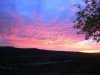
Here's a sunset shot from my backyard


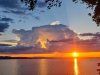
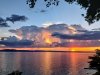

Absolutely stunning!Three stages of a cool sunset under a thunderhead and rain column. Pics are in order of events.
View attachment 1904588 View attachment 1904589 View attachment 1904591
More from my side yard.
2020-04-23

2019-06-18

2020-04-23
2019-06-18


HomeMadeSin
Active Member
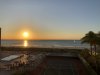
I’m a sucker for sunrise/sunset pics, but mine tend to be too dark. Some of the keepers:

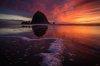
Venice Pier, Venice, FL Sunset

Virginia Beach, VA (Sandbridge) Sunrise

Nokomis Beach, FL Sunset

Venice, FL Sunset

Twillingate, Newfoundland Sunset

Moab, UT Sunset
Venice Pier, Venice, FL Sunset
Virginia Beach, VA (Sandbridge) Sunrise
Nokomis Beach, FL Sunset
Venice, FL Sunset
Twillingate, Newfoundland Sunset
Moab, UT Sunset


GuyK
Addicted Member
I’m a sucker for sunrise/sunset pics, but mine tend to be too dark. Some of the keepers:
Venice Pier, Venice, FL Sunset
Virginia Beach, VA (Sandbridge) Sunrise
Nokomis Beach, FL Sunset
Venice, FL Sunset
Twillingate, Newfoundland Sunset
Moab, UT Sunset
How are you metering for pics that come out underexposed? Perhaps methodology needs to be revised? Also, I really like the last pic with the silhouettes.
HomeMadeSin
Active Member
I don’t recall for each pic, but I typically use the camera spot/center metering. I haven’t liked HDR effect (at least the automated version) and don’t want to blow out the highlights. No doubt my methodology needs to be tweaked.


GuyK
Addicted Member
I don’t recall for each pic, but I typically use the camera spot/center metering. I haven’t liked HDR effect (at least the automated version) and don’t want to blow out the highlights. No doubt my methodology needs to be tweaked.
I generally spot meter also. There's a couple different things I can think of off the top of my head that might help. One is check the histogram. If it's not crowding either edge, the exposure should be close to correct. Another is if you notice the camera is underexposing a similar amount for similar shots, consistently, dial up the exposure compensation to correct it.
I really wish histograms were around when I started learning with film years (decades?) ago. I had to mostly guess because the light meter on my dad's camera didn't work.

Some suggesetions
1) bracket exposure, pick the one that has the highlights where you want.
2) shoot in raw
3) bring up the shadows in Lightroom or whatever favorite program you use - this can be done fairly strongly without getting an obvious HDR look, especially if you are working on a raw file
1) bracket exposure, pick the one that has the highlights where you want.
2) shoot in raw
3) bring up the shadows in Lightroom or whatever favorite program you use - this can be done fairly strongly without getting an obvious HDR look, especially if you are working on a raw file
HomeMadeSin
Active Member
I did take the originals in raw (Pentax DNG format) and played around with them. The shadow adjustment in PS is pretty cool, but I didn’t like how it muted the sky. So then I applied it to just the beach, which did lighten things up. But I could notice the limitations of my camera at that point (K-5ii). At least with basic (built-in) tools in PS, I can usually spot obvious manipulation in the final product. So I tend to just use the basic color/contrast and perhaps stitching and call it good.
HomeMadeSin
Active Member
For example:

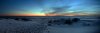
Not sure if these reflect what you are aiming for, but here are two different adjustments in Lightroom.
First is with an over-all increase of shadow slider to +100.
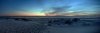
Second is with an adjustment brush increase in exposure of only the sand by 1.5 stops.
First is with an over-all increase of shadow slider to +100.
Second is with an adjustment brush increase in exposure of only the sand by 1.5 stops.
Last edited:

