• The move to the new server is done. There are some software and database maintenance updates in process. This has us passing the hat around to help out. We appreciate any donations. Seriously, even a dollar helps. The payment page may be found here - https://www.audiokarma.org/support.html

Question on uploading a picture

fredcohiba

Super Member
Hoping someone can help me answer this - I searched but could not find an answer.
How do I upload a picture so that it appears in my text, rather than a thumbnail one has to click on to open in a new window?
Thanks.
 
Register to hide this ad
Copy the URL of the photo, click the yellow mountain shaped icon at the top of the dialog box and paste the URL in the window that pops open.:thmbsp:
 
Test uploaded image:
DSC_0001_zps7dcaa44d.jpg.html
 
actually I uploaded image, and then went into preview message mode, opened the attachment (image) copied the url and inserted that in the proer field. Basically using AK as the host. Seemed to work OK.
 
Ah ha. Can't do it if the photo sits on my hard drive...... Thanks.


You have to upload your photo into Photobucket. Then, copy the IMG and paste it anywhere in your text. If you need help with Photobucket, just send me a PM (private message) and I can help you out.
 
Or, like stupidhead suggests, attach the photo, so that the thumbnail is on the bottom of the pic, submit post, then edit the post to include the image in the thread, using the Insert Image button.
 
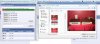
You can host it on AK:
Click "go advanced"
Click the paperclip.
Upload the picture.
Click Preview Post
Open the attachment by clicking on the thumbnail
Copy the URL from the address bar
Close that window
Click the "Insert Image" icon (Yellow Mountains)
Past the URL
OK!
attachment.php
 

Attachments

  • snip.jpg
    snip.jpg
    59.9 KB · Views: 32
It's like writing step-by-step instructions for tying your shoes. Much more complex than actually doing it.
 
You can host it on AK:
Click "go advanced"
Click the paperclip.
Upload the picture.
Click Preview Post
Open the attachment by clicking on the thumbnail
Copy the URL from the address bar
Close that window
Click the "Insert Image" icon (Yellow Mountains)
Past the URL
OK!

OR the following:
Go Advanced message.
click on Manage Attachments bar below message box. Pop up opens.

Choose picture file on your hard drive to upload (heed the pixel size and total size of file limits though - if your pics are too big, open them using a picture file program like Microsoft Office Picture Manager and resize them to less than 800 x 600 usually).

After choosing files to upload, hit the Upload files button and wait till all files uploaded. Then close the Pop up window.

Then hit Preview post to see your post with thumbnails. As mentioned above, click on a thumbnail, that will open the file as an AK attachment in a new tab. Copy the URL of the attachment.

*Position cursor where you want the image to appear in your post* Important as you want to have it where it makes the most sense.

Click on Insert Image (yellow mountain box) and paste the image URL in the URL Box. Hit OK. Do that for each image you want to see.

attachment.php
attachment.php


Then do any additional cleanup by hitting Preview Post, and when you're satisfied, hit Submit Reply.
 

Attachments

  • $_57.jpg
    $_57.jpg
    75.4 KB · Views: 21
  • $_57 (1).jpg
    $_57 (1).jpg
    59.5 KB · Views: 21
Back
Top Bottom