• The move to the new server is done. There are some software and database maintenance updates in process. This has us passing the hat around to help out. We appreciate any donations. Seriously, even a dollar helps. The payment page may be found here - https://www.audiokarma.org/support.html

Sabotage of KA-7100?

It's consistently 4 seconds before the relay latches,

that sounds like mine. I always turn the speaker switch to off, volume down, power up, wait for the relay to click before I switch to 'A' speakers. I do this for my M2 and M1 too. May not be needed but I use the procedure for every system.
 
Nio good ideas. Perhaps the delay needs to e a little longer? Try slightly larger value for Ce40 (100uF). For test, you could tack a 47 uF on the solder side to see if it makes a difference.
It could be off value...
I don't own one, so can't say for certain,,,
 
Thanks for the suggestions, @sregor and @rickl . Thinking back a decade, I might have used the same procedure for powering up the Kenny.

Here's what I'm thinking for next steps - but I can be convinced otherwise by those with more knowledge (virtually everyone ;)):
  1. Leave thermistor in place but secure it properly to heat sink bracket using a dab of JB Weld (suggested in one of the threads above).
  2. Replace VRe4 with Bourns - I'll need to extend a leg and thinking of supporting it underneath with non-conductive silicone.
  3. Warm up the unit and adjust Center Channel pots (VRe1 & 2) to 0mV per spec
  4. Adjust bias of both channels to 20mV per spec (I hope)
  5. Leave it at that. Retain additional new Bourns pot in the event it's needed for Left channel later.

Tried to follow the above steps. After a lot of frustration and hours reading through AK threads, I discovered that I had mis-ordered the VRe4 trimmer - I was off by one numeral in the part number - resulting in my having installed a 500K Ohm part rather than the 500 Ohm part I thought I had ordered. The exact same thing had happened to another AK member. Had I not read that thread, it would not have occurred to me to check the part number. I can't say enough about AK and the Community that energizes it.

I'll solder the new one on the board in about 8 days when I get back from a trip and will report the results here.
 
Prior to Steps #1-5 listed farther down in this post, I took @sregor's advice:
Another source of distortion could be current limiting - transistors Qe 16 18 20 and 22. Simple test would be to disconnect emitters of Qe 16 and 20, and see if distortion goes away. Normally those transistors do not conduct and are only active if too much current is going through the 0.47 ohm emitter resistors. Another possibility is there is a bad driver or output transistor. A scope would be very useful troubleshooting here, especially as voltages don't indicate a bad component in the output stage.
I disconnected Qe16 and Qe20 emitter legs but distortion still was present. Performed diode test of both transistors. Qe20 was faulty. Replaced it with KSC1845FTA (used by other AK members on KA-7100 with success). Checked DC offset in both channels. Set Left channel bias to spec. Right channel would not adjust significantly and was way off spec.

@sregor, you'll be dismayed that I haven't yet learned amplifier terminology sufficiently to know which is the "driver" you referred to (quoted above). Please also let me know if and how I should check it. Sadly, I don't know anyone who has a scope.

Steps taken yesterday and status:
  1. Installed new and correct Bourns trimmer (3296Y-1-501LF) at VRe4. This was a replacement mentioned by @hopjohn in his KA-7100 Parts List (while bearing in mind his caveats for use of the parts list)
  2. Once installed (with the wiper leg extended), would only adjust from a low of 2mV to a high of 2.7mV (vs the 20mV bias spec) throughout its 25 turns of adjustment.
  3. Tried adjusting the offsets. Left channel remained steady at the 0mV spec but Right channel was troublesome to adjust. Finally left it oscillating at around 0mV oscillating by approx +/- 15mV.
  4. Tried again to adjust Right channel bias with same results in #2 above
  5. Pulled each of the following resistors and ensured they met spec - a few of these were mentioned by @HPMguy in Post #76. However, afterward, the bias still would not adjust more than 0.7mV:
  • Re34
  • Re36 was faulty so replaced it
  • Re38
  • Re46
Any suggestions where to look next? A review of Post #77 provides a refresher on where things stood prior to taking the steps mentioned above.

Thanks in advance for continuing to help me sort through this puzzle.
 
Last edited:
The driver transistors are the one just "behind" the outputs, typically fairly beefy (TO-126 cases). In this case Qe24 and Qe26.

Distortion is likely another bad transistor in that channel.
 
Thanks, @HPMguy !

Are there any transistors you might point to that do "double duty" - both causing distortion and causing issues with the bias adjustment? If so, I'll check that [those] first.

Maybe Qe24 & Qe26?
 
No constructive thoughts - yet. Just a thought - the pot mentioned for VRe4 is a 25 turn pot. You may have to keep turning it many turns before you get your adjustments in line. Someone here had a problem which turned out to be he needed to keep turning the pot to get a good adjustment'
 
Those are the drivers, and definitely a bad one (low Hfe or leaking junction) will cause you trouble. Lack of bias current means you don't have current flow through the output transistors, and I've seen more than one issue preventing that. On my latest repair, a Kenwood KA-880SD (with TA modules, not discrete components) the over-current transistors were all bad on the smoked channel and grounding the signal on one side, resulting in no current. Open junction or really noisy driver or current mirror, cascode, or differential transistors will do that too.

The bias adjustment pot balances the signal between the plus and minus side in conjunction with several fixed resistors, so those need to be good as well. Open or high resistance resistor, or cracked solder joint will result in no connection between plus and minus signal path, and hence no current at the outputs. So will a bad emitter resistor on the outputs by the way. Definitely sound distorted with only one side of the signal active....

I'd check the voltages at idle from outputs back to JFET, if they are all mostly correct, power off and do a quick diode check on all the transistors in both channels. The one(s) that are different between the good and bad channel will tell you were your problem is. Note that typically in-circuit testing will not always give you normal diode readings in the six way diode test, what you are looking for is something markedly different between them. Pay attention to the value of the diode voltage drop

Also check for cracked solder joints, one of the negatives of Kenwood equipment is notoriously bad factory wave soldering. Don't know if it was the composition, the temperature, the flux, or what, but cracked solder joints are legion in Kenwoods (also in Sansui equipment of the same age by the way). Often show up and a ring half way down the solder "peak" around leads. On a KA-87 I worked on lately one of the current mirror transistors was floating with only one lead soldered down, and that only barely. Most of the solder joints on transistors on that sub-board were cracked, I replaced a few capacitors and reflowed the rest of the board.

 
A couple of weeks have gone by. I've taken a few more steps but thought it would be a good idea to recap our experience so far with the help of a number of AKers for which we are truly thankful.

Note: Steps 21~25 below performed since last post (#88) by @sregor

History to date:
  1. Got estimate from a repair shop. Decided not to have them repair the amp.
  2. Upon turning on the amp, LED glowed briefly and went out, relay did not engage. Prior to repair shop evaluation, amp would turn on and relay clicked.
  3. Replaced all 4 fuses (all of which had blown)
  4. Replaced all 4 output transistors. Used MJ21193G and MJ21194G.
    • Note that Repair Shop had removed those transistors and reversed the two in the Right channel when reassembling the unit after diagnosis. This may have caused #2 above and maybe(?) bricked some of the components below
  5. Replaced the fusible resistors at Re75-Re78
  6. Replaced transistors at Qe31 & Qe32
  7. Replaced zener diodes at De17 & De18
  8. Relay latches now but no sound from Right channel
  9. Replaced capacitors Ce29, Ce30, (470uF 50V as recommended by RepairShop)
  10. Replaced capacitors Ce31 - Ce34 (6800mF filter capacitors as recommended by RepairShop)
  11. Replaced R44 & R46 resistors (270 ohms)
  12. Replaced Dual JFET at Qe2 with 2 pcs LSK170
  13. Checked a number of resistors and replaced those out of spec
  14. Replaced transistor 2SC1775 at Qe6 using KSC1845FTA from Digikey
  15. Replaced Ce10 capacitor - probably was unnecessary
  16. Replaced transistor 2SA915 at Qe10 with KSA1220AYS
    • Relay latches once again.
    • Distortion noted in Right channel
  17. Checked Right channel thermistor vs Left channel thermistor. 10% lower resistance than Left channel.
  18. Replaced trimmer at VRe4. However, would not adjust higher than 2.7mV nor below 2mV. Spec is 20mV
    • Turned out to be 500K Ohm rather than 500 Ohm trimmer. My bad.
    • Replaced it with the proper multi-turn Bourns (#23 below)
  19. Qe20 2SC945 was faulty. Replaced it with KSC1845FTA.
  20. Checked Re34~38 and Re46. Replaced Re36
  21. Checked solder points again and reflowed several.
  22. Picked up a transistor tester to check hFE of all transistors (amp board) not already replaced
    • Replaced Qe22 2SC945 with KSC945
    • Replaced Qe24 2SC1567 with KSC2690AYS
    • Replaced Qe26 2SA794 with KSA1220AYS
    • Replaced Qe16 2SA733 with KSC733C
    • Replaced Qe8 2SA915 with KSA1220AYS
  23. VRe4 Bias trimmer replaced with multi-turn Bourns
    • However, after installing transistors in #22 above, the issue no longer is insufficient bias voltage but too much
    • spec is 20mV but closest can adjust is 143mV
  24. DC Offset trimmer at VRe2 replaced with Bourns. However, still oscillation. Spec is 0mV. Best adjustment is -11mV ~ +22mV (Left channel comparison -2mV ~ +.06mV)
  25. Concerned about oscillation in voltages at Qe16~22 and distortion in Right channel. At a loss.
Voltage measurements attached. Would be grateful for continued advice.

Qe31 and Qe32 2022_10_02.png
 
Hmmm. KSC945 or KSC945C -- new ones are not center collector, you must use the C version or twist the legs.

I'd check the De10 and De12 and the resistors associated with those four transistors in case they are going flaky.
 
Hi, @HPMguy and thanks for the advice.

Yes, I used KSC945C.

Checked Re50,54,52,56,68,44,62,66,60,58 & 64. I had checked most or all of them previously and had replaced some of them. They all checked out fine (within 2-3%) today.
Any you think I missed that I should also check?

I did not re-check Re70 & 72 (ceramic) as they are troublesome to get at and replace.

De10
Red probe > anode; Black > cathode = 718. Reversing probes = OL

De12
Red probe > anode; Black > cathode = 706. Reversing probes = OL

I presume these values indicate they both are good.

All above checked out of circuit.

Where would any of the AKers following this thread look next?
 
After a hiatus of 7 weeks due to higher priorities, I'm ready to tackle this project again. I have an oscilloscope and signal generator arriving in a day or two and would benefit from some tips on how to signal trace effectively to identify the source of oscillation and inability to set the bias on the Right channel.

In addition to suggestions on how to trace the origin of the specific issues mentioned, I'm confused about whether I need to set up a dummy load in order to do signal tracing. I know that if I were doing capability testing - power output, harmonic distortion, clipping, and the like, I'd need a dummy load. But do I need one for signal tracing / identifying the source of oscillation? The oscillation is evident using a DMM with volume at 0 so I presume I could use the oscilloscope with the input signal amplified at, say, 1/4 to 1/2 volume, into a cheap set of speakers to take the load(?).

Thanks for sticking with me in this quest.
 
When your tools arrive, I can share my scope setting. You can use similar setting for your testing
 
When your tools arrive, I can share my scope setting. You can use similar setting for your testing

Thanks, @rickl

The tools - a basic, 2-channel oscilloscope and signal generator - arrived early (about an hour ago).

What do you think about my question regarding whether or not a dummy load is needed or whether tracing with a 1Khz signal, amplified at low-to-mid volume and output to speakers would suffice?

Also, would you start tracing upstream within the power amp board or downstream (working backward to find the source of oscillation), comparing the signal in the good Left channel to that in the oscillating Right channel?
 
First, set your signal generator to a 1Vpp. You can verify with your scope.

Plug it into your aux input. Check the signal at the volume pot. I recall the volume output goes to the main PCB.

Verify the signal...

You don't need a load or speakers
 
First, set your signal generator to a 1Vpp. You can verify with your scope.

Plug it into your aux input. Check the signal at the volume pot. I recall the volume output goes to the main PCB.

Verify the signal...

You don't need a load or speakers

Signal verified.

BTW, the simple signal generator I have is set at 2.5V pp and I can't adjust that. I used 1Khz.
 
2.5v is fine. 1k Hz is good too. use AC coupled on the scope channel. here is an example.
Right. I presume next is to follow the audio path. Speaker switch off? Volume all the way down?

Not sure what I should expect to see as I trace the audio path but I'll give it a whirl and post questions as they arise.
 
I followed the audio path in the Right channel (shown in the attachment) and, to a lesser extent, in the Left. Power on, volume turned all the way down (-70dB), 1Khz signal injected.

Everything along the path looked good in terms of stable sine waves with the amplitude injected (2.5V) except as noted below. Varying amounts of fluctuation in the measured values but I did not attempt to capture the ranges.

Vertical wave jitter in the following:
  1. Qe4 Collector
  2. Qe8 Emitter
  3. Qe10 Emitter
I checked the wave forms in the equivalent legs of the transistors for the Left channel (Qe3, Qe7, Qe9) as well and they, too, were unstable vertically albeit a touch less than in the Right channel.

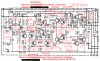
The attached schematic has blue circles at the points that seemed problematic.

The linked video shows the scope screen for Qe7 (in green) and Qe8 (in yellow).

Thoughts? Next steps?Audio Path - Right Channel.png
 
Last edited:
Q16,18,20, and 22 are the overcurrent protection, and I think you need to use a 2SC945 instead of the KSC1845. They are not hugely different, but the exact replacement is available. If any have not been replaced, I'd personally swap them out. Transistors that cheap I usually put a new one in if I pull one to test it, not work risking heat damage on very old parts. A flaky transistor in one of those locations will be grounding the signal, acting as a mute circuit.

Q4 and Q6 need to be a matched pair, so do Q8 and Q10 as they are long-tailed pairs, and if the Hfe is not matched you will get either offset or oscillation. A mis-match at 8&10 would off-set the bias I suspect, and account for inability to set it correctly.
 
Back
Top Bottom