• The move to the new server is done. There are some software and database maintenance updates in process. This has us passing the hat around to help out. We appreciate any donations. Seriously, even a dollar helps. The payment page may be found here - https://www.audiokarma.org/support.html

Servicing a SONY DAT machine (Pictorial)

From a tech guru who knows what he's doing on youtube and I follow (12voltvids), he suggested that smcs should always be changed. I measured the ESR on mine and they mostly measured way too high, so actually on mine they were gone :).
The silver sliding hooks moved freely on mine so no lubrication was needed in fact. Now comes the question of re alignment please. Any help much appreciated before I have a go and try my luck. I'd rather wait to get more technical help first and then have a try.
 
Ok.

If you want to adjust the tape path without the proper test tape you need a tape recorded on a trusted deck. Hard to say if your 750 is ok.

I must warn you that it is not easy but as you 2700 does not work correctly you don't have much to loose.

Anyway basically what you must achieve is to keep the signal stable in difficult situation: automatic tracking (ATF) disabled and accelerated speed (x1.5). Who can do more can do less.

First check that both guides (the vertical part) are firmly attached to their socket. Sometime they get loose. Then slightly unscrew the locking screw at the base of each guide.

Then you have mainly to follow the procedure from the service manual:
- connect channel 1 of you scope to pin 1 of CN553 (M-RF)
- connect channel 2 to pin 4 (SWP) and use it as a trigger
- set the deck in test mode
- put the rec mode to "standard" to disable the ATF
- press the AMS key to play at accelerated speed (no sound)
- set the scope to visualize a waveform which looks like a rectangle with burst at each end (20mV for CH1 and 2msec for CH2 as far as I remember).
- set T1 for the rectangle part to be as stable and as uniform as possible. I would say that the perfect setting is as precise as 1/8 turn.

To check if the tracking is correct play a tape at accelerated speed (x1.5): press >> during play. The sound should be chopped but not distorted or with parasite.

And don't forget to re-screw the locking screw.
 
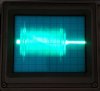
Here is a (bad) photo of what you need to visualize.

To cut a long story short:
- audio signal is the centre rectangle, the bursts at each side are the tracking signals and the outer signals are the subcodes.
- only fiddle with the right guide (T1 or take up guide), 1/8 turn step, until the rectangle part is uniform and stable during accelerated play
- modify the left guide setting (S1 or supply guide) only if you can't visualize the beginning of the waveform (left outer signal and left burst)

tracking.jpg
 
Many thanks for both your messages today. I only saw them now as I am not notified by email if I receive a reply. I have had a bit of a twiddle today however I did a different test to what you suggested however I will be following your instructions when I get some time to work on it again. Today I connected my scope to 2 points- RFPB & SWP points on CN508 and tried to set my scope to trigger from the SWP signal. I couldn't achieve any triggering by connecting the 2 signals to CH1 & CH2 as I am not sure how to set up my scope to do that but seemed to achieve the result by connecting the signals to CH1 & EXT input. (Please correct me where I'm wrong and if you have instructions how to achieve this through CH1 & CH2).

I do have DAT tapes recorded from Radio stations which I believe would have their machines properly lined up and also my 750 had a head replacement and a set up done by Sony so I guess it's also ok. I tried to achieve a similar result as your picture you attached and I seem to have achieved this so far ( attached please see a quick snap I took tonight by connecting the scope to M-RF & SWP during normal playback. I have not done the tests by putting the machine in test mode first yet but that's to come.
I adjusted slightly both guides to achieve maximum output and get a rectangle image. I will redo the setup as suggested however I must say that the machine seems to be playing & recording fine and compatible with my 750. The only problem I noticed is that the 2700A is not happy to be used with DSS tapes! Lots of dropouts it seems!
Is it also normal that the tape path sounds as if there is a certain tape friction between the head and tape? It sounds noisier than my 750. I did not notice any tape curling. I will update when I do my tests properly and if you can assist me with the triggering issues using CH2 that would be great please. I attach the image I took for you. Thanks again hdrobien.
 

Attachments

  • image.jpeg
    image.jpeg
    29.3 KB · Views: 52
I am not sure about your scope but I believe that CH2 can not be used as a trigger, only CH1 and Ext input.

But anyway you did it. The waveform looks good but better use CN553 as CN508 is the "slave signal" (only used for monitoring). Don't forget to switch to test mode and disable the ATF.

Concerning DDS only DDS1 and DDS2 are supposed to be compatible. Also avoid tapes longer than 60 meters (=120 minutes).

Concerning the noise it could be related to dirty/used drum. The tape friction is supposed to be a little higher as back tension requirement is higher (5-6 g.cm for the 750 against 8-9 g.com for the 2700A).
 
Last edited:
Hi, this morning I attempted another go, this time in test mode as suggested. The noise I was hearing was of the tape being too close to the upper edge of the guides which was bothering me & upon close inspection I felt that I could raise both guides S1/T1 without disturbing anything as there was still some room on the bottom parts of the guides. That sorted the noise issue with tape friction.
I realigned the guides to the best I could and attach a picture. What I noticed is that if I turn the screws too far I get variations on the horizontal axis of the scope which varies the vertical axis, kind of like a sweep. I tried to align it so any variation in the vertical axis on the screen was uniform. I couldn't get a very still picture as it tends to jitter quite a bit. I get a better result when I check the machine after I remove it from test mode. Is that making sense?

As regards to DSS tapes the ones I have are either DSS-3 or 4 and although they play fine in the 750, the 2700A doesn't seem to like them. They are above your suggested lengths. No issues with normal DAT tapes however. Do you reckon I fixed it by now?

Thanks a lot :)
 
I think you are doing pretty well.

The deck will always perform better once you remove it from test mode as you re-enable the automatic tracking (ATF).

As you said you have to keep the waveform as a "uniform rectangle" in accelerated play (AMS key), with only vertical sweep. The setting will be "perfect" when you will be able to play a tape in test mode (ATF off) in accelerated play (keys play then >>) in test mode with chopped sound without distortion or parasites.
 
Thanks. I just tested it as you suggested, in test mode and pressing play then >>. I only heard choppy sound but then when it increases speed after say 3 seconds then it sounds rather strange but I think that's normal? I guess you refer only to fast playback for the first few seconds before it kicks off into faster speed.

My other question please is regarding the input level. I can't seem to be able to input a stronger level compared to my 750. I input a 0db signal tone but the maximum reading I get on the meters is -6db, and that is with the trim pots fully clockwise.

Cheers
 
I just tested it as you suggested, in test mode and pressing play then >>. I only heard choppy sound but then when it increases speed after say 3 seconds then it sounds rather strange but I think that's normal? I guess you refer only to fast playback for the first few seconds before it kicks off into faster speed.
Yes, after the speed is to high for the heads to read the full signal.

No idea about the input level.
 
Yes, after the speed is to high for the heads to read the full signal.

No idea about the input level.
Thanks a lot. I shall see how I get on with it and make some recordings and check compatibilities and sound quality and I would say the machine is back in service :). By chance do you know how I can replace the little foam roller that cleans the head? Mine disintegrated.
 
It is not a big lost and no need to replace.

Just clean the heads from time to time the old fashion way with isopropyl alcohol soaked paper stripes.
 
Many thanks for now. I have a DTC-750 which needs some TLC as it seems to struggle with fast winding and am not sure as to why yet this is happening. I also have another rescued machine, a PCM-2300 from the same studio and the last time I powered it up (apart from the orginal problem of bad audio, possibly again bad caps and an alignment issue), is not doing anything once I put a DAT tape in the transport. The mechanism isn't loading. I guess it could be the microswitches? 2 projects to look forward to and hopefully get some assistance from this forum if I run into trouble.:). Cheers
 
Concerning the DTC-750 check if the felt pads are still in place on the levers that act as brakes / back tension regulator for the reel tables (part #379). Looks like there is either excessive back tension or something jamming.

Concerning the 2300 it could be either the micro-switches or the arms that load the tape around the drum are stuck/jammed. Try to turn with you thumb the large black gear surfacing on the front right of the mecha (under the micro-switches).
 
Many thanks once again. I'm afraid it might be some time now before I attempt these repairs as I am abroad but will definitely take your advices once again and will report back with my progresses :). Much appreciated and very grateful.
 
Got my DTC-77ES a few days ago, and when I tried a tape I've recorded with my Denon DTR-2000, it was playing back with a lot of distortion artifacts and some dropouts. After I've tried some cleaning tape (and re-recording the same content with the DTC-77ES), I'm still unable to fix the problem. Should I try a manual wet clean of the head or would I need to re-cap?
 
Either the tape path settings are different between the Sony and the Denon or the Sony suffers from hardened grease on the guides loading mechanism.

I would favour the second option as it is frequent on this model (which, btw, has a totally different mecha as the ones described in this thread).

Need deep dismantling and cleaning. Not for the faint hearted.
 
I would favour the second option as it is frequent on this model (which, btw, has a totally different mecha as the ones described in this thread).

Need deep dismantling and cleaning. Not for the faint hearted.
Thought it might be. I'll start swabbing the transport, and if all else fails, I'll have to re-cap the RF caps.
 
I have never experienced bad caps on the rf amp with this model.

Here is basically what you have to do for the mecha but the explanations are in french (PCM-2700 is the pro version of the 77ES):
http://vintage-audio-laser.fr/viewtopic.php?f=155&t=2359&p=60140#p60140
Cheers.

Let's hope my schoolboy French will still get the gist of the explanations!


UPDATE: I think I have now found my culprit. The foam sponge has disintegrated onto the drum, and that's what I believe is causing the problem:

IMG_3819.JPG

Where do I source a replacement from, or would it work fine without one?

UPDATE 2: cleaned the heads, and now I'm getting no sound out of it at all. Nothing, nothing at all! Help!

UPDATE 3: cleaned it again, and it ate my test tape, but then I've tried another and it's getting sound, but it was recorded on a different DAT recorder with different alignments (still getting artifacts, but not many dropouts), so I'll have to re-record to see if I've fixed my problem for sure.

UPDATE 4: tried a fresh recording with new tape, and despite it recording alright, playback still yields dropouts and artifacts. Could it be that the RF caps need recapping?
 
Last edited:
No need to replace the foam.

It ate your test tape because the cleaning fluid was not fully evaporated, making the headsdrum "sticky".

Go for the transport swabbing, take pictures and ask if you are lost.
 
Back
Top Bottom