• The move to the new server is done. There are some software and database maintenance updates in process. This has us passing the hat around to help out. We appreciate any donations. Seriously, even a dollar helps. The payment page may be found here - https://www.audiokarma.org/support.html

Speakers not working

NeedyJay

New Member
Hello everyone,
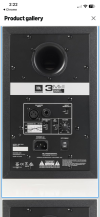
i bought a pair of speakers JBL 305P MKII to put plug them into my keyboard (the instrument) . For some reaosn though, when I plug them in they just do not work at all. The speakers are brand new and the keyboard's systems are 100% working. Could it possibly be the cables? I used Jack trs 1/4 and the other side XLR male, if this is the case what cables should I use instead?
 
Register to hide this ad
Have you also plugged them into an electrical power source and turned on the power switch?

IMG_0788.png
 
After this was accomplished, have you turned up the volume knob?
What make/model keyboard are you using?
yup, everything on the speakers is working just fine, volume turned up and everything. Im using the Roland E-09. My theory is that since this keyboard has a unbalanced signal output the speakers which are balanced have problems playing the sound. But from what ive read on the internet is that if you have both speakers plugged in individually on the outputs (Left(mono) and right) it should play just fine. Im kinda in these things so im trying to learn.
 
Yeah, im not THAT of an idiot
I hope you were only kidding as no one is judging your intelligence. You'd be surprised how many people don't know how to properly operate their equipment, so we have to begin at the "obvious" (plug, switch, volume, etc...) before going any further. Thanks for supplying the keyboard info! Here's another "obvious", do you know if the keyboard is operational?
 
I hope you were only kidding as no one is judging your intelligence. You'd be surprised how many people don't know how to properly operate their equipment, so we have to begin at the "obvious" (plug, switch, volume, etc...) before going any further. Thanks for supplying the keyboard info!
Yeah I did not take it seriously it was a joke. But yeah I see your point, i didnt really think about it, but sometimes what you said can be very true.
 
Have you attempted using the 1/4" input on the speaker? Here's another "obvious", do you know if the keyboard is operational?
EDIT: Never mind the operational part as you mentioned the keyboard is 100% operational on your first post.
 
Last edited:
Have you attempted using the 1/4" input on the speaker? Here's another "obvious", do you know if the keyboard is operational?
Yes, it is fully operational since this port has been used only like 4-5 times. Also I did not try using the 1/4 input on the speaker since the only cable I have is the jack to xlr.
 
Know anyone who may have a cable with 1/4" jacks? Maybe find a store nearby (Best Buy, Music Center, etc...) and purchase one?
Are you using the headphone jacks or the output jacks on the keyboard?
 
I tried using a random double male jack I found sitting in my house and plugged them into 1/4'' jack adapters that I have to see if a miracle would happen, nothing happened though.
1773518735333.png
Know anyone who may have a cable with 1/4" jacks? Maybe find a store nearby (Best Buy, Music Center, etc...) and purchase one?
Are you using the headphone jacks or the output jacks on the keyboard?
 
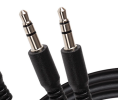
I'd probably get a couple 1/4" TS to 1/4" TS cables. That's what the keyboard manual shows for connections.

Yeah, could use TS to XLR, but not really much point IMO since it's not balanced output anyway.

1/4" TS should plug and play fine into the 1/4" TRS input on the speaker.
 
I'd probably get a couple 1/4" TS to 1/4" TS cables. That's what the keyboard manual shows for connections.

Yeah, could use TS to XLR, but not really much point IMO since it's not balanced output anyway.

1/4" TS should plug and play fine into the 1/4" TRS input on the speaker.
Hmm ok, maybe I will try that with some cheap cables and if it works I'll get a good pair. (also cool pfp haha)
 
Also check the owners manual for the JBL. Please speak out if there's anything which isn't clear in these manuals.
Since the keyboard works 100%, you could also try using another piece of equipment and attach it to the speaker to see if it works.
 

Attachments

Also check the owners manual for the JBL. Please speak out if there's anything which isn't clear in these manuals.
Since the keyboard works 100%, you could also try using another piece of equipment and attach it to the speaker to see if it works.
The speakers are brand new so I doubt if the problem is with them. I also plugged them into my computer and they worked perfectly. This is why Im thinking it must be a cable problem. I might try what whoareu99 suggested since it seems like the most likely solution to me.
 
Back
Top Bottom