• The move to the new server is done. There are some software and database maintenance updates in process. This has us passing the hat around to help out. We appreciate any donations. Seriously, even a dollar helps. The payment page may be found here - https://www.audiokarma.org/support.html

Stereo/TV help please

TattRotten78

New Member
Hello all,
I'm in desperate need of assistance,and I know that this is the place to ask,so here goes....
I have a Sherwood home amp(S702) that I'd like to use with my tv(ProScan 32" LCD flatscreen) to power my surround sound speakers ( pioneer cs-705's)
I have Direct TV( in case that info is required)
I've tried every cable I could think of,but do not know the proper way to route them. With my amp being older,it has the RCA jacks,but that's probably obvious..lol. I will include pics if needed once I figure out how...lol
But I guess my question is:which inputs/outputs to use via which cables??
 
Last edited:
Register to hide this ad
Without knowing the inputs and outputs of each device, the simplest way to accomplish a "4 channel" connection between the TV and the amp., you need to-

A) What are the minimum input(s) that provide the use of surround sound on the amplifier?
B) Find the matching set of "outputs" on the TV.
C) Obtain the matching set of cables that will connect the two together (left channel to left channel, right to right, left rear to left rear etc.)

There MAY be a SINGLE cable that will accomplish ALL of the above such as an HDMI cable but there MUST be an HDMI "JACK" on both the TV AND the amp. for this to work.

Video signals on a "S-VIDEO" cable (for example) are JUST video, you still have to run RCA audio cables for the use of this cable to get any SOUND!

Once the proper cables are connected then comes the "software" issue of telling the TV what to output and the amp. "what" to input (sending audio to an RCA jack(s) while trying to use an HDMI cable cable may not work as the outputs and inputs may have to be "dedicated" to the "path" that the signal(s) and cables are traveling).

This is just a start that covers connections in a very "general" way, pictures and more info may be needed here.

Mark T. :music:
 
Without knowing the inputs and outputs of each device, the simplest way to accomplish a "4 channel" connection between the TV and the amp., you need to-

A) What are the minimum input(s) that provide the use of surround sound on the amplifier?
B) Find the matching set of "outputs" on the TV.
C) Obtain the matching set of cables that will connect the two together (left channel to left channel, right to right, left rear to left rear etc.)

There MAY be a SINGLE cable that will accomplish ALL of the above such as an HDMI cable but there MUST be an HDMI "JACK" on both the TV AND the amp. for this to work.

Video signals on a "S-VIDEO" cable (for example) are JUST video, you still have to run RCA audio cables for the use of this cable to get any SOUND!

Once the proper cables are connected then comes the "software" issue of telling the TV what to output and the amp. "what" to input (sending audio to an RCA jack(s) while trying to use an HDMI cable cable may not work as the outputs and inputs may have to be "dedicated" to the "path" that the signal(s) and cables are traveling).

This is just a start that covers connections in a very "general" way, pictures and more info may be needed here.

Mark T. :music:
You say general, but to me it's Greek..lol what would the av cable that I have be for? (Av on one end,rca on the other.)
 
AV just stands for Audio Visual or Video. The RCA company invented the standard type of interconnects used to connect devices to each other. Its been pretty much the standard since the 30's.

AV cables usually have 3 separate interconnects labeled as yellow for the video signal, red for the left audio input/output, and white for the right audio input/output.

If your ProScan tv has RCA video & audio output jacks, they should be labeled as so and also marked with the yellow, red and white colors. Plug both the red & white AV cables into the ProScan's audio output jacks and the other ends to your AUX right and left inputs on your Sherwood. FYI, this will only be stereo and not surround. Some dish and cable boxes also have analog audio output jacks.

If neither the tv or stereo has any of these options, then a dedicated surround system would be needed.
 
AV just stands for Audio Visual or Video. The RCA company invented the standard type of interconnects used to connect devices to each other. Its been pretty much the standard since the 30's.

AV cables usually have 3 separate interconnects labeled as yellow for the video signal, red for the left audio input/output, and white for the right audio input/output.

If your ProScan tv has RCA video & audio output jacks, they should be labeled as so and also marked with the yellow, red and white colors. Plug both the red & white AV cables into the ProScan's audio output jacks and the other ends to your AUX right and left inputs on your Sherwood. FYI, this will only be stereo and not surround. Some dish and cable boxes also have analog audio output jacks.

If neither the tv or stereo has any of these options, then a dedicated surround system would be needed.
Stereo sound is ok by me, I'll give it a try and get back to you once I get home...thank you
 
Hopefully, either the TV or satellite receiver has ANALOG audio output jacks. They both probably have digital outputs, but you need analog. Do one of those devices have analog outs???
 
The only analog output jack that I could find on mine was 1/8" stereo headphone jack. I bought one that split into two RCA jacks and plugged it into an auxillary jack on my amp. Volume can be controlled by the tv remote and the amp. I have to unplug it if I just want tv sound only because when plugged in it mutes the tv.
 
Analog outs from Directv to your Sherwood. If the Sherwood is an amp only, you will need a preamp
to go between the DTV and the amp.
 
Sherwood S702 is a vintage silver faced integrated amp, so only rca connections.

You'll need to hook the audio portions of all your sources (cable box, dvd player, gaming console etc) to your Sherwood via rca cables.

The video signal from each of your sources will need to go to the tv.

When changing sources, you will need to change on both the amp and on the tv. A way around this inconvenience (or if your tv or amp doesn't have enough inputs) is to get an audio/video switchbox.
 
we need to see the back of the tv
you may be able to connect your source
to the tv
and then the tv "audio out" to the amp
that way the tv is the switch and the remote control the volume
dont why im getting strike thru ?
 
Last edited:
I hooked mine up using the 1/8" audio out on the tv using an 1/8" Stereo cable to an 1/8"- RCA connector to the aux out on the amp
 
Don't be afraid to use Toslink fiber optic as your new device has such. But....does your TV have Toslink out???
I use Toslink fiber optic whenever I can. To me it is the most relable method of send and receiving data. Especially useful over long distances.
 
we need to see the back of the tv
you may be able to connect your source
to the tv
and then the tv "audio out" to the amp
that way the tv is the switch and the remote control the volume
dont why im getting strike thru ?

fixed that for you (there's a 'remove formatting' button in the editor, up on the top right).
 
Hopefully, either the TV or satellite receiver has ANALOG audio output jacks. They both probably have digital outputs, but you need analog. Do one of those devices have analog outs???
I'm not sure...I'll look now cause it's all Greek to me..lol
 
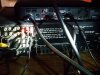
You should be able to connect them using RCA cables from the white/left and red/right "audio out" jacks visible in the photo to the "aux in" jacks on the receiver -- have you tried that?
 
Back
Top Bottom