• The move to the new server is done. There are some software and database maintenance updates in process. This has us passing the hat around to help out. We appreciate any donations. Seriously, even a dollar helps. The payment page may be found here - https://www.audiokarma.org/support.html

The Fisher X100 - Right Channel Out

Dig22

Active Member
Hi,
I finally got around to my X100. And one channel is out.

I sprayed all the pots and switches. I checked the tubes and tried them in different positions. The tubes are good. I swapped out the last cardboard capacitor. The rest look like they've been recapped a long time ago, accept for the cap cans.

With no signal running through the input, The Master Volume is still a little scratchy from about 1 to 4, then cuts out. With a a record playing, I hear feint sound bleeding through.

The part that puzzles me most is the tape / phone equalization. If I move the switch between Tape / Phone, sound comes from both channels, though it's tinny.

Any suggestions on where to begin to trace the signal? The one working channel sounds so good, I'd really like to fix it.

Thanks!

IMG_1610.JPG
 
Register to hide this ad
+1 on what Gadget asked.

Good that you have already cleaned the pots and switches; and checked the tubes. That is #1. After confirming it happens on other inputs then it is time to dig deeper. I would typically check the voltages at the plates of the output tubes and on the screens to make sure all output tubes are nominally having the same voltages on those pins. If they don't then it is time to figure out why. If you aren't comfortable around the high DC voltages and aren't sure you can do it safely, find someone that can do it for you.

After that it gets more complex, but I'd probably jumper both channels together somewhere near the volume controls which should be near the transition from preamp to power amp. Reporting if the problem goes away or not would tell a story about where in the amp is the problem - I.e. preamp or power amp.
 
is it out on all inputs, or only the phono input?
All inputs, including monitor. It's always the same -- left channel ok. With balance turned all the way for right channel, the pot is scratchy with slight bleed through until about number 4, then it's dead silent, like it cuts off.
 
+1 on what Gadget asked.

Good that you have already cleaned the pots and switches; and checked the tubes. That is #1. After confirming it happens on other inputs then it is time to dig deeper. I would typically check the voltages at the plates of the output tubes and on the screens to make sure all output tubes are nominally having the same voltages on those pins. If they don't then it is time to figure out why. If you aren't comfortable around the high DC voltages and aren't sure you can do it safely, find someone that can do it for you.

After that it gets more complex, but I'd probably jumper both channels together somewhere near the volume controls which should be near the transition from preamp to power amp. Reporting if the problem goes away or not would tell a story about where in the amp is the problem - I.e. preamp or power amp.


I'm not great at it, but I'll try checking voltages this weekend.
 
+1 on what Gadget asked.

Good that you have already cleaned the pots and switches; and checked the tubes. That is #1. After confirming it happens on other inputs then it is time to dig deeper. I would typically check the voltages at the plates of the output tubes and on the screens to make sure all output tubes are nominally having the same voltages on those pins. If they don't then it is time to figure out why. If you aren't comfortable around the high DC voltages and aren't sure you can do it safely, find someone that can do it for you.

After that it gets more complex, but I'd probably jumper both channels together somewhere near the volume controls which should be near the transition from preamp to power amp. Reporting if the problem goes away or not would tell a story about where in the amp is the problem - I.e. preamp or power amp.
+1 on what Gadget asked.

Good that you have already cleaned the pots and switches; and checked the tubes. That is #1. After confirming it happens on other inputs then it is time to dig deeper. I would typically check the voltages at the plates of the output tubes and on the screens to make sure all output tubes are nominally having the same voltages on those pins. If they don't then it is time to figure out why. If you aren't comfortable around the high DC voltages and aren't sure you can do it safely, find someone that can do it for you.

After that it gets more complex, but I'd probably jumper both channels together somewhere near the volume controls which should be near the transition from preamp to power amp. Reporting if the problem goes away or not would tell a story about where in the amp is the problem - I.e. preamp or power amp.

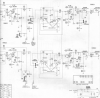
I've upload the schematic. Can you recommend how to jumper the channels? Do I need fear connecting incorrectly and causing further damage?
 

Attachments

  • Screen Shot 2022-02-11 at 9.56.32 AM.png
    Screen Shot 2022-02-11 at 9.56.32 AM.png
    365.8 KB · Views: 15
  • Screen Shot 2022-02-11 at 9.56.43 AM.png
    Screen Shot 2022-02-11 at 9.56.43 AM.png
    431.4 KB · Views: 12
ok so its not the phono stage, has to be in the line stage or output stage.

If you rotate the stereo/mono switch, does anything change ?
 
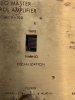
Yes! I've uploaded the face plate for reference. Channel B is the problem channel.

I used a record to test.
The magnetic input level knob on the B Channel will control volume output on mono, reverse and B Channel of the stereo/mono switch.
The bleed through until 4 and cut off is the same on A Channel for the stereo and A Channel positions on stereo/mono switch.
 

Attachments

  • Screen Shot 2022-02-11 at 10.39.41 AM.png
    Screen Shot 2022-02-11 at 10.39.41 AM.png
    406.5 KB · Views: 8
Yes! I've uploaded the face plate for reference. Channel B is the problem channel.

I used a record to test.
The magnetic input level knob on the B Channel will control volume output on mono, reverse and B Channel of the stereo/mono switch.
The bleed through until 4 and cut off is the same on A Channel for the stereo and A Channel positions on stereo/mono switch.

I should add that the volume pot still sounds dirty after I've blasted it with Deoxit. Maybe I should do it again. Or how can I test the volume potentiometer?
 
Yes! I've uploaded the face plate for reference. Channel B is the problem channel.

I used a record to test.
The magnetic input level knob on the B Channel will control volume output on mono, reverse and B Channel of the stereo/mono switch.
The bleed through until 4 and cut off is the same on A Channel for the stereo and A Channel positions on stereo/mono switch.

CORRECTION:
The magnetic input level knob on the B Channel will control volume output on mono, reverse and B Channel of the stereo/mono switch -- but only through the A Channel.
The bleed through and cut off is the same on B Channel with stereo/mono knob switched to either Stereo or A Channel .
 
As you suggested, I measured voltages on output tubes. My meter isn't very good but the readings appear consistent. The schematic shows p7 as 380V and p9 as 320V.

V10 EL84 (output Channel A)
p2 30
p3 42
p4 42
p5 42
p7 405 plate
p9 347 screen grid

V9 EL84 (output Channel A)
p2 30
p3 42
p4 42
p5 42
p7 405 plate
p9 347 screen grid

V5 EL84 (output Channel B)
p2 30
p3 42
p4 42
p5 42
p7 405 plate
p9 347 screen grid

V4 EL84 (output Channel B)
p2 30
p3 42
p4 42
p5 42
p7 405 plate
p9 347 screen grid
 
That at least tells us that the output transformer isn't blown.

At this point it might be time to jumper the two channels. Gadget might step in to correct me, but I'd try tying the wipers of the two channels of the volume control together to see if the problem goes away or changes. There is a dotted line joining them in your diagram. (I think that is to indicate they are using the same shaft?) I'd do it with it powered off and then once jumpered - power it up and see what the bad channel sounds like. You will effectively have a two-channel mono amp for that test. If it is upstream (in the pre-amp) then both channels will have sound.
 
That at least tells us that the output transformer isn't blown.

At this point it might be time to jumper the two channels. Gadget might step in to correct me, but I'd try tying the wipers of the two channels of the volume control together to see if the problem goes away or changes. There is a dotted line joining them in your diagram. (I think that is to indicate they are using the same shaft?) I'd do it with it powered off and then once jumpered - power it up and see what the bad channel sounds like. You will effectively have a two-channel mono amp for that test. If it is upstream (in the pre-amp) then both channels will have sound.

Thanks for your help.

I tried a combination of jumpers and I did get more volume out of the troubled B Channel. But with the jumper, the A Channel Magnetic Input controlled both. The B Channel Magnetic input...nothing. When I reversed the same combination of jumpers on opposite pots, it didn't work at all. No improvement in volume on B Channel
And though I've blasted both volume pots on the common shaft with Deoxit, the volume control still sounds scratchy and the volume cuts out around position 5 and drops back in around 8. The balance control also sounds scratchy. Are those clues to anything? Is it a good idea to blast the volume and balance pots with Dexoit Fader 5?

Also, I'm getting ready to order some capacitors. On V3 & V8 - both 7247s - each has an electrolytic 25 @ 6V. Those are hard to find. Would you recommend a 25 @12v or 25 @ 25V? I'm not sure if there's polarity on the exiting 6V cap.
 
Only need to jumper the two channels together at the wipers of the volume pot. How did that work? You got both channels working? That means the problem is upstream - in the preamp.
 
Only need to jumper the two channels together at the wipers of the volume pot. How did that work? You got both channels working? That means the problem is upstream - in the preamp.

I retested the pots, jumping only the 2 wipers. It works. Clean sound from both channels until it cuts out when turned up past 7.

So where do I begin to find the problem? Test everything backwards from the input lug on the volume control? Test every resistor?
 
Ok. That tells a story. So, the power amp section is ok. Have you tried swapping the small signal tubes from left to right channel? (With the jumper removed. Don't need to swap the phase inverter small tubes - they are part of the power amp that you just verified is ok.) That will tell if it is just a bad small signal tube or not, if the problem moves to the other channel after the swap.

The volume cutting out at 7 sounds like a bad trace on the volume control. You could try cleaning it some more - otherwise you could replace the volume control. Don't know how hard they are to find for that model. Others can chime in.
 
Thanks Tim,
Regarding the 25 6V capacitor...can you suggest a substitute? 16V or 25V? I'm not sure if the 6V is polarized. It'll take some work to extract and examine. I know r higher voltages may be used, but I was reading that it sometimes isn't as easy as that. Thanks for all your input.
 
Looks like it is the cap is part of the feedback loop and is C32 and C33 off the cathode of the PI's. I'd go with either 16V or 25V of 25uF. You may want to get Axial style but you can make Radial work if you can't find one in the right values. Digikey or Mouser should fix you up, but watch the shipping. I typically will try to build a big parts list for this and other projects instead of buying one-sy, two-sy parts to make the shipping hurt less.
 
Looks like it is the cap is part of the feedback loop and is C32 and C33 off the cathode of the PI's. I'd go with either 16V or 25V of 25uF. You may want to get Axial style but you can make Radial work if you can't find one in the right values. Digikey or Mouser should fix you up, but watch the shipping. I typically will try to build a big parts list for this and other projects instead of buying one-sy, two-sy parts to make the shipping hurt less.

I'm thinking of swapping all connections from on the volume control from A channel to B channel to see if the problem reverses. Is that a good idea?
 
I'm thinking of swapping all connections from on the volume control from A channel to B channel to see if the problem reverses. Is that a good idea?

Instead I'd try swapping the small signal tubes from left to right channel (with the jumper removed). That's very easy to do. Just need to verify if the problem stays on the same channel or moves with the tubes.

Have you had the tubes tested?
 
Back
Top Bottom