


JayPare
Active Member
Foreword
Since Caig Laboratories now have a lot of different products and The Idiot's Guide to Using DeOxit (revisited) is becoming a bit old, I decided to do a shortened version of it with spoilers for those who want more information. Also, I added a definitions part for word underlined and in italic so definitions are not mixed up with the procedure.
Material
Since Caig Laboratories now have a lot of different products and The Idiot's Guide to Using DeOxit (revisited) is becoming a bit old, I decided to do a shortened version of it with spoilers for those who want more information. Also, I added a definitions part for word underlined and in italic so definitions are not mixed up with the procedure.
*** IMPORTANT ***
Please feel free to add any comments or suggestions to improve this guide.
I do not pretend to be the Deoxit master. Also, please point me any typos.
Please feel free to add any comments or suggestions to improve this guide.
I do not pretend to be the Deoxit master. Also, please point me any typos.
Material
- Screwdrivers
- Allen keys
Not always needed but some knobs are tightened with small allen screw. - Small brushes
Those are more and more common on the market with the apparition of stainless straw. You can usually find some on Amazon (look for "pipe brushes"), use a mascara brush or even some Q-tips (be sure to get quality ones so they don't disintegrates easily). Craig Laboratories (Deoxit maker) are also selling some brushes. - Can of compressed air or an air compressor
You can usually find can of compressed air in technology store where they sell computers. - Deoxit D100
From this post from "DeOxit is BAD for pots???" thread, Deoxit D5 solvent is not recommended on pots:
The DeoxIT DN5S-6N spray would be fine [for potentiometers], however, the DeoxITR 100% spray (D100S) would be the preferred choice.
Therefore, some newer potentiometers could be fine with Deoxit D5, but since most of the people here do this job on vintage device, it may be best to not take any chances.The carbon may be damaged by the solvent in the 5% solution. It is more likely to occur if the carbon is worn to begin with. The 100% spray has much less solvent and is OK for potentiometers. - Deoxit Fader (formerly Faderlube) F100
From this website Fader F5 can also damage the carbon track on Vintage potentiometers:
There is some discussion about using Deoxit Fader F5 on vintage pots as one of the chemicals contained in the flushing solution is known to degrade the carbon in the pots, thus degrading them over time until they become useless. - Deoxit Gold G100 (optional)
G100 is recommended for maintenance purpose. From Caig email:
As to the Gold, this would be a later down the road maintenance product for the metal only. Once you have cleaned the metals by applying DeoxIT D100 as outlined above, you can maintain the equipment with the Gold. For example, a year or so down the road (likely longer) after you originally restored the equipment with D100, you may decide that it needs another quick shot of maintenance… possibly a little noise or scratchy pot. In this case, as we know the oxidation will not be too severe having already used D100 previously, using the Gold will get your metals up to the highest conductive efficiencies and provide protection from contaminants.
From Caig Deoxit Instructions (attachements):
They respectively add long lasting protection and lubrification.
If you enjoy cleaning your contacts and connectors on a regular basis, [just do the Deoxit D100 steps]. If however you prefer using you equipment rather than maintaining it, [proceed with Deoxit Fader and Deoxit Gold too].
They respectively add long lasting protection and lubrification.
- IMPORTANT : UNPLUG DEVICE.
Do not skip this step. You risk shorting component and wreck you device. - Open the electronic device.
I will talk more concerning receivers and amplifiers here. Other device opening procedure can usually be find easily with a Google search.
Most of the time you will need to only remove the top cover to do the job.If you don't have access to the potentiometers at this point, you may have to remove the below cover, or even the front face plate (most of the time you won't need to do this though). To remove front face place, you will have to remove carefully all the buttons in front of the receiver, so all switch caps and all knobs. Sometimes push button cap can stay there as they pass through the faceplate.
Please note some knobs have a hex screw to lock them on the shaft. Also, for tighter knobs, you can use two spoons as levers to help you removes knobs. - Potentiometers
Since it's hard to tell if potentiometers are truely carbon contacts (if anyone know how to identify them let me know in the comments), it's hard to know if you should use Deoxit D100 on them. A lot of people use it without any issue but it can apparently harm carbon contacts potentiometers. Therefore you can proceed using the following method.- Clean potentiometers with compressed air.
Spray small shot of compressed air (about 2 sec.) in every opening you find on every potentiometers. - Work them with Deoxit Fader F100.
Spray small shot of Deoxit Fader F100 in every opening you find on every potentiometers and work them from one end to the other a dozen of times. This will help to get rid of all the oxidation and crap in them. Be sure to do one at the time since the solution evaporate quickly and it's best to work components in the next seconds after you spray it. - Let dry. Also really important. You don't want any liquid to short components.
It's best to let the stuff dry completely before plugging in you device. Most of the time, I wait around 30 minutes, but some people only waits around 10 minutes without getting issues. The more you wait the safer you are though. Caig Chemicals (Deoxit maker) recommend wiping the excess liquid and wait 2 minutes, but IMHO this is a really short time to let everything dry.
- Test. If working fine, you're done with the potentiometer part.
Plug the device and test the potentiometers you just cleaned.
- If potentiometers are not working fine, work them with Deoxit D100 the same way you did with Deoxit Fader F100.
- Rework them with Deoxif Fader F100.
- Work them with a little bit of G100 (optionnal).
This will add a protective coat on the metal and enhance the contact. If you do this, be sure potentiometers are not carbon contacts. I honestly don't do that step.
- Clean potentiometers with compressed air.
- Work all switches and sliders with a small spray of Deoxit D100.
Spray small shot of Deoxit (about 1 sec.) in every opening you find in every switches and sliders and work them from one end to the other a dozen of times. This will help to get rid of all the oxidation and crap in them. Be sure to do one at the time since the solution evaporate quickly and it's best to work components in the next seconds after you spray it.
- For plastic components like sliders, add small shots of Deoxit Fader F100 in opening and work them to lubricate.
No need to work them a dozen of times, few runs is fine since we only want the stuff add a lubrication layer everywhere.
- For metal to metal components like switches and selector switches, add a little bit of Deoxit Gold G100 and work them to add some protection and enhance contact (optionnal).
No need to work them a dozen of times, few runs is fine since we only want the stuff add a protective layer everywhere to enhance contact and protect them.
- Clean RCA jacks, speakers connectors and headphone jacks with Deoxit D100.
This is where small brushes can be useful. Use them with Deoxit D100 to remove any oxidation that can have formed in the connectors. You can also insert RCA or headphone cable in respective plugs and work them left and right to insure Deoxit D100 goes everywhere.
- Add some Deoxit Gold to the RCA jacks, speaker connectors and headphones jacks (optionnal).
This can usually be done with inserting a RCA or headphone cable in the plug and working them left and right to insure coating goes everywhere. For speaker connectors you can use the small brushes to do this.
- Let dry. Also really important. You don't want any liquid to short components.
It's best to let the stuff dry completely before plugging in you device. Most of the time, I wait around 30 minutes, but some people only waits around 10 minutes without getting issues. The more you wait the safer you are though. Caig Chemicals (Deoxit maker) recommend wiping the excess liquid and wait 2 minutes, but IMHO this is a really short time to let everything dry.
- Test.
Plug the device and test everything. By everything, I mean everything. Sometimes, people forgot to test all inputs and have to reopen the whole thing to repeat some steps.
- Repeat steps on parts that still got some issues then go to step 10.
Don't forget to unplug before.
If you notice any scratching noise on some components, repeat respective steps on those. In dirtier components, you may have to do it a couple of times before it becomes perfect. - Reassemble.
- Enjoy!
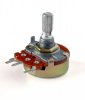
Potentiometers are usually used to control volume, bass, treble etc. Knobs attach to their shaft.
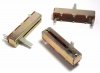
Sliders are a type of potentiometers to control various settings on electronic devices. There is usually a button attached to them in front of the device.
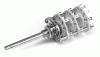
Switches are usually used to turn on and off functionalities, but can also act as a selector, like in sources rotary switch (images). They can be lever type, push buttons and selector knobs.
SourcesAttachments

Last edited by a moderator:

 I really appreciate!


