• The move to the new server is done. There are some software and database maintenance updates in process. This has us passing the hat around to help out. We appreciate any donations. Seriously, even a dollar helps. The payment page may be found here - https://www.audiokarma.org/support.html

Yamaha CA-1000/CA1000II Power Supply and Protection Circuit Diagnostics, & Lower SNR values with the QA403

Going round in circles? You reported TR708 b/c/e voltages, base and emitter were at spec however TR708c=0. Vc needs to be about 12Vdc.
The OUT pin (near 0Vdc) goes to the protect circuit who confirms all ok and then puts the required voltage on TR708b to operate the relay, but the relay does not operate because TR708 is either faulty or bad solder connection or burnt track or...
See above
EDIT:

I show TR708 under test
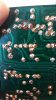
I show the traces on the back side of the board - Don't see any issues.
I show all the different parts used on the top side of the board. That are new
I also define the use of the 1N4148 in place - thus no voltage on the outputs
 
Think you need some fresh eyes, maybe someone else will chime in...
This is certainly a mystery. Once again, I have a great deal of trust and appreciation in your knowledge.

I just keep thinking there is something weird about that relay. We did see it operate with the DVM in MV scale, but maybe it fails with 12vdc.
 
FYI: I have located the problem, a micro sized solder bridge.
I must purchase a microscope with an attached camera/

20230119_122127 b.jpg
 
LabView:

The graphical language is named "G"; not to be confused with G-code. The G dataflow language was originally developed by LabVIEW.[2] LabVIEW is commonly used for data acquisition, instrument control, and industrial automation on a variety of operating systems (OSs), including Microsoft Windows as well as various versions of Unix, Linux, and macOS.

The latest versions of LabVIEW are LabVIEW 2022 Q3 (released in July 2022) and LabVIEW NXG 5.1 (released in January 2021).[3] NI released the free for non-commercial use LabVIEW and LabVIEW NXG Community editions on April 28th, 2020.[4]

System grounding:
1. All instruments are connected to a single power strip
2. Grounds of board to instruments become common

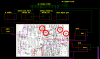
I have tried to show this configuration in this drawing. My question is the proper "e" connection point?

upload_2023-1-22_12-10-25.png
 
What are you trying to do here?

You post pictures with no explanation, how is anyone suppose to guess what your brain is thinking?

Athanasios
Thank you for your assistance.
I guess I was trying to say 1000 words with a drawing. Each piece of test equipment and power supplies are labeled. Along with their connection to the board.
This is bench test for the Main Boards removed from the chassis, in the concept of LabView
My main concern is connection of "e"
 
is there something wrong with the units PS that a you can't just leave it connected?
I am simply tired of trying to work on the Main Boards while within the chassis, breaking wires, shorting traces, probing for values in a awkward position.
 
I am simply tired of trying to work on the Main Boards while within the chassis, breaking wires, shorting traces, probing for values in a awkward position.


I would then extend the units PS wires to the main board. Some times using external PS's you may use more or less current than the units PS .

Athanasios
 
I would then extend the units PS wires to the main board. Some times using external PS's you may use more or less current than the units PS .

Athanasios
+/- B are protected with Glass Fuses
Each power supply has a current limiting pot.
 
In the LabView concept, total control and data acquisition with programmed test procedures for consistency.

upload_2023-1-22_13-39-31.png

upload_2023-1-22_13-40-4.png
 
Back
Top Bottom