• The move to the new server is done. There are some software and database maintenance updates in process. This has us passing the hat around to help out. We appreciate any donations. Seriously, even a dollar helps. The payment page may be found here - https://www.audiokarma.org/support.html

Dynaco PAS 2 or 3 static with nothing connected and independent of volume

I'm thinking volume control. You can short the various controls with short pieces of wire, a jumper from the high side of the volume to the center wiper, etc. Do not put a signal through it. Jumpers across the switches, but with it happening with no signal I'm leaning on volume and balance as being the culprits, or the ground connection from the volume control to wherever it's soldered in. Check those solder connections, don't just reheat them, remove the old solder and use fresh.

I'll check and resolder those connections tonight or tomorrow if I run out of time tonight. I'll try the jumper first to see if I can narrow down which switch. Thank you for the suggestions
 
I’ve installed that Erhard .power supply control, and it should eliminate the can, that doesn’t look right, but I could be wrong ...have to look through my paperwork for the build and installation instructions, I’ll do that tomorrow.

Also the stereo/mono switch is usually bypassed when that type of volume control is used.

Someone will come along with more knowledge.....
 
It COULD be the plate resistors on the line stage tubes. If they're still the original carbon composition resistors (it looks like it, from the pictures), then it may be worthwhile to change those to more modern film resistors. I personally prefer carbon film (as IME they tend to "voice" closer to the original carbon comp resistors than other types), but the ubiquitous metal film resistors would also work fine.

Regards,
Gordon.
 
It COULD be the plate resistors on the line stage tubes. If they're still the original carbon composition resistors (it looks like it, from the pictures), then it may be worthwhile to change those to more modern film resistors. I personally prefer carbon film (as IME they tend to "voice" closer to the original carbon comp resistors than other types), but the ubiquitous metal film resistors would also work fine.

Regards,
Gordon.

Thanks, I was literally just looking at ordering replacements for those, think I'll order them regardless
 
One other thing to consider, someone had to build that Erhard board, might be worth your time to check the solder joints....
 
Check where the ground on the new power supply board goes. The transformer red/yellow stripe should solder to one ear of the old can cap. The ground for the new supply board should solder to the same point, and that joint really needs to be a good solid connection to the chassis.
 
Check where the ground on the new power supply board goes. The transformer red/yellow stripe should solder to one ear of the old can cap. The ground for the new supply board should solder to the same point, and that joint really needs to be a good solid connection to the chassis.

Gadget is correct...

He doesn’t need me to confirm his statement but this is what seemed out of place in the photo of your PAS.
 
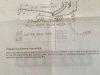
Do you have a copy of the Erhard “PAS3-Z-PSU Power Supply Upgrade” installation instructions?

Erhard would probably send you a copy....

I also have a copy, could probably post some photos of it if you can’t get a copy.
 
Do you have a copy of the Erhard “PAS3-Z-PSU Power Supply Upgrade” installation instructions?

Erhard would probably send you a copy....

I also have a copy, could probably post some photos of it if you can’t get a copy.

I don't, I'll look into that now
 
is that a solid connection to chassis as well? If the lead didn't flow to chassis and its just relying on the can tabs being mechanically twisted it might be enough to introduce noise.
 
is that a solid connection to chassis as well? If the lead didn't flow to chassis and its just relying on the can tabs being mechanically twisted it might be enough to introduce noise.
Just resoldered that connection. It did have lead to chassis but since I'm already in here might as well.
 
If you short one of the inputs, does the static continue when that input is selected? Still out of both channels? Does it continue at all volume settings?

I have the impression that it will. Assuming that, I would be looking at something common to both channels, most likely something in the power supply. Noise out of the power supply in either B+ or Bias (don't know if this is self biased or fixed biased) could do this.
 
If you short one of the inputs, does the static continue when that input is selected? Still out of both channels? Does it continue at all volume settings?

I have the impression that it will. Assuming that, I would be looking at something common to both channels, most likely something in the power supply. Noise out of the power supply in either B+ or Bias (don't know if this is self biased or fixed biased) could do this.

Just ordered the shorting plugs, can't find the ones I had before the move.
 
Just ordered the shorting plugs, can't find the ones I had before the move.

Plug in some interconnects and stuff some aluminum foil between the shield and center pin on the other end. Or use a screwdriver blade to short it out one channel at a time. Not a great solution but it will suffice

Think cheap. (Might as well be my personal motto.)

Shelly_D.
 
By all means, check the grounds but my money is with Gordon and the plate load resistors / power supply resistors.
 
I think the fact it still does it when it's off eliminates most of the power supply issues. I'm still convinced it is a common point that grounds the volume controls. Some of those rivets on the original boards would not make good connections, I had problems with those in the past.
 
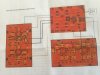
I think B+ is connected to the board via grommets also. The circuit board under the selector switch can be ignored, that is the mag phono board, and the OP said it occurs on all input settings, as well as when the power supply is turned off for 15 or 20 seconds. So, concentrate on the board that is parallel to the front, that's the voltage amplifier that's causing your problem.
 
Back
Top Bottom