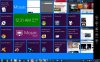
By the way, my desktop is so full of logos that I don't have any more room on my screen to view other stuff!!! ...I need at least three desktops, and two monitors; 'bout you?
If you have too many shortcut icons just make a folder on the desk top and drag them them into folders on your desktop by group
or drag and drop files into folders and folders into into your library's by type or programs and apps into your program groups
or directly into a folder already in your librarys (shortcuts will usually have a small arrow on them) folders and apps will not.
Applications /programs should be onC drive in x86proogram folder (32bit)
or program folder for x64 bit applications most program installers by default will make an appropriate folder in the appropriate location
Ex: computer xx C: > programns or programs x86 for 32 bit if on a 64 bit pc.
I have seen newbies tell an installer to put program files on the desktop though ☺ Hit up You Tube for a Windows XP tutorial video or a few of them might help you should be plenty on you Tube just search "windows XX tutorial"
with xx being your version of windows .
Put your pictures in the picture library >my pictures
And your music in the music library >my music then just make the 2 library shortcuts on your desktop.
Same thing for documents
You only want frequently used shortcuts on your desktop
You can drag and drop files and folders into your library's
It goes like this Computer > music>my music > (sub folder if you made one)
By default there are 4 library folders within library's in the computer group in win XP/Vista/7 (or is it other places in XP ? ).... I don't even fix XP anymore I make the folks upgrade at least to 7 .
I just snatch their data/media and whatever else I can salvage to re install unless the drive is competently dead .You can use Ubuntu disk or another drive to recover files and media if the OS partician is hosed and wont load windows but the drive otherwise still works .
Documents
Music
Pictures
Videos
example :
computer >documents >my documents (reccomended) for documents of primary user . same for other library's example : music>my music>sub folder you made >make selection do that for all your library's
Windows Media center, and other media browsers and some players know to look in your music or video folders for content to link .
EX: Video >my video>movies (if you made a movie sub folder)
and so on you can make sub folders within sub folders
example Videos>my movies > ISO movies,or DVD 5 Movies and so on
or John Does movies,or Jane Does Movies or my Porn☺ and so on
Create your sub folders in each library by type and optimize each main library folder accordingly in folder options which will automatically by default optimize each sub folder they contain within that directory for you .
You can make sub folders in all the library's and have each library or frequently used library sub folder shortcuts on your desktop
Same thing for programs and x86 programs
you should only have frequently used shortcut icons on your desk top
and know how to find the rest of your applications .
You can also optimize and customize your start menu and task bar .
if you have too many icons just make a folder on the desk top and drag them them into folders on your desktop by group
I have 233,732 pictures (files) in 360 folders just in in my picture library
but only one picture library shortcut on the desktop . I can access ant of
360 files (picture sub folders by group ) with 3 clicks from the desktop .
Sometimes I make and use temporary desktop folders for files I am working with or encoding or deciding where to put them . I have a shitz folder in my docs and a favorite link + desktop short cut to it I put stuff I may or may not keep in there and later either delete it or archive it appropriately.
I have 535GB on this TB drive but I can find everything that doesn't necessarily mean I remember all that's on here though .