• The move to the new server is done. There are some software and database maintenance updates in process. This has us passing the hat around to help out. We appreciate any donations. Seriously, even a dollar helps. The payment page may be found here - https://www.audiokarma.org/support.html

Pioneer RT-701 playing to fast

Franco989

Member
New guy here, been a lurker for a while but you all seam really knowledgeable, hoping someone can help with my problem below.

The problem that I have is that the reel tape plays way to fast, and only after it has been powered on for a while will the tape play at a normal speed I have already tried some of the suggestions found on this forum including the following below:

o The speed change knob and pot is subject to getting very dirty and can malfunction. You need to spray or clean that speed adjustment control thoroughly. (pitch control)

o The speed problem that is a very common issue with the RT-707 and 701 is in the molex style multi pin connector, facing the machine and on the right side, underneath and upside down under the servo control board. There are 6 wires coming out of the capstan motor. They go to the speed-servo board. Clean the board-plug connector for those six wires. Clean the speed-change switch with Deoxit. If the machine has stood for any time the connections in the switch may be tarnished. Change the state of the speed switch about 20 times. This sliding action may clean them up enough to get any movement out of the capstan motor. A critical thing to make sure of is that if your machine suddenly has speedup problems is to clean the pitch control pot with Deoxit fader lube. The white plastic multi pin connector is often the culprit for the dreaded runaway capstan disorder.

I have also tried Deoxiting every other molex connector I could find, running out of ideas. Thanks in advance for your help.
 
Register to hide this ad
Mechanical checklist: Is the pinch roller clean and soft? Does it seem to pinch against the capstan fairly tightly? When it's overspeeding, can you push the pinch roller axle firmly into the capstan and slow it back down (by making the tape move same speed as capstan, not by pressing so hard you slow down the capstan...)

When it overspeeds, is it consistent and not warbling? Do you have a service manual?

Chip
 
Mechanical checklist: Is the pinch roller clean and soft? Does it seem to pinch against the capstan fairly tightly? When it's overspeeding, can you push the pinch roller axle firmly into the capstan and slow it back down (by making the tape move same speed as capstan, not by pressing so hard you slow down the capstan...)

When it overspeeds, is it consistent and not warbling? Do you have a service manual?

Chip
Yes the pinch roller is clean and soft, cleaned it with alcohol and a q-tip. When it over speeds, it is consistent. I do have a service manual, but it mainly mentions cleaning the heads and demagnetizing the tape heads.

I'll try "pushing the pinch roller axle firmly into the capstan and slow it back down" and let you know the results.
 
The manual will have a section of "Electrical Adjustments" and there should be a speed control adjustment. IIRC, you have to connect a frequency counter somewhere on the servo board (controls the capstan motor) and then check that it reads 3000Hz for 19cm/s and then 1500Hz for 9.5cm/s. There are adjustments for both of these.

Before you make ANY adjustments to this, first check that frequency - most DMMs have a frequency counter in. If it reads in the region of those two readings then your capstan motor and control is probably fine but the tape path/pinch roller is the problem.
 
The manual will have a section of "Electrical Adjustments" and there should be a speed control adjustment. IIRC, you have to connect a frequency counter somewhere on the servo board (controls the capstan motor) and then check that it reads 3000Hz for 19cm/s and then 1500Hz for 9.5cm/s. There are adjustments for both of these.

Before you make ANY adjustments to this, first check that frequency - most DMMs have a frequency counter in. If it reads in the region of those two readings then your capstan motor and control is probably fine but the tape path/pinch roller is the problem.
I'll look into the manual and see if it mentions any electrical adjustments. By any chance do you know where I would connect the frequency counter on the servo board or will the manual also mention this? Thanks
 
On the servo amp board (RWG-076) there is a relay (RY-901) which I have found to cause the same problem on a couple of these decks. It's the motor reversing relay and I'm not exactly sure why it causes the problem you are describing when its contacts get dirty but I've seen it for myself.

Try tapping on the relay cover when the machine is going too fast and see if it corrects the speed. If it does I'd recommend replacing the relay but I have been able to get the cover off and carefully clean the contacts with a fiber pen and some contact cleaner. Don't use anything abrasive on the contacts if you do try to clean them, at most some very fine crocus cloth.

The servo amp board is mounted vertically on the right side when you take the cover off looking at the front of the machine.
 
On the servo amp board (RWG-076) there is a relay (RY-901) which I have found to cause the same problem on a couple of these decks. It's the motor reversing relay and I'm not exactly sure why it causes the problem you are describing when its contacts get dirty but I've seen it for myself.

Try tapping on the relay cover when the machine is going too fast and see if it corrects the speed. If it does I'd recommend replacing the relay but I have been able to get the cover off and carefully clean the contacts with a fiber pen and some contact cleaner. Don't use anything abrasive on the contacts if you do try to clean them, at most some very fine crocus cloth.

The servo amp board is mounted vertically on the right side when you take the cover off looking at the front of the machine.
Thanks for the info I'll defenetly try this, I'm hoping to get to it this weekend and I'll let you know the outcome.
 
On the servo amp board (RWG-076) there is a relay (RY-901)

If it does I'd recommend replacing the relay but I have been able to get the cover off and carefully clean the contacts with a fiber pen and some contact cleaner. Don't use anything abrasive on the contacts if you do try to clean them, at most some very fine crocus cloth..


FYI
for cleaning relay contacts, I use normal copier paper, folded over and cut to fit in the area, soaked 1st with pure alcohol, the deoxit, and then finally with pure alcohol again. (Two separate pieces of paper)

I've had good luck with this process, and its not hard to do.
 
FYI
for cleaning relay contacts, I use normal copier paper, folded over and cut to fit in the area, soaked 1st with pure alcohol, the deoxit, and then finally with pure alcohol again. (Two separate pieces of paper)

I've had good luck with this process, and its not hard to do.
Thanks for the tip, I'll give it a try
 
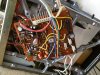
So I finally got some time to work on this project this weekend, I was about to try all your suggestions when I decided to try turning it on and check the speed once more, without a hitch it started working at the normal speed try turning it off and on a couple of times and kept working correctly. I was about to call it done when on Sunday it started acting up again. I was going to take out the servo board and clean out the relay as you guys suggested but after taking out the board I didn't find a relay (from my understanding it's a clear see through box) I found a YouTube video and confirmed that a relay exist on the 707 board but not the 701 (see my pic attached).
 

Attachments

  • IMG_20160418_074714.jpg
    IMG_20160418_074714.jpg
    113.4 KB · Views: 54
Ah of course, the relay is for changing the direction of the motor. Seen as the 701 is one way only, you won't have the relay.
 
I did some more research and I'm trying to deoxit the switch next to the power button (it's labelled 9.5) since this I've read could cause some problems. I've also read the sanyo light blue capacitors could go bad and cause the runaway capscan but I'm putting that off last since I have no experience recapping a board or know how to get the proper replacement capacitors (is this info on the schematic?).
 
So I finally got some time to work on this project this weekend, I was about to try all your suggestions when I decided to try turning it on and check the speed once more, without a hitch it started working at the normal speed try turning it off and on a couple of times and kept working correctly. I was about to call it done when on Sunday it started acting up again. I was going to take out the servo board and clean out the relay as you guys suggested but after taking out the board I didn't find a relay (from my understanding it's a clear see through box) I found a YouTube video and confirmed that a relay exist on the 707 board but not the 701 (see my pic attached).

Ah, sorry about that. I didn't catch the model number for your machine and I mistakenly assumed it was an RT-707. There is no reversing relay in an RT-701 of course.

One thing you should do is to thoroughly clean the contacts in the record switch (not the two record safety switches up top, but rather the main record button next to the play button). This button has contacts which enable the pitch control in play mode and override it in record mode. If the contacts in this switch get dirty and loose continuity the speed can be affected. Does the speed run away in the the record mode too or only in the play mode?

If it runs away in both modes then check the frequency generator connections at the servo board (small wires leading into the motor) since the motor may be loosing it's reference signal.
 
Last edited:
Take off the case, you will see an metal frame that covers the chassis. On the underside of the top of the frame ( can' t remember if it is on right or left of my mine) there is a hidden white molex connector that sort of looks like the power supply molex connectors you see on modern desktop pc motherboards. Disconnect the molex and clean both the connector pin and receptors of the molex with contact cleaner. Should work ok after that. I had the same problem.

I want to say it is on the left underside of the frame as you look at it from the front.
 
Take off the case, you will see an metal frame that covers the chassis. On the underside of the top of the frame ( can' t remember if it is on right or left of my mine) there is a hidden white molex connector that sort of looks like the power supply molex connectors you see on modern desktop pc motherboards. Disconnect the molex and clean both the connector pin and receptors of the molex with contact cleaner. Should work ok after that. I had the same problem.

I want to say it is on the left underside of the frame as you look at it from the front.

You mean the connector that connects the capstan motor to the servo board?
 
I don't know what it does but it is a big white molex connector on the underside the top of frame. Can't miss it. My 701 was playing really fast I hit with some HRC and it has not had the problem since then although I don't play my decks very much anymore.
 
I don't know what it does but it is a big white molex connector on the underside the top of frame. Can't miss it. My 701 was playing really fast I hit with some HRC and it has not had the problem since then although I don't play my decks very much anymore.

He said he tried that in the first post. Usually that's all it is, but according to the op it is still acting up.
 
Back
Top Bottom