• The move to the new server is done. There are some software and database maintenance updates in process. This has us passing the hat around to help out. We appreciate any donations. Seriously, even a dollar helps. The payment page may be found here - https://www.audiokarma.org/support.html

Put a capacitor in backwards and it fixes the problem???!!!

I never play music while using the freeze spray. Instead, I usually wear headphones and carefully listen to the noises changing with the freeze spray. In some cases is very evident (loud Pops and explosions) and in some cases you need to hear a kind of "wind" noise, changing or making small crackling noises. I prefer silence and headphones to test this kind of fails. You don't need to power off the unit, you keep freezing parts, but wait for the part to react. If you freeze different parts too soon, you don't know which part is reacting. Someties it take some seconds, perhaps a minute to reveal a noise after a freeze-heat cycle

(BTW a small can of spray, 160mL, is like $5 down here, and a large can twice that, but earning $10 here is harder than in other places. Last week a tech came home to fix my fridge, it needed a refrigerant charge, he charged me like $13 including diagnosis and the refrigerant)


I don't own headphones but I see your point. I'll experiment with just a test tone or maybe a track of white noise or something similar. Thanks again, I am going to try the spray out today.
 
I'd try the spray without any sound playing, so you can identify noisy transistors. Just keep the ambient silent and have the speakers close to you.
 
I'd try the spray without any sound playing, so you can identify noisy transistors. Just keep the ambient silent and have the speakers close to you.

I've tried it with a test tone and silent. Found a bad capacitor (c608) in the correct channel. Switched it out, tested the cap it was bad, but bad sound is still there. Sprayed the whole board eventually, front and back, can't hear any changes. It is the board with the pots attached to it, which I assume is the main amp board (just to make sure I'm looking at the correct area).

I've printed off the schematics and diagrams and I'll learn to compare them and identify components on the board. I'll keep trying the spray, see if I've missed anything.
 
I take you even with no signal source, you can hear the hiss/fuzz. If that is the case, try removing capacitor C609 and fire it up with that capacitor removed. Is the noise still there or is it gone?
 
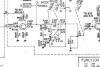
This is the section of the schematic herein the problem likely exists.
View attachment 1868436
Could be a bad transistor, could be a bad solder connection, could be.... Trying freeze spray is not a bad idea. When doing to, try to keep the spray to one component at a time (hard, as it wants to spray all over).

Well, I did the freeze spray and I found a bad capacitor in the area you copied. C608. When I froze it the sound changed, when I wiggled it the sound changed. Swapped it out, tested it and it was dead. Put in the new one, but the sound is identical. Also resoldered a couple of solder points on that section. No result.

Is that odd? A bad capacitor, on the channel with the bad sound, and no effect? Froze pretty much the whole board, section by section, with no results.

I am very, very slowly figuring out how to read the diagrams. I'll watch some videos as well to increase my knowledge of the diagrams.

The hunt continues!
 
See post #24. This will isolate the input stage from the rest of the power amp. If the noises are still there, the issue is in the amplifier sections to the right. If the noise goes away, the problem is with the input stage.
 
I take you even with no signal source, you can hear the hiss/fuzz. If that is the case, try removing capacitor C609 and fire it up with that capacitor removed. Is the noise still there or is it gone?

I'll be more precise with my description. With no music playing there is only the typical hiss you hear from all but the best equipment when the music is off. Just a slight hiss. If I touch the volume knob with no music the left channel hums. (Ground source hum, I think, because I disconnected the ground wire I assume.)
If I turn the balance fully right I get hiss in the left channel, nothing right. Full volume, balance right, slight hum only from right.

Trying c609 now. Took it out, fired it up with no cap in, right channel silent. Tested it, it was bad, swapped in another 50v 1uF, problem is identical, broken garbled sound out of the right channel.
 
What ground wire did you disconnect and why? I don't follow your description of the problem. Is hiss/fuzz in the right channel still an accurate description?

How are you testing those capacitors? Both of them 'bad', and replacements making no difference causes me to wonder.
 
What ground wire did you disconnect and why? I don't follow your description of the problem. Is hiss/fuzz in the right channel still an accurate description?

How are you testing those capacitors? Both of them 'bad', and replacements making no difference causes me to wonder.

I disconnected what looks like a ground to the heat sink, only so I can turn the board over to get at the components. I only describe the hiss or fuzz to give you more information. The problem is distorted sound in the right channel during music.

I tested the caps after I pulled them out, set my DMM to ohms, black to negative, red to positive and looked for the reading to climb. It didn't for either. Good? The new ones did climb. If there is a better way let me know.

I'll keep trying to isolate the bad components.
 
I tested the caps after I pulled them out, set my DMM to ohms, black to negative, red to positive and looked for the reading to climb. It didn't for either. Good? The new ones did climb. If there is a better way let me know.
These caps are only 1 uF, they will charge quite quickly from the DMM. May be quick enough that you don't see it between the meter's refreshes. Would probably help to set the meter to the highest available ohms range. If autoranging, you should still be able to set it manually. Surprised you saw it 'climb' with the new parts. The best way is to test them with a capacitance tester. But lacking that device, the way you tested is about the best you can do.

So the distortion is only with an audio signal coming through? That would imply it is affected by the volume control. If the volume control is set to zero, there is no audio, so nothing to be distorted. Am I describing it properly? If this is the case, the cause of the distortion could be closer to the signal input. Could be coming from the tone control area - check TR601 and C601, C602 with the cold spray. Could be a dirty Function Switch, have you cleaned it?
Annotation 2020-05-18 154908.png
 

Attachments

  • Annotation 2020-05-18 154617.png
    Annotation 2020-05-18 154617.png
    98.1 KB · Views: 7
These caps are only 1 uF, they will charge quite quickly from the DMM. May be quick enough that you don't see it between the meter's refreshes. Would probably help to set the meter to the highest available ohms range. If autoranging, you should still be able to set it manually. Surprised you saw it 'climb' with the new parts. The best way is to test them with a capacitance tester. But lacking that device, the way you tested is about the best you can do.

So the distortion is only with an audio signal coming through? That would imply it is affected by the volume control. If the volume control is set to zero, there is no audio, so nothing to be distorted. Am I describing it properly? If this is the case, the cause of the distortion could be closer to the signal input. Could be coming from the tone control area - check TR601 and C601, C602 with the cold spray. Could be a dirty Function Switch, have you cleaned it?
View attachment 1870718


I'll retest them at different ohms ranges and see if there is a difference. I'll see if I can include a photo of my DMM.

Yes, no volume no problem. If I turn it up with no music, typical hiss and some hum, but I think that is pretty normal for an older, not high end, receiver. With music, distortion. I have cleaned all the pots with Nutrol (deoxit a little tough to find near me) which works well for me. I don't think the problem is in the controls. I'll try the spray on TR601, C601, C602 and see what I hear.

Thanks again!
 
These caps are only 1 uF, they will charge quite quickly from the DMM. May be quick enough that you don't see it between the meter's refreshes. Would probably help to set the meter to the highest available ohms range. If autoranging, you should still be able to set it manually. Surprised you saw it 'climb' with the new parts. The best way is to test them with a capacitance tester. But lacking that device, the way you tested is about the best you can do.

So the distortion is only with an audio signal coming through? That would imply it is affected by the volume control. If the volume control is set to zero, there is no audio, so nothing to be distorted. Am I describing it properly? If this is the case, the cause of the distortion could be closer to the signal input. Could be coming from the tone control area - check TR601 and C601, C602 with the cold spray. Could be a dirty Function Switch, have you cleaned it?
View attachment 1870718

The caps are good and I remeasured the one from yesterday and yes it was good as well, I need to set my DMM higher to test properly. Thank you.

At the risk of sounding ridiculous and sorry for not asking this earlier, are we working from page 3 of the service manual, the page that says "Main amp circuit board diagram"? What is the difference between it and page 6 the "Audio amp circuit board diagram"? Page 3 is what matches my stereo inside. Sorry for the painfully obvious question at this point. Are they simply showing the same board, but two different circuits operating on that board, main amp and audio amp?

Anyhow, I sprayed TR601 and the sound instantly improved. I did it three times and each time it cleared right up. If I am correct (and not making myself look like a bigger idiot!) it is a 2SC644, part #301201114. To replace it I found this off a website:
complementary type: ↓ 2SA666
similar type list: ↓ BC184, BC239, BC549, 2SC2674, 2SC2675

Should I write down the specs of it in order to find a proper replacement? I can pick it up tomorrow.
 
At the risk of sounding ridiculous and sorry for not asking this earlier, are we working from page 3 of the service manual, the page that says "Main amp circuit board diagram"? What is the difference between it and page 6 the "Audio amp circuit board diagram"? Page 3 is what matches my stereo inside. Sorry for the painfully obvious question at this point. Are they simply showing the same board, but two different circuits operating on that board, main amp and audio amp?
I don't immediately see *any* difference between those two drawing.

In the past, the recommended replacement for the 2SC644 would have been the KSC1815, but that one has recently gone obsolete Don't know where you can pick up parts, but the KSC1815 would still be my first choice if you can find it. Otherwise, KSC945CY, BC548, BC549, or other Low Noise NPN, 25 volts or more, 50 mA or more. Note the transistor basing of whatever you get, as the pinouts vary.
https://www.digikey.com/product-detail/en/on-semiconductor/BC546ATA/BC546ATAFSTB-ND/975537
 
Now that is a good idea. ..or maybe a short piece of a wide straw.


Got a BC549, swapped it in. Wasn't it. But, when I froze again I found resistor R626 seemed to be very "noisy" when I froze it. I think it got hit with some overspray while I was hitting Tr601 and that is what I was hearing. I've tried to be very precise with it and it really seems to react to the freezing, so I will swap it out and let you know. Hopefully a buddy has some resistors so I don't have to drive 30 minutes to the electronics store again. I believe it is a 1.5K. Correct? (If I am reading the diagram correctly, and I read up on how to tell resistor values.)

Narrowing it down!

BTW, how are you guys reacting/handling Covid19? We don't hear much in the regular news about the southern half of South America. It's usually the USs focus on Venezuela's oil.
 
I don't see an R626. A 1.5K resistor would have bands of "Brown - Green - Red", with one or more bands for tolerance, special features. While not impossible, a resistor is not where I would expect to find the kind of noise you are describing. Check the bottom on the board very carefully looking for cracked solder connections, or hairline cracks in a run. You can google "solder cracks" for some pictures of what a cracked solder joint looks like - sometimes a crack can be very subtle. Or reflow the solder connections in the vicinity, being sure the solder flows and wets both the component lead and the solder pad. Adding a little solder helps with this, but don't over do it.
 
I don't see an R626. A 1.5K resistor would have bands of "Brown - Green - Red", with one or more bands for tolerance, special features. While not impossible, a resistor is not where I would expect to find the kind of noise you are describing. Check the bottom on the board very carefully looking for cracked solder connections, or hairline cracks in a run. You can google "solder cracks" for some pictures of what a cracked solder joint looks like - sometimes a crack can be very subtle. Or reflow the solder connections in the vicinity, being sure the solder flows and wets both the component lead and the solder pad. Adding a little solder helps with this, but don't over do it.

Will do.
 
Found R626. I was looking at a slightly different version of the schematic. From the schematic, it appears to be a 5.6K resistor, Green - Blue - Red.
 
Back
Top Bottom