• The move to the new server is done. There are some software and database maintenance updates in process. This has us passing the hat around to help out. We appreciate any donations. Seriously, even a dollar helps. The payment page may be found here - https://www.audiokarma.org/support.html

Sansui Eight help - hum on one channel

KeithD

AK Subscriber
Subscriber
Picked up an Eight today with known issue of left channel being out. Powered it up on DBT, no sound on left channel. Checked the left channel fuse, and it was blown. Replaced that, and then a constant hum but no source sound on left channel. Pulled pre-out/main in jumper and hum was still present. I was doing all this listening through headphones. Hooked up my test speakers, and left speaker partially fried and left channel fuse blew after about 15 seconds. Right channel is completely fine. What to look for/where to start? I have never worked on an Eight, or anything in the single digit series.
 
Register to hide this ad
Hooked up my test speakers, and left speaker partially fried and left channel fuse blew after about 15 seconds
Shorted output transistor likely. Check the 2 left channel output transistors.( out of circuit)
 
Last edited:
Would it make sense to swap left and right channel output transistors one by one to make sure that is the problem?
 
Both transistors tested shorted. The transistors are Sony 2SD88A, under that is printed C36C. What are the replacements for these? I'm also wondering if this is indicating a bigger problem, or did a previous owner just blow the left side?
 
Both transistors tested shorted. The transistors are Sony 2SD88A, under that is printed C36C. What are the replacements for these? I'm also wondering if this is indicating a bigger problem, or did a previous owner just blow the left side?
Obviously you'll need to replace both left side OP transistors - but 99% of the time it isn't as simple as that and driver transistors or pre-driver transistors can be blown as well. All of them need to be tested before you risk your shiny new OP transistors, and the unit shouldn't come 'off DBT' until you are sure you have a fully functioning left channel.

MJ21194G https://www.mouser.co.uk/ProductDetail/ON-Semiconductor/MJ21194G?qs=/ha2pyFadujEihMqaz/hhkq6TQqOjR1kS1vnU717vwU=

Would seem to be the sensible replacement - and if it were me I would change them in both channels.
 
OK, I don't have any of those on hand. I do have four good Toshiba 2SC1079 transistors that came out of a Pioneer SX-2500 I could try. The specs are a bit higher for max voltages on the Toshiba as compared to the Sonys, but not as high as the MJ21194G.
 
OK, replaced left side OT with the Toshibas, no change. Problem must be further upstream. Any suggestion where to look/test? Should be ok to pull the driver board on that side and turn on to eliminate that, correct?
 
Yes, pulling driver boards is a good next step, and easy to do in the Eight.

2sc1079 are original Outputs. They are quit slow and it would be an upgrade to install MJ21194's, in both side ofcourse. If you find problems with the drivers then MJ15032/33's - they'll need a bit modification, but easy to do and sound is very very good if you end up doing those too.

I bet you are going to find trouble on your driver board. If someone has attempted to adjust the amp, then it's very likely they shorted something because you have to measure on tiny pins. If you do not have mini grappers, please don't try.

Further, on the driver board check R836/R839 - they are in-line with rails (B8/B9) - so on my Eight as I replaced shorted outputs, fuses - nothing worked and gave me a tough time diagnosing. Turned out that whatever shorted the outputs, took one of those resistors with it.
 
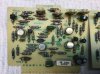
You were right about the driver board, Tom. Pulled the left side driver and no hum. Put the right driver board in the left side, and left side worked. Inspected the driver boards and R813 (470 ohm) and R815 (100 ohm) are clearly toasted. Also noticed that R836 had been changed compared to right driver board. Should be able to get those resistors tomorrow, and replace this weekend. Anything else look amiss?

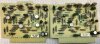
Sansui Eight F-1278.JPG
Sansui Eight F-1278 Left.JPG
 
Not clear from the SM, what wattage should these be?
I believe they are ¼ watt (carbon film) except where stated otherwise in the Service Manual.

The replaced and now damaged resistor in the lower left of the bottom driver board picture is a 'carbon composition' resistor - so, actually a downgrade in this case.
 
Wondering what the root cause of all this damage may have been? There are test point pins on the driver board that are very close to other things. TP801 is connected to R813 and R815. Also connected to R814, but that does not look damaged.
 
Replace all those trimmers. Trust me, I've done two Eight's.
Good advice.
Wondering what the root cause of all this damage may have been? There are test point pins on the driver board that are very close to other things. TP801 is connected to R813 and R815. Also connected to R814, but that does not look damaged.
Might have been a probe slip accident, repair the damage, check the semiconductors in that area - keep the thing ON DBT after EVERY change you make, until you are sure you get the right results from DC offset adjustments AND Bias adjustments.
 
OK, replaced the three resistors, placed just the left card in and powered on DBT. Success! Sound on the L channel. Put right card in also - stereo! So far so good.

Hyperion, just to clarify, you are saying to set DC offset and Bias on DBT? Once I do that, will I need to re-set those once on full line voltage?

Checked all my 1079s before putting any in, and unfortunately, I only have 3 good one. One of the tested shorted. :( So, for now, I have just replaced the L side outputs with the 1079s. I assume best practice is to have both sides the same, so I will need to order a set of 4 MJ21194G. Can order trimmers at the same time.
 
Hyperion, just to clarify, you are saying to set DC offset and Bias on DBT? Once I do that, will I need to re-set those once on full line voltage?
Yes, check that both (DC offset and Bias) are actually functioning, compare how the trimmers adjust with the other working channel, get a feel for if the final settings are achievable or not - if the answer is 'not' then you have more work to do. Do no more than that - above all turn the bias down to minimum before putting the unit on full mains. (you can leave the DC offset where it is set - but it will require adjustment when no longer on DBT).
 
I did all of my testing on headphones. Put speakers on today, and L channel is very weak and static. Swapped F1278 driver boards and problem remained on L channel. Swapped output transistors and problem still remained on L channel. Where could the issue be? The speaker protector block (F-1334) is between OT and speakers, but according to the schematic, headphones jack is also after F1334. Schematic also shows F-1202, not sure what that does? I did visually inspect F1334, but did not see any damage. Also see fuse F006 in line between OT and speakers, but I've already replaced that. Where to look next? Something in the L channel is amiss that only affects speaker output.
 
There are two fuses or channel. If just one of them is bad you will have symptom of a distorted channel like you describe. So make sure both left fuses are 100%
 
Back
Top Bottom