

You are using an out of date browser. It may not display this or other websites correctly.
You should upgrade or use an alternative browser.
You should upgrade or use an alternative browser.
What kind of file is this?
- Thread starter z-adamson
- Start date
Register to hide this ad


z-adamson
Addicted Member
So, I ripped these tracks from CDs as FLAC.
Burned them with Windows Media Player to a CD with a PC that runs Windows11.
But they aren't FLAC. My CD players won't even play FLAC.
From the manual of the CD player...
This unit can play discs that have MP3 and WAV files and use ISO 9660 Level 1, Level 2 or Joliet file system formats. These types of discs are called “data CDs” in this manual.
Since my CD player plays these tracks, they must be wav or mp3. Clearly Windows Media Player is converting the FLAC to either wav or mp3. Funny how they title them WMP11.Assocfile... rather then what they really are.
Burned them with Windows Media Player to a CD with a PC that runs Windows11.
But they aren't FLAC. My CD players won't even play FLAC.
From the manual of the CD player...
This unit can play discs that have MP3 and WAV files and use ISO 9660 Level 1, Level 2 or Joliet file system formats. These types of discs are called “data CDs” in this manual.
Since my CD player plays these tracks, they must be wav or mp3. Clearly Windows Media Player is converting the FLAC to either wav or mp3. Funny how they title them WMP11.Assocfile... rather then what they really are.

wmgwizard
Addicted Member
WMP11 was released in 2006, before FLAC became popular so WMP11 was not designed to handle the codec.
You might want to update your version of WMP or choose a different software like Foobar, Deezer or others.
 en.m.wikipedia.org
 en.m.wikipedia.org
You might want to update your version of WMP or choose a different software like Foobar, Deezer or others.
Windows Media Player - Wikipedia
FLAC - Wikipedia


JoeESP9
ESL's & tubes since 83
Ditch WMP. Download and install a copy of Exact Audio Copy (EAC). Don't bypass the configuration procedure. Select you want to have full control. There is a built-in search utility that will go to an online database. I found that database to be inadequate and opted to pay a couple of bucks for a much better database. It cost me $10 for a lifetime subscription that's useable for multiple PC's.FLAC files ripped from CDs.
When I burn those FLAC files onto a CD, I get this…
But what is a “wmp11.assocfile”??
View attachment 3028763
Once you have the files extracted use Windows file manager. Drag and drop the files you want to burn to the appropriate drive. Click, Burn CD and wait a few minutes. Windows will automatically convert them to the CD format.
WMP makes me think of a dancing Bear. It doesn't dance very well. What's amazing is that it can dance at all.
There are also a bunch of media players free for download that walk all over WMP. Some of them include an audio CD burning feature.
I use MusicBee and Media Monkey for playing music. EAC is for ripping CD's. All three are free downloads.
z-adamson
Addicted Member
So how do I determine what exactly the files are?The fact that they are all 1KB in size indicates to me that is just showing the metadata, not the actual music files.
JoeESP9
ESL's & tubes since 83
It really doesn't matter whether you know exactly what they are. Because there is no data that means anything usable.
That is to say, metadata is useless unless it's associated with a file. In some ways they're like the zero-byte CDA files that are seen when you use file manager to view the contents of a music CD. Rest assured, there's no music contained in them.
That is to say, metadata is useless unless it's associated with a file. In some ways they're like the zero-byte CDA files that are seen when you use file manager to view the contents of a music CD. Rest assured, there's no music contained in them.
z-adamson
Addicted Member
Fair.It really doesn't matter whether you know exactly what they are. Because there is no data that means anything usable.
That is to say, metadata is useless unless it's associated with a file. In some ways they're like the zero-byte CDA files that are seen when you use file manager to view the contents of a music CD. Rest assured, there's no music contained in them.
But since my CDP only plays wav or mp3, that means they must be wav or mp3.
I wish to know which of the two I am listening to. I want to know if the tracks are compressed or not, lossless or not.
Also, I want to understand what is happening. I rip as FLAC. My player does not play FLAC, yet when I burn from the FLAC files, I get something that my player plays. I always thought that if I burn a FLAC file to a cd, I get FLAC on my cd, but that is clearly not the case.

swechsler
Frog Whisperer
Your CD burning software should convert the input file format to WAV if you tell it you're burning a music CD. It will do this automatically, so it might not be obvious, but if your source is FLAC, and it's playable on the player (and presumably the CD player has some way of telling you whether it's playing a standard or an MP3 CD), then it's doing the conversion properly.

cpt_paranoia
Addicted Member
A .cda is a metafile. It is a pointer to the track position on a CD. Note the file size; claimed 1k, but it's actually only a few bytes.
You must be looking at the CD itself, not a ripped file. [edit: yes, you are: look at the file location at the top of the File Explorer window: it's your D: DVD/DC drive]
When you burnt FLAC files to CD, you must have burnt them as an audio CD, not a data CD. Windows is showing you the resulting audio CD. Just like it would for a commercial CD (try it and see).
You must be looking at the CD itself, not a ripped file. [edit: yes, you are: look at the file location at the top of the File Explorer window: it's your D: DVD/DC drive]
When you burnt FLAC files to CD, you must have burnt them as an audio CD, not a data CD. Windows is showing you the resulting audio CD. Just like it would for a commercial CD (try it and see).
JoeESP9
ESL's & tubes since 83
Fair.
But since my CDP only plays wav or mp3, that means they must be wav or mp3.
I wish to know which of the two I am listening to. I want to know if the tracks are compressed or not, lossless or not.
Also, I want to understand what is happening. I rip as FLAC. My player does not play FLAC, yet when I burn from the FLAC files, I get something that my player plays. I always thought that if I burn a FLAC file to a cd, I get FLAC on my cd, but that is clearly not the case.
Wav files are files that Windows creates from what's on a CD. Wav files are native to Windows.
What's on a commercial audio CD is not wav FLAC or mp3. That's why when you run a directory on a music CD it is displayed in file manager as a list of 0 byte cda files.
You can burn an audio CD from FLAC, mp3 or wav files because you have told Windows you want an audio CD. Windows will then automatically convert them to CD format when burned. If you tell Windows to create a data disk using wav, FLAC or MP3 it probably won't be playable on a regular audio CD player.
There are some audio CD players that will play MP3 files. I'm unaware of any that will play FLAC or wav files.

Bill Ferris
Lunatic Member
Well, FWIW, my still functioning 1987 purchased Mc. MCD-7007 CD player plays WAV. ripped music tracks that I burn to CDs with no problems, as I use the player to confirm the burn`s CD player compatibility !Wav files are files that Windows creates from what's on a CD. Wav files are native to Windows.
What's on a commercial audio CD is not wav FLAC or mp3. That's why when you run a directory on a music CD it is displayed in file manager as a list of 0 byte cda files.
You can burn an audio CD from FLAC, mp3 or wav files because you have told Windows you want an audio CD. Windows will then automatically convert them to CD format when burned. If you tell Windows to create a data disk using wav, FLAC or MP3 it probably won't be playable on a regular audio CD player.
There are some audio CD players that will play MP3 files. I'm unaware of any that will play FLAC or wav files.
I guess the burning software (NERO) converts the WAV. ripped music files to a CD playable format, with finalizing during the burn process ?
It (the MCD-7007) will not play a MP3 music file format burned to a CD blank, and just presents Error in red on it`s display if an attempt is tried.
But I remember reading that my 2 different model OPPO Universal player`s manuals indicates that it is capable of playing MP3 music files burned to a CD, or via a flash drive, though I`ve never desired nor attempted to do so, as the MP3 lossy format has unacceptable SQ to me !

audiotemp
Super Member
edit: 4 posts have been restored to the top of the thread.
Last edited:

It has been reported twice by the same member that they can't see the original attachment but I have no problem doing so. It's likely an issue with the browser being used.
Here's the original post, and I will upload the image that is "missing"
"FLAC files ripped from CDs.
When I burn those FLAC files onto a CD, I get this…
But what is a “wmp11.assocfile”??
View attachment 3028763"
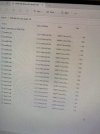
Here's the original post, and I will upload the image that is "missing"
"FLAC files ripped from CDs.
When I burn those FLAC files onto a CD, I get this…
But what is a “wmp11.assocfile”??
View attachment 3028763"
swechsler
Frog Whisperer
This is incorrect. A computer optical drive can most assuredly write an audio CD; I've done it many times, with standard blank CD-Rs (and it was definitely an audio CD, not a data CD with audio files on it; it was able to be played in any standard CD player, including those made before the advent of CD recording). The only time licensing fees were required was with audio component CD player/recorders. Those required special licensed media (which is probably no longer available).A computer optical drive cannot write an "audio CD" because license fees would need to be paid (in advance, by the manufacturer) for any drive with this capabilty.

Dswankey
Lunatic Member
@Montycat
I'm positive that @gadget73 didn't create this thread, his was an answer to a follow up question, which should of been asked in an already existing thread (see below) as opposed to creating a new separate thread
Just my 2 cents both of the threads if they stay that way or get merged should be in "digital Sources"
I'm positive that @gadget73 didn't create this thread, his was an answer to a follow up question, which should of been asked in an already existing thread (see below) as opposed to creating a new separate thread
Media Player replaced Windows Media Player. Can’t burn anymore? A CD burning dilemma…
WMP looked like this… Now, MP looks like this… Can’t figure out how to burn. So I tried this… Ok, so it’s been about a year since I last burned CDs and I am ready to get back at it. I was burning in WMP, worked great. Now, I’ve been trying other things because I can’t find how to...
www.audiokarma.org
Just my 2 cents both of the threads if they stay that way or get merged should be in "digital Sources"
Bill Ferris
Lunatic Member
You might wish to inform any one of my 9 different Windows (from Win 7, 8, and currently 10) machines, since I have many, many times successfully burned audio CDs from WAV. ripped music files in the computer, plus copied from one CD to another blank R/W CD on those machines, either directly if 2 optical drives were available (tower) or from a computer created image from the source CD because of only a single R/W optical drive was/is present (laptop).A computer optical drive cannot write an "audio CD" because license fees would need to be paid (in advance, by the manufacturer) for any drive with this capability.
I have no idea if the optical R/W drive`s manufacture, CD blanks, or the computer manufactures prepaid any license fees or not, nor have I ever thought about it or even cared.
The 2 type burning tasks I ever required were completed successfully and all the computer burned audio music CDs played perfectly on my 1987 purchased 36 yr. old Mc. CD only (no SACD capability) player.


