• Please note that Audiokarma will be offline briefly for updates early on Monday morning, September 28th.

What kind of file is this?

A computer optical drive cannot write an "audio CD" because license fees would need to be paid (in advance, by the manufacturer) for any drive with this capabilty.
Nonsense. CDBurnerXP will write an audio (red book) CD. I've been doing it for years. Other tools will do it, too.


Even the ancient copy of WMP on my old Win7 machines will burn an audio CD.
 
Last edited:
Well, FWIW, my still functioning 1987 purchased Mc. MCD-7007 CD player plays WAV. ripped music tracks that I burn to CDs with no problems, as I use the player to confirm the burn`s CD player compatibility !
I guess the burning software (NERO) converts the WAV. ripped music files to a CD playable format, with finalizing during the burn process ?

It (the MCD-7007) will not play a MP3 music file format burned to a CD blank, and just presents Error in red on it`s display if an attempt is tried.
But I remember reading that my 2 different model OPPO Universal player`s manuals indicates that it is capable of playing MP3 music files burned to a CD, or via a flash drive, though I`ve never desired nor attempted to do so, as the MP3 lossy format has unacceptable SQ to me !
Whenever you tell Windows or a Windows application to burn an audio CD that's exactly what it will do. This is obvious when doing a dir in file manager on the CD. The tracks will show up as 0-byte cda files.
 
It has been reported twice by the same member that they can't see the original attachment but I have no problem doing so. It's likely an issue with the browser being used.
My browser is fine. The problem was that once the post containing the image was deleted, the image could only be viewed by moderators.

I can follow the thread much better now so thank you.
 
Interesting thread. I was definitely confused in my earlier post.

I went back and re-read some of the history (pretty close to "ancient history" at this point...) of CD-DA as well as CD-ROM. I still listen to CDs but I confess to not having burned audio to one in quite a while.
 
i remember back in the day we burned audio cd no problem. its been years since i bought a disc.
the problem then was finding out which disc to use. not every machine responded well to every manufactures disc.
seems lots of times the cheapie machines played everything.
i do remember having to finalize to make it readable by non pc , but that was more about maximizing the allotted space.
you couldnt add once finalized.
 
I tried CDburnerXP and I ended up with CDs that my CD player would not play. Only my computer would play tracks.
I have no experience with CDburnerXP, but the version of Nero media software that came free with the purchase yrs. ago of desktop formfactor BR/DVD/CD R/W optical units, burning options, of which one was to burn CDs that would play in all CD players !

Yrs. ago when I first started playing around with burning CDs from either copying a loaned CD, or the CD burn from a WAV. file stored on the computer that I was using to burn, I found out after several early failed attempts to burn a CD that would play in any, or at least most CD players outside a computer, that I need to read the burning software settings to select that desired burn type function.
And no more failed normalizing/finalizing of the burn, which to this day when I desire burning of a music CD, I always test the burned CD, post burn, in my 32 yr. old Mc. CD player to confirm compatibility with pretty much any other stand alone CD player, as that older CD player can be picky about playing burned CDs being having been designed in the earlier yrs. of CD player technology.

At least that`s how I`ve learned to do my CD burning via NERO media handling software that I still use and like.
 
When ripping a cd disc you can't just create an audio CD because that will just make a disc that is essentially the same as the disc you are ripping. When you rip to obtain flac files, those file need to be sent to your hard drive to a folder of your choosing. When this is done you can then open the folder and in there will be the flac files. At that point you might consider renaming the folder after the artist of the original musician. I you want to write those file to a disk you just copy the .Flac file on to a disk as a data disc. After that your disk can be read by any player that recognises a flac file. I still use old Winamp to play my music.

I agree that wmp gets the heave-ho. I use Nero also. EAC is also a great choice of player/audio tool. So just remember that any time you create an audio disc, it will end up looking like the image you posted and whatever file type you burned, it will be turned back to a .wav file on the disc. If you want a disc with .Flac files, you need to write it as a Data Disc.
 
whatever file type you burned, it will be turned back to a .wav file on the disc
It will be turned into a CDDA formatted PCM bitstream. That is not the same as .WAV file; there are no distinct files on a CDDA, just a stream of samples, encoded with a CIRC framing format, with track positions indicated by offsets held in the TOC.
 
When i was making discs they liked to be done in "disc at once" mode and finalized in order to play on a normal cd player. Track at once worked but the gaps got funny. They dont play if not finalized though.
 
Although I was trying to simplify things a bit, I now have learned another new thing here at AudioKarma
 
A bastard file is the one you need and cannot find. I've probably got a dozen or more of the things and it never fails that I'm looking for one I don't have or isn't where it belongs.
 
A friend and I were in a big box electronics store years ago, and were looking at computers. This was a short time after home-written CDs were becoming fairly common.
While there, we overheard one of the salesmen explaining to a customer about writing music to CDs. He told the customer he HAD to use special, made for music CDRs as music could not be written to data CDRs. So I am sure he sold some higher priced Music Only CDRs to the poor misinformed customer! We also overheard a salesman along about that time telling someone to always write any notes, with a sharpie or whatever close to the center hole, as a lot of time you won't completely fill a CDR. That would help keep any writing on the face from interfering with the written part since the CD player reads from the outside in, just like a record! We did catch that customer on his way out and explained he was given bad information and how to prove it for himself.
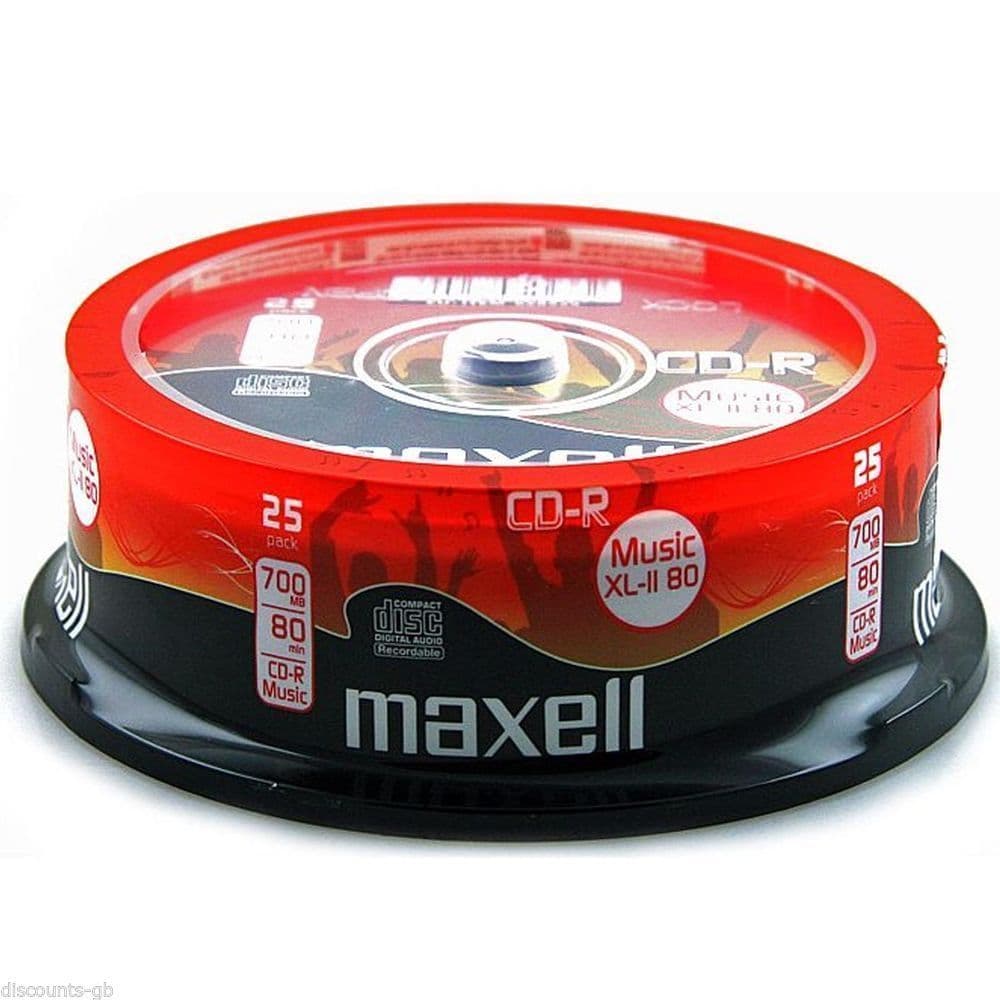
I have a 25pack of these music CDRs laying around here somewhere that was given to me years ago. Seems like I tried to write data to one, and it wouldn't work. Didn't ever try one for music.
 
He told the customer he HAD to use special, made for music CDRs as music could not be written to data CDRs.
That is true for the early CD Recorders (not computer CDR drives). My Philips CDR-796 will not write to normal, computer data CDRs, only to Music CDR discs (CD Digital Audio Recordable). e.g. the Maxell XL-II


Computer CDRW drives can overcome this problem, because they don't have the primitive DRM mechanism used in a CDR (SCMS):

 
That is true for the early CD Recorders (not computer CDR drives). My Philips CDR-796 will not write to normal, computer data CDRs, only to Music CDR discs (CD Digital Audio Recordable). e.g. the Maxell XL-II


Computer CDRW drives can overcome this problem, because they don't have the primitive DRM mechanism used in a CDR (SCMS):

Yes...I know this. Both these situations were when dealing with computers.
I think these music-only CD'Rs were, as usual with any new media, hoping for copyright arrangement and control. They have never learned, but I understand them trying. After all, the musicians deserve to be paid.
I thought I had thrown mine away, but went and looked and I still have mine! You are right...they are gold colored Maxell CD-R Music 80. Must have been a 10 pack pancake...there are only 8 there now. Maybe somebody will want them someday.
By the way, a friend of mine bought what was said to be the second home component CD writer sold in Arkansas. I think it cost about $900. Another friend got it from him some time ago, and mentioned to me later that he had thrown it away!! I said "WHAT?? WHY?" He said a CD got stuck in it, and would not eject!! LOL I have since made it clear not to EVER throw away any electronic equipment before checking with me!
 
Back
Top Bottom