• The move to the new server is done. There are some software and database maintenance updates in process. This has us passing the hat around to help out. We appreciate any donations. Seriously, even a dollar helps. The payment page may be found here - https://www.audiokarma.org/support.html

G8000 with no sound

Ok,
I wanted to get some clarification of how to proceed forward from where I am at currently.
All output trans have been replaced, both F-2806 boards have been rebuilt with all suggested replacements.
All relays have been replaced.

Regarding the Bourns bias pot, if full clockwise is down and full counterclockwise is up, where do you want me to set it to safely start with?

I have reinstalled all boards and connectors, thank God for pictures and notes.
Now rewinding back to the original issue before all this work was done, this 8k turned on correctly, did not have any protection issues, but had no output and low distorted output in the other channel.
The preamp connected to another amp does work correctly.

Can I now try to fire this up on the dim bulb? If so, should I try to dial in the bias while on DB?

Thank you for your answers!
 
Ok,
I wanted to get some clarification of how to proceed forward from where I am at currently.
All output trans have been replaced, both F-2806 boards have been rebuilt with all suggested replacements.
All relays have been replaced.

Regarding the Bourns bias pot, if full clockwise is down and full counterclockwise is up, where do you want me to set it to safely start with?

I have reinstalled all boards and connectors, thank God for pictures and notes.
Now rewinding back to the original issue before all this work was done, this 8k turned on correctly, did not have any protection issues, but had no output and low distorted output in the other channel.
The preamp connected to another amp does work correctly.

Can I now try to fire this up on the dim bulb? If so, should I try to dial in the bias while on DB?

Thank you for your answers!
Start with the bias at minimum.

You can see if the bias will adjust on the DBT, but do not set it as when you go to full AC Mains it will be very high.
You do have to turn the bias trimmer quite a ways to actually get the bias to move, it sort of goes nothing, nothing, a little bit, then suddenly too much!!....So just watch that when you dial it in.

Did you clean the SEPARATED/CONNECTED switch on the side where the speaker terminals are?
If not, go full metal jacket and remove the switch, dismantle and remove the black tarnish then coat with Deoxit SN5 and reassemble.
If you don't do this, that switch will never be quite right, and will always give trouble from time to time...the symptoms are indicative of that switch.
 
I will watch it carefully with the bias setting. How low, approximately would you like it set on DB before going full main. Then obviously setting it correctly.

I did clean the switch many times, but if I have to dismantle it to get it cleaned correctly I will. Why is this switch such an achilles heel?
 
I'd use a variac at low power with dmm connected...see what the reading is and adjust to determine correct direction.

"Those bias and offset pot settings are initial starting off points and are suitable here also. Starting out with the bias set at minimum never hurts and is usually recommended after repairs such as replacing outputs for example. If the unit is known working and your just checking and tweaking just measure it and adjust if necessary (CCW to decrease and CW to increase) When in doubt start out with bias set to minimum in ANY amplifier. You already know the offset isn't terrible so no real need to start off with the pots in the middle. Just do your adjustments now for as close to 0mV as you can. "overloard.
 
Just to be clear, kevzep/raycarr00.....
Leave the bias setting as it is came to start with but counterclockwise it's increasing it, correct.

The connected/separated switch looks somewhat insane to come out of there.
 
Just to be clear, kevzep/raycarr00.....
Leave the bias setting as it is came to start with but counterclockwise it's increasing it, correct.

The connected/separated switch looks somewhat insane to come out of there.
Start with the bias at minimum, and basically you just want to check its adjustable and functioning as expected.
Then you can move to full mains and then set it.
No need to use a variac.
 
if you're not sure which direction is full turn,use a variac. otherwise,you'll be starting from scratch.

"... (CCW to decrease and CW to increase) When in doubt start out with bias set to minimum in ANY amplifier. You already know the offset isn't terrible so no real need to start off with the pots in the middle. Just do your adjustments now for as close to 0mV as you can. "overloard
 
I only asked again because I believe I read in past threads about G8/9k's that kevzep has verified the manual is incorrect in which direction bias is.
Full clockwise on this new Bourns pot to start will insure no magic smoke, correct.

Sorry if I'm coming across as a nervous Nellie, this was a lot of work, especially when I can't get to it as often as I like.
 
if you're not sure which direction is full turn,use a variac. otherwise,you'll be starting from scratch.

"... (CCW to decrease and CW to increase) When in doubt start out with bias set to minimum in ANY amplifier. You already know the offset isn't terrible so no real need to start off with the pots in the middle. Just do your adjustments now for as close to 0mV as you can. "overloard
There is no doubt, on the G8000 and G9000 it is Anti-Clockwise to increase, Clockwise to decrease.
 
Triple checked all my work and put all connectors back correctly
Fired it up on DB and nothing but bright bulb.
What is the next logical step from here.
I've never not had bulb not go dim on any receiver until now.
 
Are R16/20 directional on F-2806? Do the bands have to orient a certain direction? I assumed they were not.
I have the Bourns 3299 pots full right for safety.
 
Yes, sorry, brain fade on that. I guess I'm just reaching for anything I may have put in wrong.
I don't know where to go from here, other than just keep going over everything I changed out.
 
Ok
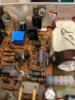
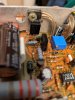
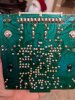
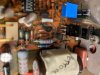
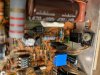
PXL_20201207_223803198.jpg PXL_20201207_223803198.jpg PXL_20201207_223820983.jpg
 

Attachments

  • PXL_20201207_223912221.jpg
    PXL_20201207_223912221.jpg
    137.2 KB · Views: 11
  • PXL_20201207_224032130.jpg
    PXL_20201207_224032130.jpg
    89.4 KB · Views: 11
  • PXL_20201207_224041862.jpg
    PXL_20201207_224041862.jpg
    108.8 KB · Views: 9
  • PXL_20201207_224126957.jpg
    PXL_20201207_224126957.jpg
    135.2 KB · Views: 10
Back
Top Bottom